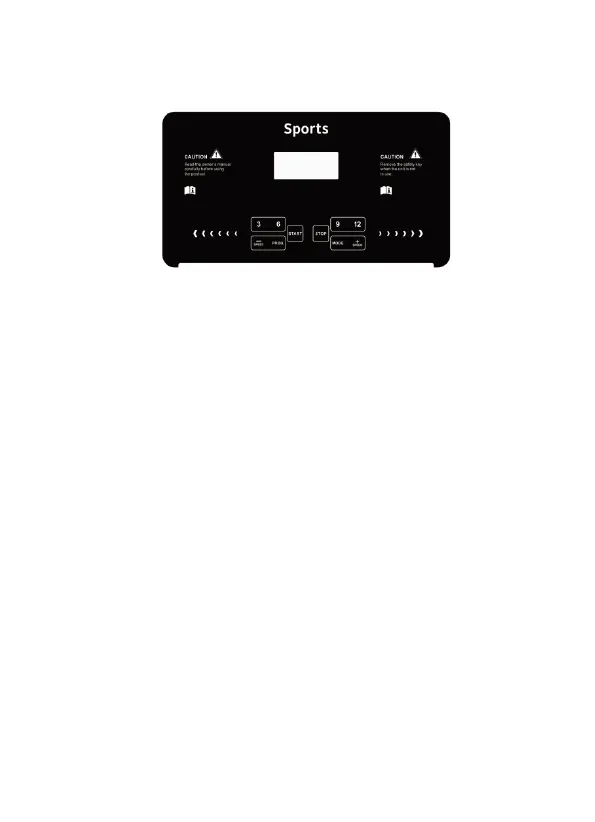
Boot start: Normal start after 3 seconds countdown.
The number of programs : P1~P12 automatic programs.
Safety lock function
Unplug the safety lock and immediately display the “SAFE” treadmill
to stop quickly. When the safety lock is placed, the electronic watch
will display for 2 seconds and the data will be cleared.
Key Function
Start button:
“START” is the start button. When the treadmill is stopped, press the
start button, the speed displays “1.0”, and the treadmill starts.
stop button:
“STOP” is the stop button. When the treadmill is running, press the
stop button, all data is cleared, and the treadmill slowly stops.


 To Next Page