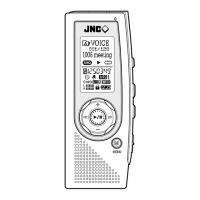
Need help?
Do you have a question about the JNC SSF-110 and is the answer not in the manual?
Important information, warnings, and precautions for safe usage.
Critical safety warnings related to batteries, LCD, and general usage.
Key capabilities of the voice recording function, modes, and indicators.
Features related to playing and encoding MP3/WMA files, including ID3 tags.
Instructions for turning the device on/off, using the hold key, and adjusting volume.
How to turn on, tune, and preset FM radio stations.
Instructions for recording FM radio stations and considerations for audio quality.
Configuring timer recordings and alarm playback functionality.
How to record using internal mic, external mic, line-in, and FM radio.
How to connect to external devices for recording or playback.
Specific instructions for recording from telephones and mobile phones.
Step-by-step guide for installing the driver on Windows ME, 2000, and XP.
Steps for downloading and installing firmware updates to improve device functionality.
 General
| Brand | JNC |
|---|---|
| Model | SSF-110 |
| Category | Voice Recorder |
| Language | English |

 To Next Page