Issue 2.0W 12/12/2012 Church Organ World Sequencer Plus - User Manual Page 10 of 27
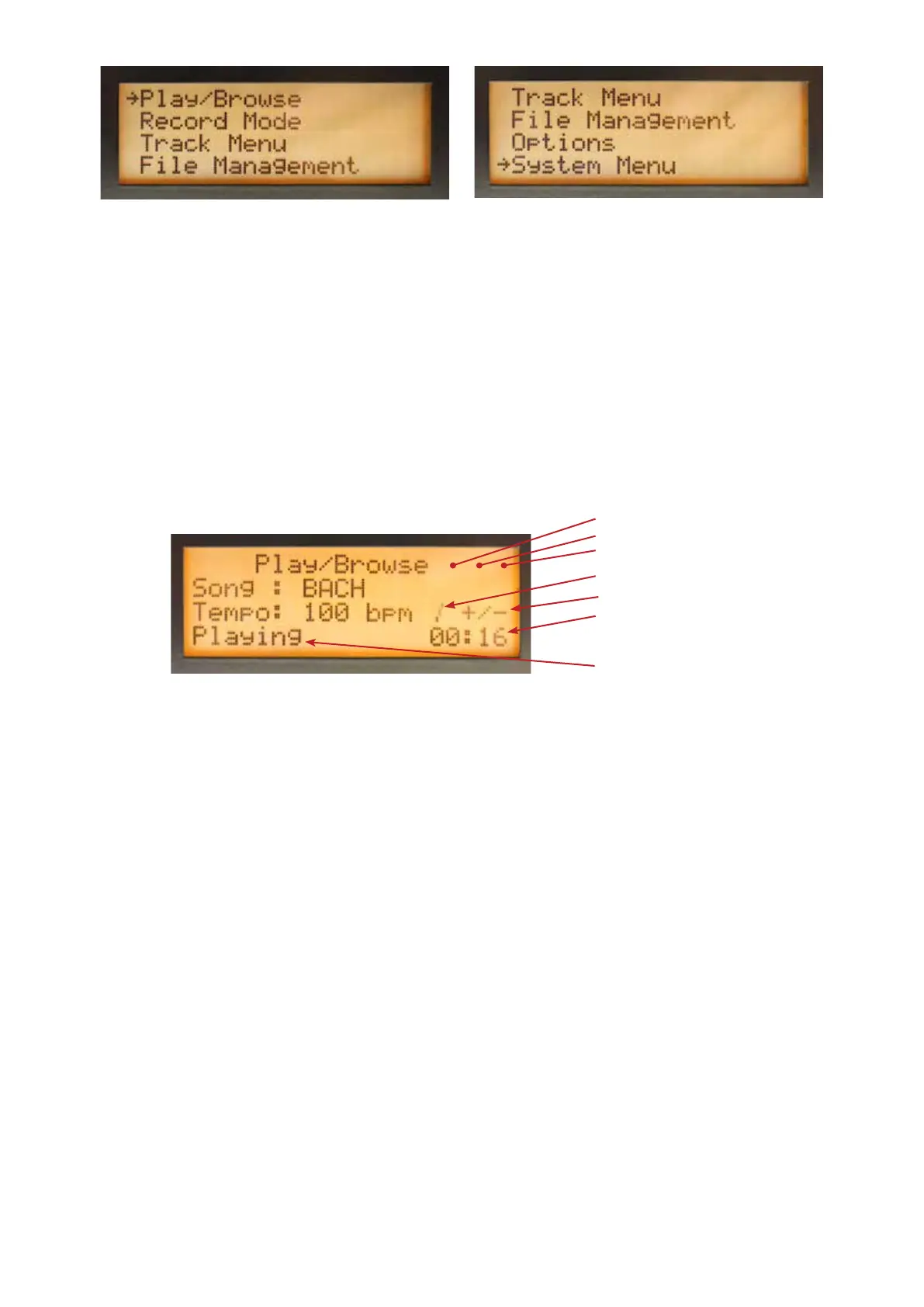
The Play/Browse screen will appear after the MIDI sequencer has been switched on.
To select screens through the key combinations:
• Play/Browse Stop key + Play/pause key together.
• Record Mode Stop key + Record key together
• Menu Stop key + Left arrow key together
To select a screen through the main Menu
• Select the main Menu screen.
• Turn the selector to select a screen.
• Press the selector to go to the selected screen.
8. Play/Browse Screen
• Song: Shows the name of the selected MIDI le.
• Tempo: Shows the set tempo (beats per minute).
• Status Indicator shows the current status (Stopped/Playing/Paused).
• Repeat Mode Indicator:
• Blank - Repeat mode not active.
• R: Repeats the selected MIDI le.
• RA: Repeats all MIDI les.
• Play Mode Indicator:
• Blank - Default play mode.
• HM: The selected MIDI le plays in the Hymn Mode.
• PL: A playlist has been detected. The MIDI les are played according to the programming of
the playlist.
• Busy indicator appears when MIDI sequencer is busy processing.
• Change indicator +/- shows behind the item that can be changed.
• Metronome Indicator: Shows the rhythm.
• Time Indicator: Shows the elapsed playing time.
Status Indicator
Elapsed Time Indicator
Change Indicator
Metronome Indicator
Busy Indicator
Play Mode Indicator
Repeat Mode Indicator


 To Next Page