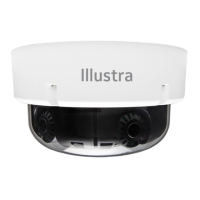
Positioning the LEDs correctly with sunshield attached
Figure 12
Note: If you do not ensure that the LED’s are in the correct position then it will likely
cause IR reflection.
Warnings
1. Installation and servicing shall be performed by qualified service personal.
2. The mains power adaptor equipment should be marked LPS (Limited Current
Source) or PS2 and rated according to 60C, 24V AC, 1.75A min or PoE
IEEE802.3at, Type 2, Class 4, 48V DC, 0.53A min.
3. To meet security immunity requirements, use an uninterruptable PSU to supply
power to the mains adaptor or PoE mid/end span.
4. If a Class I PoE adaptor or switch is used to provide power, be sure that the
power cord is firmly plugged into the socket and confirm the main earth
connection.
5. Interconnecting cables for PoE is intended to be supplied by a UL listed type
CL3P, CL3R or CL3X, marked ‘’SUNLIGHT RESISTANT’’, ‘’SUN. RES. ‘’ or
‘’SR.’’ and ‘’water resistant’’ or ‘’W’’
Mounting, that includes climbing ladders, installing communications,
power, etc. can be hazardous. Only skilled person(s) should install
this device This camera can be mounted at a distance greater than
2 meters (6.6 feet) from the floor, there is a risk of Injury if the
camera falls, ensure the camera is securely mounted.
Attaching the camera to a Pendant cap (continued)
Figure 6
4. Insert the waterproof connector and pendant cap onto the adaptor ring, insert the
three screws into the three holes on the adaptor ring and then use a screwdriver
to securely attach the pendant cap to the adaptor ring.
5. Hold the adaptor plate (1) (Figure 7) up to the pendant cap, insert the cables
through the hole on the adaptor plate, align the four holes on both, and then
insert the four screws and use a screwdriver to attach the plate to the cap.
Figure 7
Attaching the camera to a Pendant cap (continued)
6. Hold the camera base up to the adaptor plate and insert the power cables
through the rubber insert on the camera base and then into their respective ports
on the camera base.
7. Continue at steps 5 to 8 in the ‘Attaching the camera to a surface’ procedure.
Attaching the sunshield cover to the camera
In the box with the pendant cap
1 x Sunshield (P/N = IA-CAP-WH-F4M) / 2 x Rubber inserts (for the screws)
1. Hold the sunshield cover (1) (Figure 8) up to the dome cover (4) (Figure 8) and
push the two clasps (2) (Figure 8) on the sunshield cover down onto the two
captive screws (3) (Figure 8) on the dome cover.
2. Insert the two screws into the two holes and securely attach the sunshield cover
to the camera dome.
Figure 8
Inserting the desiccant bag to the camera dome cover
1. Insert the desiccant bag (1) (Figure 9) into the slot on the camera dome top
cover.
Inserting the desiccant bag to the camera dome cover (continued)
Figure 9
Attaching the cable side cover to the camera base
1. Insert the side cover (1) (Figure 10) into the slot (2) (Figure 10) on the camera
base.
Figure 10
Adjusting the camera lens
Figure 11
• Pan Adjustment: Rotate the lens base until you are satisfied with the field of
view.
• Tilt Adjustment: Tilt the eye-ball assembly as needed.
• Rotate Adjustment: Rotate the 3D assembly in the camera base.
Positioning the LEDs correctly with sunshield attached
Before you attach the sunshield cover, ensure that the LED’s (2) (Figure 12) are in
the opposite direction to the sunshield cover (1) (Figure 12).
Note: See IA-KIT-WD-UUA | Illustra (illustracameras.com) for more information on
the USB cable mentioned in Table 1. IA-KIT-WD-UUA together with the Illustra
Tools application lets users install, configure, and maintain cameras. Scan one of the
QR codes below to access the application.
iOS Android
© 2023 Johnson Controls. All rights reserved.
JOHNSON CONTROLS and ILLUSTRA are trademarks and/or registered
trademarks. Unauthorized use is strictly prohibited.



 To Previous Page
 Loading...