Physical features
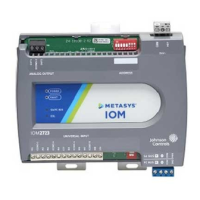
The following figure displays the physical features
of the IOM, and the accompanying table provides a
description of the physical features and a reference
to further information where required.
Figure 1: IOM3733 physical features
Table 1: IOM3733 feature callouts and
descriptions
Callo
ut
Physical feature: description and references
1 Binary Output (BO) Terminal Block (see Table 2)
2 Mounting Clip (Three Total) (see Figure 1)
3
Device Address DIP Switch Block (see Setting the device
address )
4
24 VAC, Class 2 Supply Power Terminal Block (see Supply
power terminal block)
5
Cover Lift Tab (One of Two) (see Removing the expansion
module cover)
6
Sensor Actuator (SA) Bus / Field Controller (FC) Bus
Terminal Block (see SA/FC bus terminal block)
7
End-of-Line (EOL) Termination Switch (see Setting the
End-of-Line (EOL) switch)
8 Binary Input (BI) Terminal Block (see Table 2)
9 LED Status Indicators
Mounting
Observe the following guidelines when mounting an
expansion module:
• Ensure the mounting surface can support the
expansion module, DIN rail, and any user-
supplied enclosure.
• Mount the expansion module horizontally on
35 mm DIN rail whenever possible.
• Mount the expansion module in the proper
mounting position (Figure 2).
• Mount the expansion module on a hard, even
surface whenever possible in wall-mount
applications.
• Use shims or washers to mount the expansion
module securely and evenly on the mounting
surface.
• Mount the expansion module in an area free
of corrosive vapors and observe the Ambient
Conditions requirements in Table 9.
• Provide for sufficient space around the
expansion module for cable and wire
connections for easy cover removal and good
ventilation through the expansion module (50
mm [2 in.] minimum on the top, bottom, and
front of the expansion module).
• Do not mount the expansion module on
surfaces prone to vibration, such as duct work.
IOM3733 Input/Output Module Installation Guide2



 To Next Page