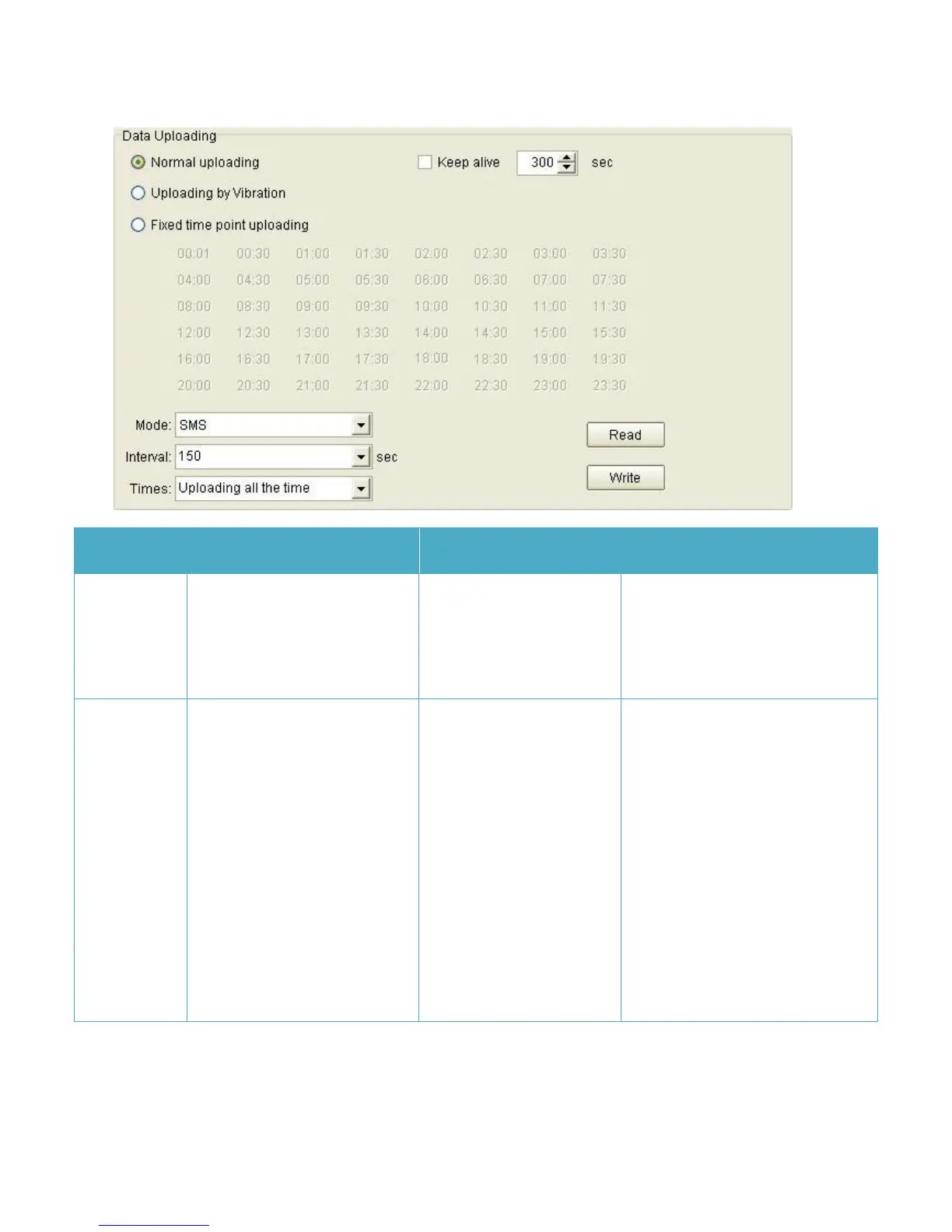
Click it ,enable “Normal
Uploading”
If you choose this Uploading
mode,JT600 will upload data as
preset time interval and data
transmission mode all the time.
enable this function,JT600
will upload a keep alive
report to center server
every 300 seconds.
Note:
If the data uploading
interval is more than the
time that GSM provider cut
GPRS connection. You must
enable the Keep alive
function. Or you can’t
Default, This function is disabled.
The unit can be set to send short
keep alive report to the server to
prevent the disconnection from the
mobile service provider. Some GSM
provider might cut connection if
there is no data within certain time.



 To Next Page