EasyManua.ls Logo

JoinTech JT600 - Page 18

JoinTech JT600
40 pages
Print Icon
To Next Page IconTo Next Page
To Previous Page IconTo Previous Page
Loading...
- 18 -
TCP
Data transmission mode
GPRS
Uploading GPS data to Server IP
address and TCP Port
Interval
150
150 seconds
SMS [150,65535]
TCP [5,65535]
Please refer to Section 2.4.4 P04
Enquire or Set Data uploading
interval. <JT600 protocol>
Times
Uploading all the time
=0,Uploading data all the
time.
=[1,65535] It will stop
uploading when reaching
preset times.
Read
Read current tracker’s
settings for above items.
White
Write above settings to the
tracker.
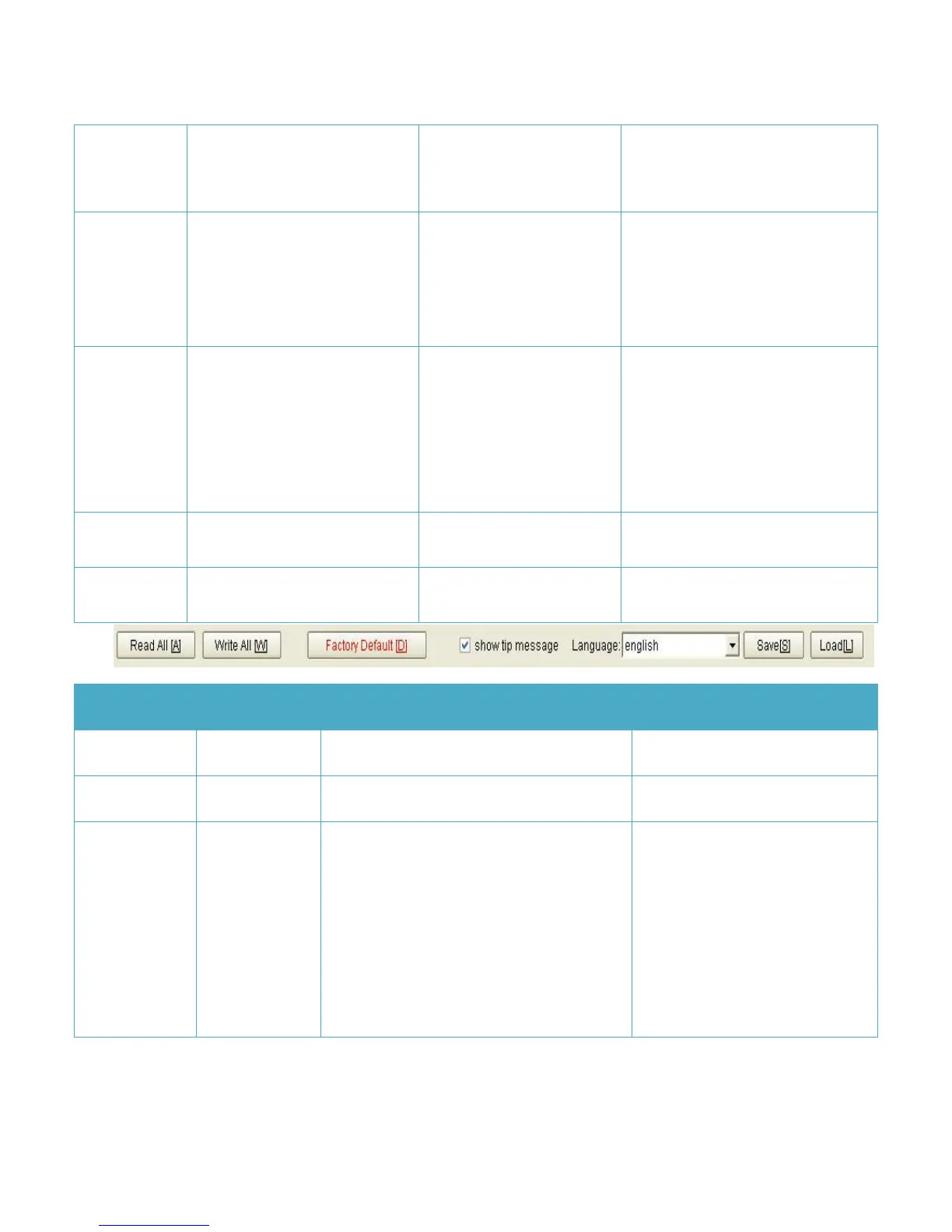
Item
Parameter(e.g.)
Explain
Note
Read All
Read all settings of the tracker
Exclude Geo-fence
Write All
Write all settings of the tracker
Exclude Geo-fence
Factory
Default
Restore factory default
Restore factory settings. It will
clear parameters(such as
Geo-fence/Uploading mode)
except IP address,Port,SMS
Primary number, VIP numbers,
APN,APN account,Another name
and time difference.and JT600 will
be reset to Normal Uploading and