11
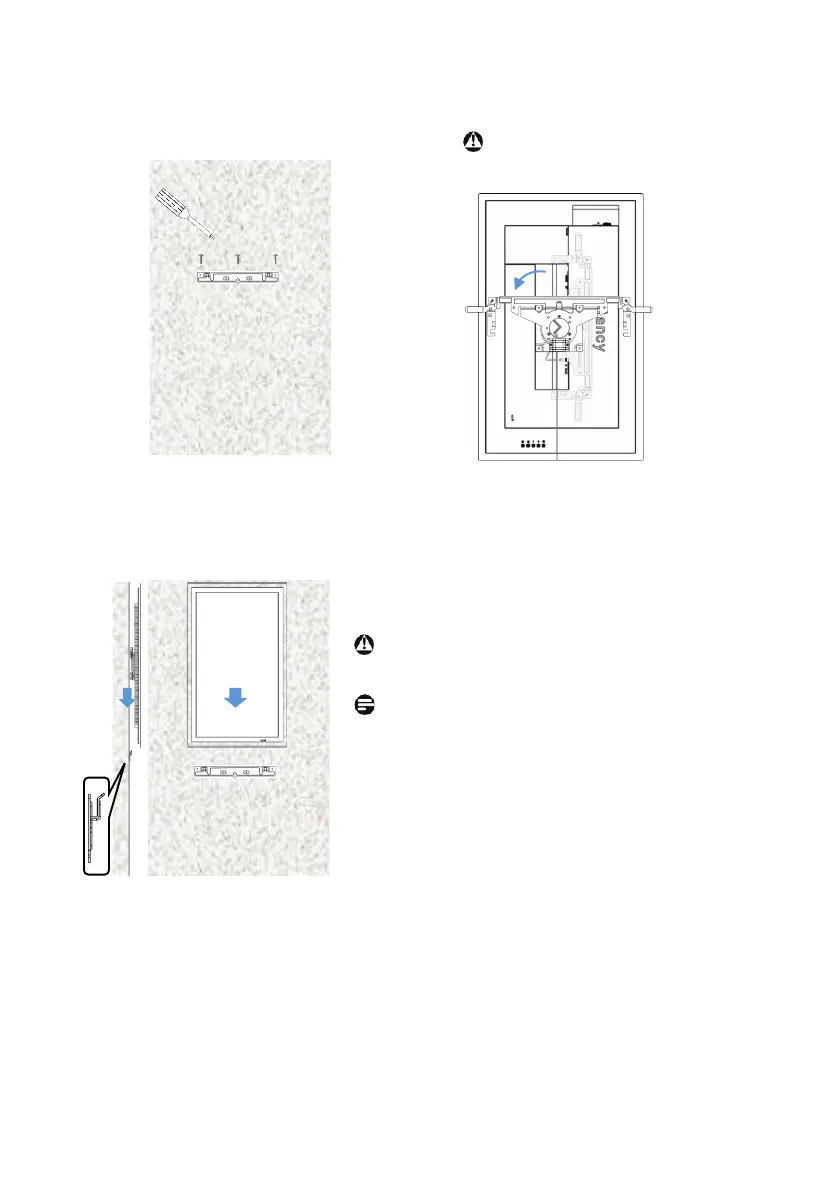
(4)Rotating the bracket
(5)Hang glancy to the bracket
Warning
Be careful not to drop the monitor.
Place a soft cloth or cushion underneath.
note
After mounting, remove the protective film
before use.
Hang the rotating bracket on
the wall mount bracket while
slowly lowering the monitor.
(3)Attach the wall mount bracket to the wall
Attach the wall mount bracket with screw B
or screw C suitable with the anchor.
Screwdriver
Screw
Rotate the rotating bracket 90 °
counterclockwise so that it faces vertically,
and hold the housing part.
Warning
Do not apply force to the screen part.
Do not turn it too hard.


 To Next Page