P/N: 89459 (v.A)
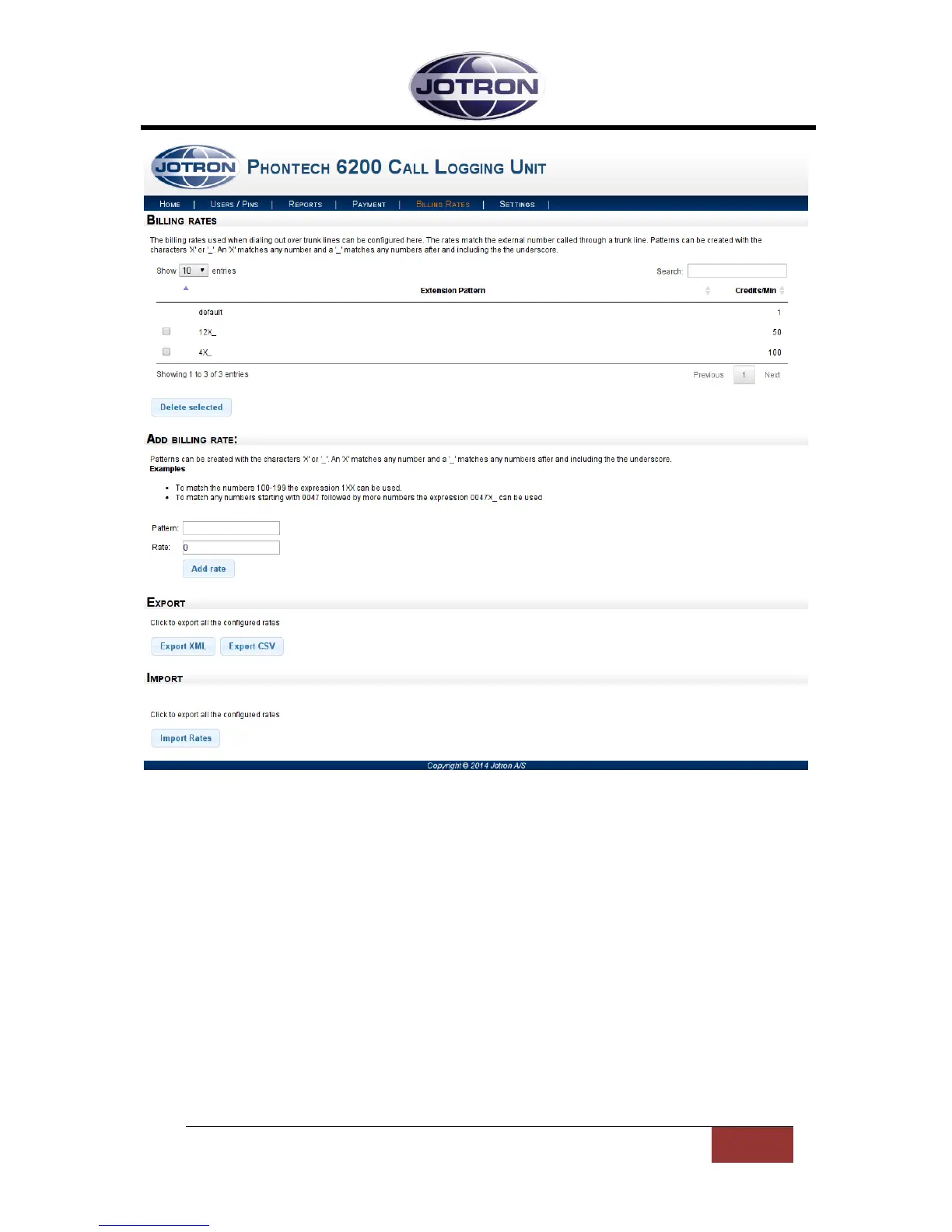
Figure 8 - Billing Rates Page
The ‘default’ rate will be used when no other billing rate can be matched. By default it is set to 1
credits pr. minute, but it can be changed by entering ‘default’ as the pattern when you add a new
rate.
To add a new rate you enter the pattern you want to match in the ‘Pattern’ input box in the ‘Add
billing rate’ section. You then enter the desired rate in the box below it. This rate will be the cost of a
call pr. minute.
If you want to match a single number simply enter the number in the pattern field. If you want to
match multiple numbers, such as a prefix or a range of numbers you have to use the pattern
matching approach. Patterns can be created using the ‘X’ and ‘_’ characters. Entering ‘X’ will match
any number, while ‘_’ will allow the previous number or match to be repeated multiple times. This
may be used to match numbers of arbitrary lengths. Some examples are shown below.


 To Next Page