P/N: 89459 (v.A)
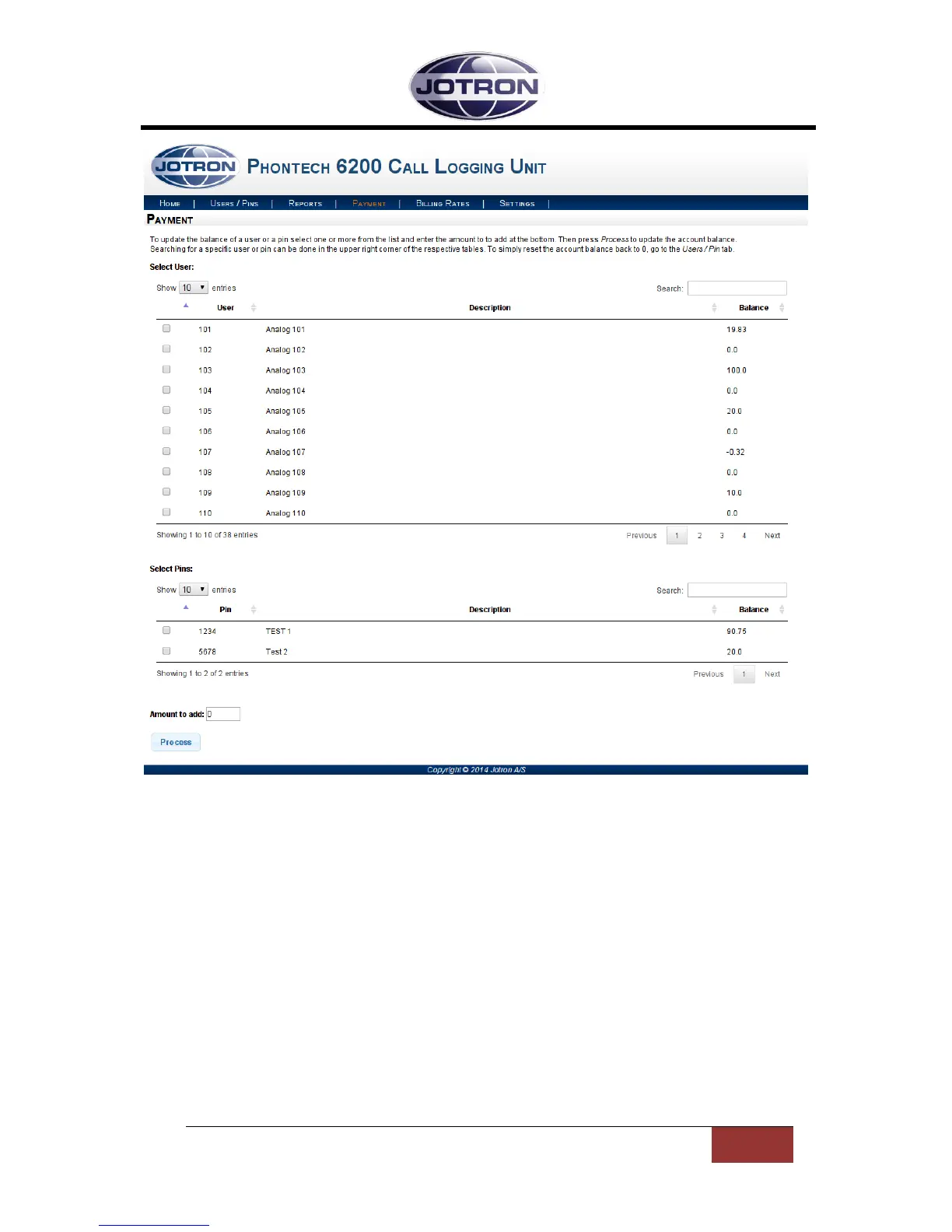
Figure 7 - Payment Page
1.6 BILLING RATES PAGE
The billing rates page is where we can configure the cost rates for numbers dialed over trunk lines.
You can match explicit numbers or create patterns for matching number ranges. The currently
configured billing rates can be found in the list at the top of this page. The list can be navigated with
the buttons and page numbers in the bottom right corner of the list.
To remove a configured rate, select it by clicking the check box in the left-most column next to the
rate you want to remove and then click the ‘Delete selected’ button. Multiple rates can be selected
for one delete operation.
Note that any change to the configured rates will not affect already logged calls. Only new calls made
after the change to the rates will be affected.


 To Next Page