Revision 1.3 Joulescope JS220 User’s Guide Page 22 / 51
www.joulescope.com
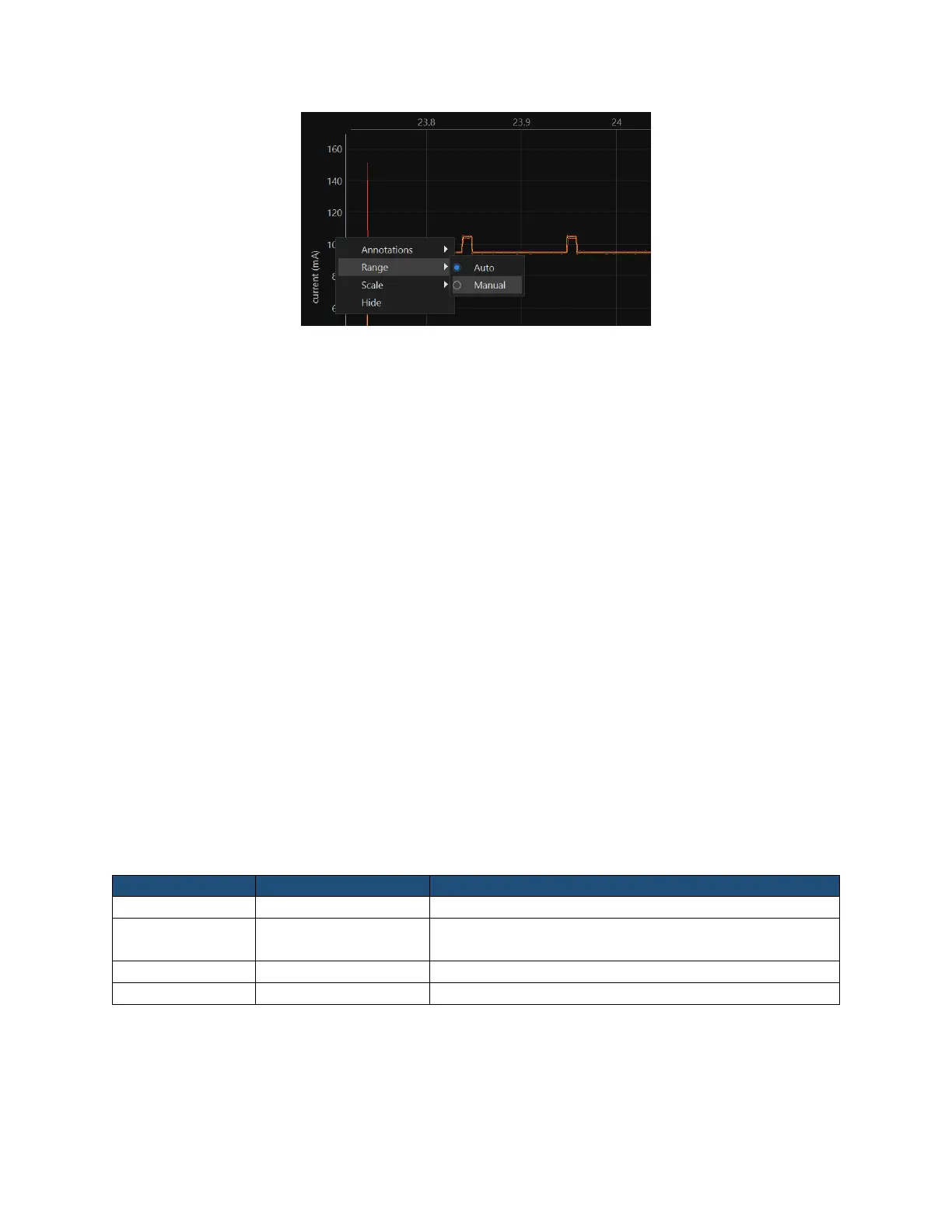
When manual ranging is activated, hover over the y-axis and use the scroll wheel to zoom in and out.
Left-click and drag up and down to pan the y-axis.
Use the y-axis context menu to change the y-axis scale mode. The y-axis displays in linear coordinates
by default but also supports a logarithmic scale. A logarithmic scale is handy to view wide dynamic
ranges for current and power.
Use the y-axis context menu to hide the signal. Click Settings at the top left to display the settings
menu. Select Add → [Signal Name] to display a signal not already shown.
8.4. Energy and Charge
The Joulescope measures current and voltage two million times per second. It then multiplies current
by voltage to compute power. Joulescope then integrates power over time to compute energy. It also
integrates current to compute charge. Joulescope displays energy in both the Multimeter view and
Oscilloscope view. This value starts accumulating when the software starts. Use Tools → Clear Energy
to reset it to zero at any time.
The energy value and charge value provide a simple measurement to observe changes, especially for
software. You can baseline the performance of an operation by recording the measured energy or
charge value. You can then make changes, repeat the test, and observe the new energy or charge value.
The oscilloscope view enables you to investigate in further detail.
8.5. Open-source
The host software is open source and written in Python 3.8+. The host software consists of several
layers:
The Joulescope package was designed so that you can script custom Joulescope actions and integrate
Joulescope into your applications.
See the GitHub repositories for the latest details.


 To Next Page