Language settings:
The English, German and French languages are available.
Synchronization:
The channel CH1 is used as the target during the synchronization. The
parameters of the channel CH2 will change according to the parameters of
CH1. If the synchronization point is highlighted, presst the buttons
to select the point which has to be synchronized.
Use the multifunctional button to select and to quit
the process.
Settings of the arbitrary wave display:
The amount of wave forms in the main interface can be adjusted via the
rotary button (1 - 60) very quickly.
8. PC SOFTWARE INSTALLATION
You can download the latest version of the PC soware on our Website.
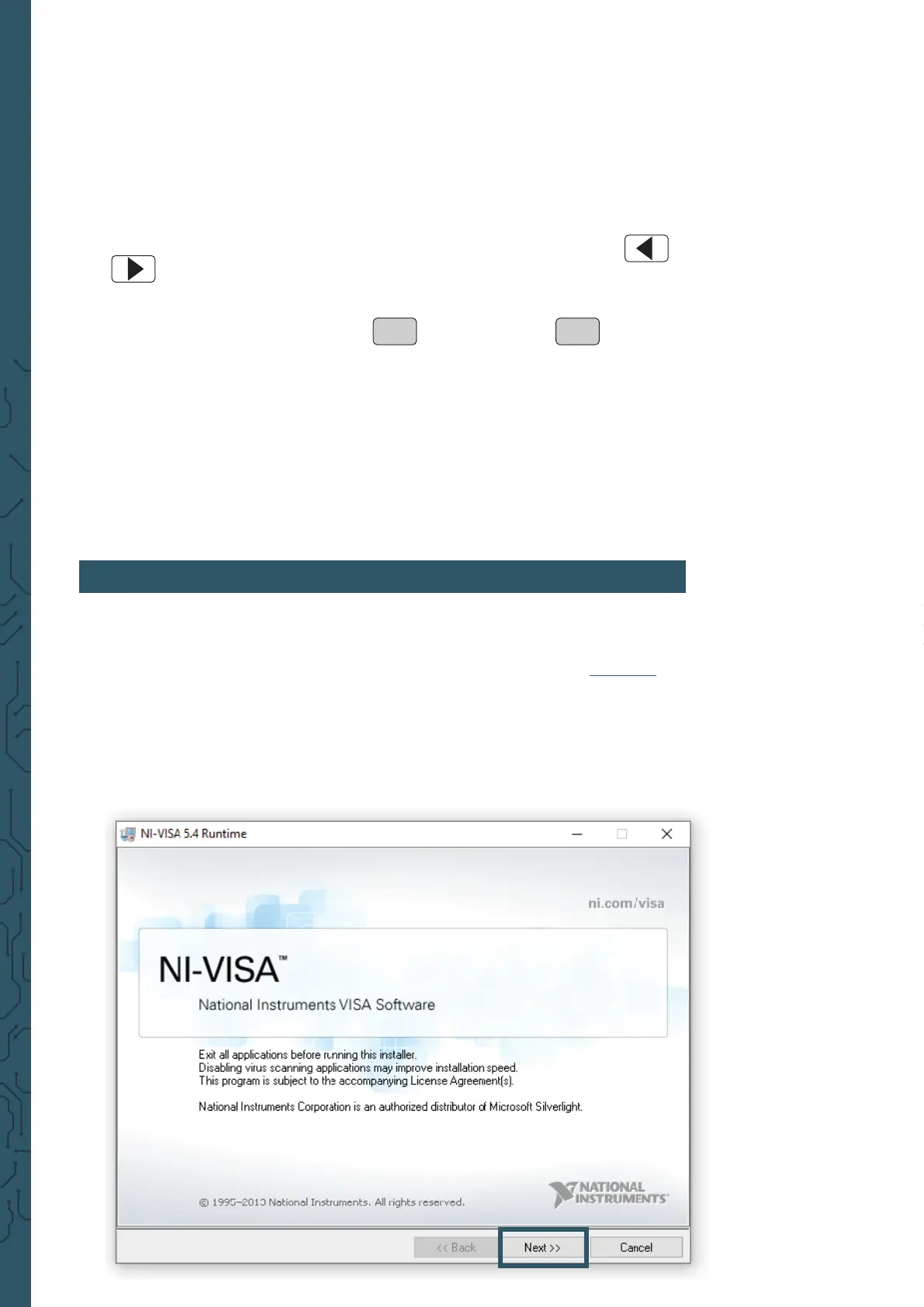
Start the installationby opening the le JDS6600.exe.
Press Next >> in the now opening window.
ON
OFF


 To Next Page