9. USING THE SOFTWARE
You can connect the signal generator to your computer either with a USB cable
or with a USB-TTL cable.
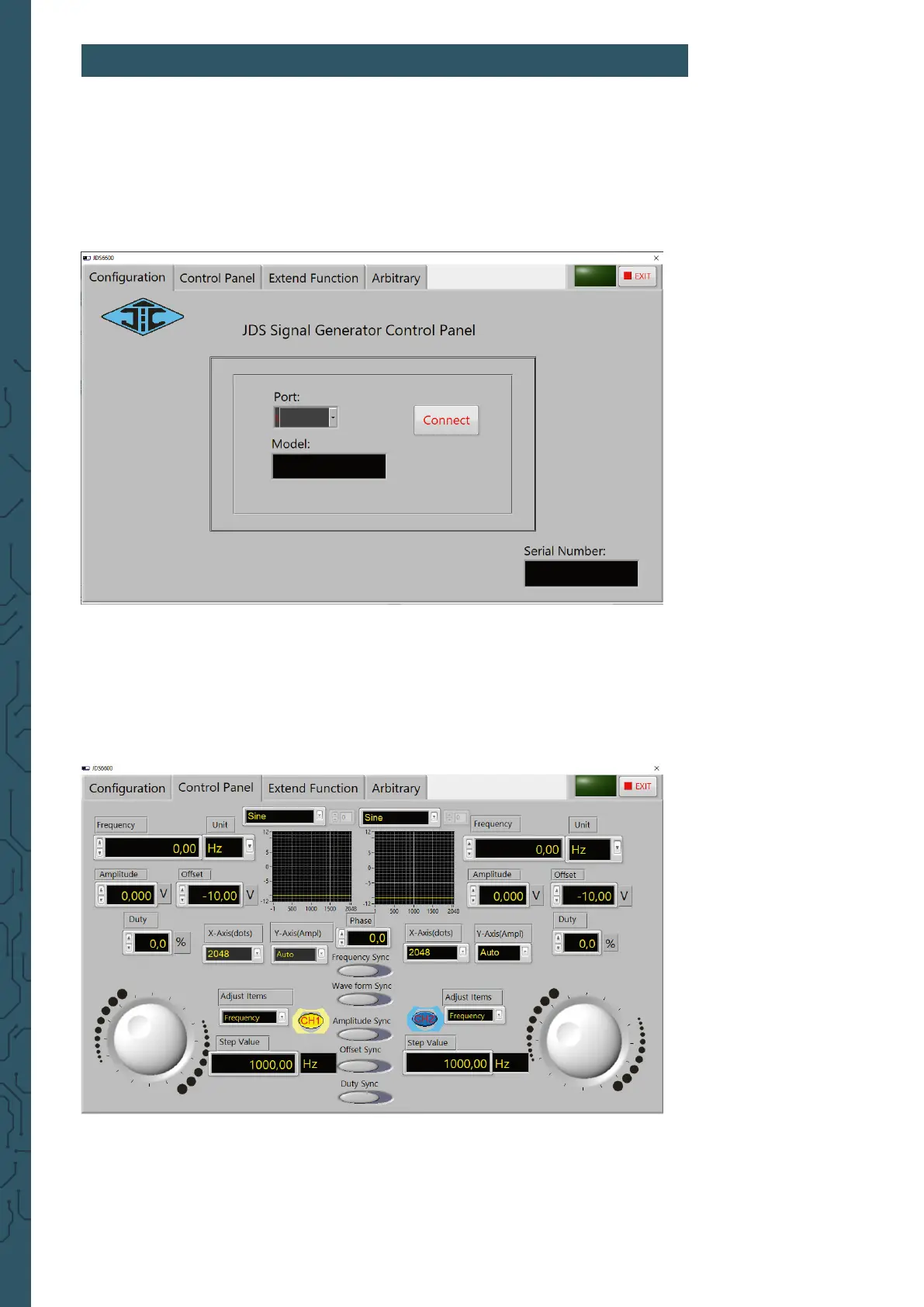
Now start the JDS6600 soware. Here you can rst select the port where you
have connected the signal generator to your computer. If you are not sure which
COM port you have connected your signal generator to, open the Device Manager
and check the connection in the Connections tab (COM & LPT).
Then establish the connection with Connect.
In the Control Panel, which you can reach via the tab at the top of the
soware, you can output the standard waveforms and function signals.


 To Next Page