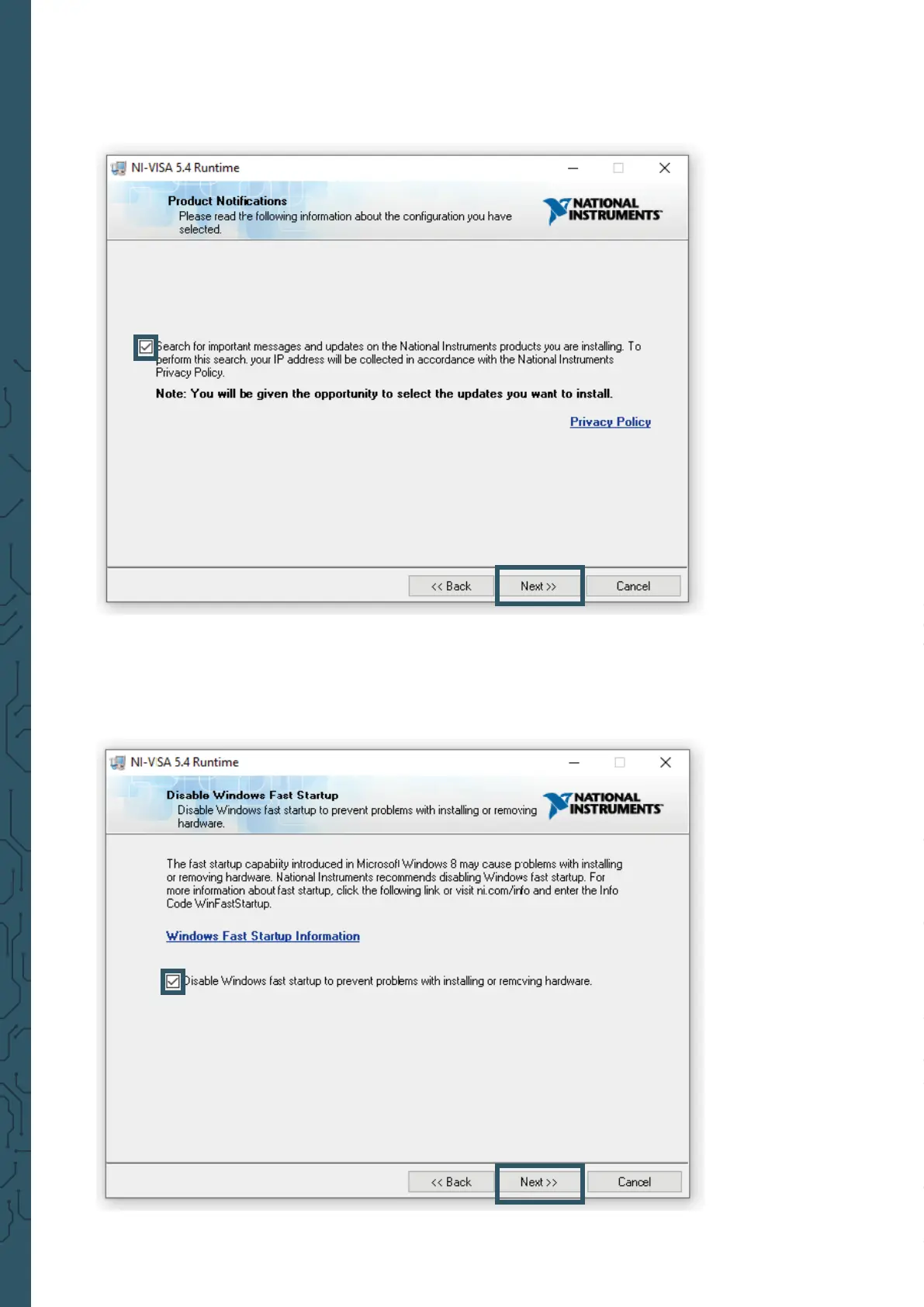
If you do not want the automatic search for updates enabled, you can now
disable it by unchecking the option. Then continue with Next >> again.
The system quick start introduced in Windows 8 occasionally causes problems
in connection with the installation and removal of new hardware and should
therefore be disabled. Conrm the deactivation with Next >>. Alternatively,
you can leave the system quick start enabled at your own risk. To do so, simply
uncheck the appropriate box.
The installation program now performs the corresponding installations.
Aer successful installation, you can exit the installer.


 To Next Page