20
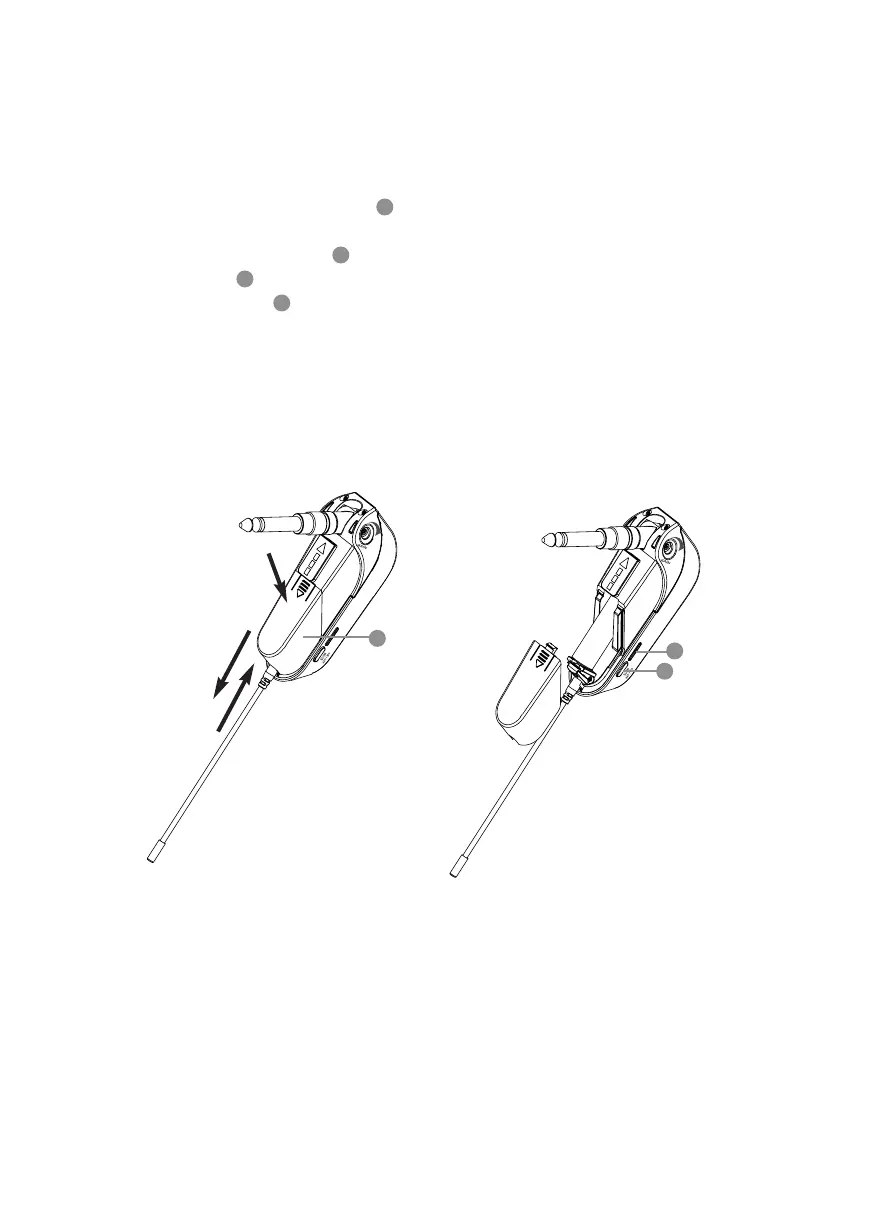
5-2 Install transmitter battery
(1) Press the battery cover
1
and slide out.
(2) Insert or replace a battery based on its polarity.
(3) Switch the power
2
to ON. If the battery level is high, the LED
indicator
3
will emit green light. Once the battery is low, the
LED indicator
3
will turn red, and the remaining power will last
only 30 minutes.
(4) Put back the battery cover.
3
1
2



 To Next Page