38
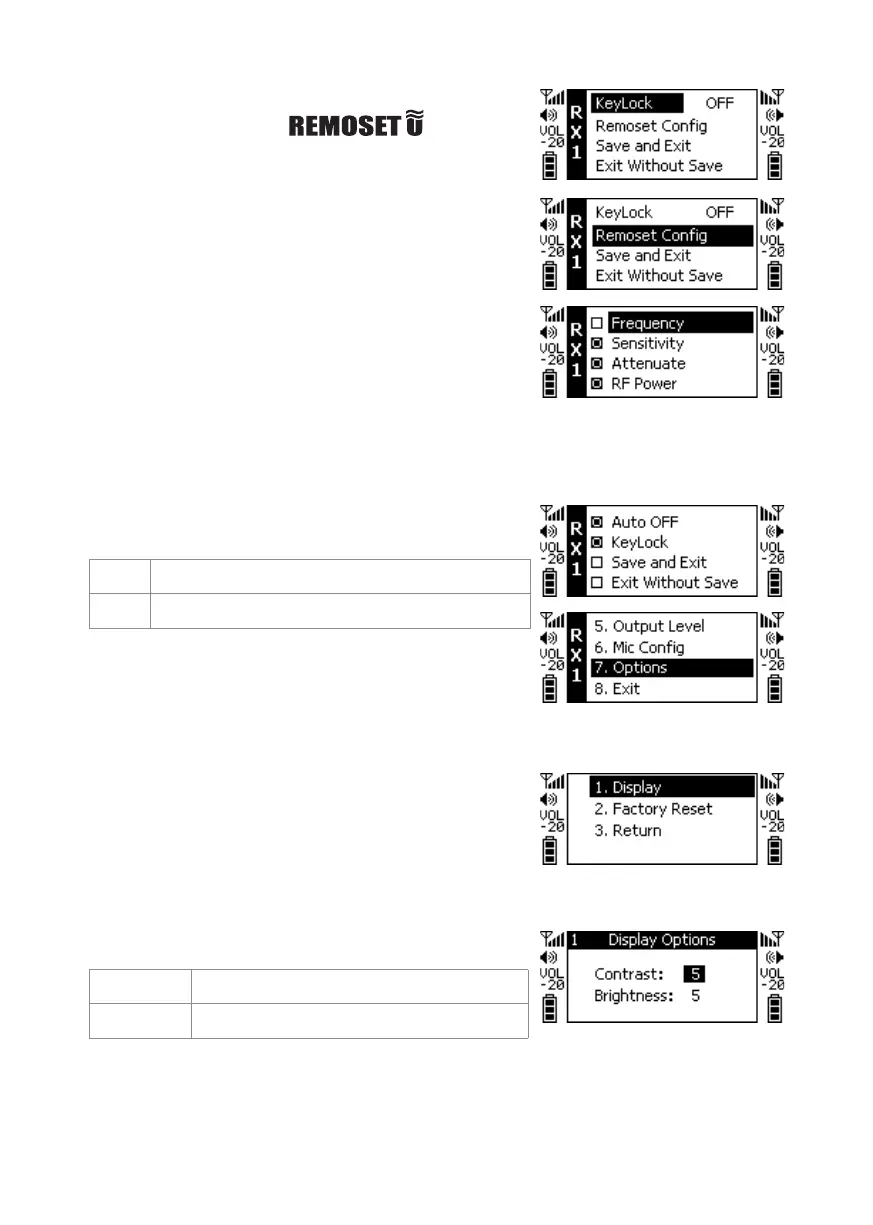
Synchronization Options
Press ▲ and ▼ to select and
synchronize transmission of the setup items, and then
press the SETUP key to perform the selection action.
□ Frequency
□ Sensitivity
□ Input Attenuation (RU-12TB only)
□ Radio Frequency Power
□ Automatic shut-down
□ Digital Audio Code
□ Key Lock
□ Save and Exit
□ Return
◎Key Lock
(Digital anti-interference function)
ON Key Pad Lock ON
OFF Key Pad Lock OFF
◎System Settings
◎Display Settings
Contrast 0~9 (Default Value5)
Brightness 0~9 (Default Value5)


 To Next Page