40
6-1-6 How to use// RU-901G3
OR
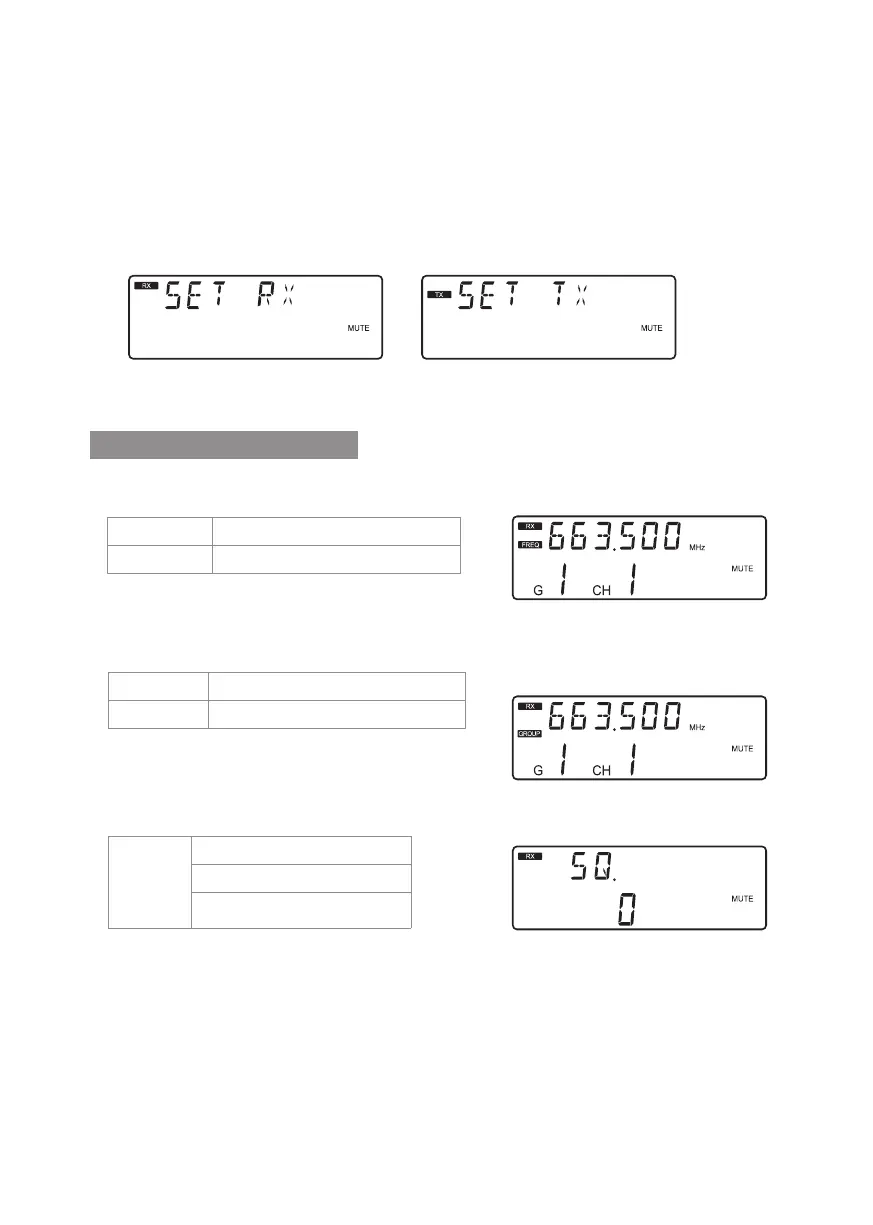
Push and hold the “SET” button to enter the
setting mode. Push the ▲/▼ button to choose
to set RX (receiver) or TX (transmitter).
Parameter setting
When RX receiver is selected:
◎ FREQ: frequency setting
In 1MHz Select frequency with ▲/▼
In 0.025MHz Select frequency with ▲/▼
Select the number of frequency rst in MHz and
then in 0.025MHz.
◎ Group / channel
G: group Select default group 1~6
CH: channel Select default channel, 1~23 max
Select the group when “G” is ashing; select the
channel when “CH” is ashing.
◎ SQ Receiving sensitivity
-5~+10dB;
select
SQ with
▲/▼
-5 is the maximum sensitivity.
+10 is the minimum sensitivity.
The default setting is 0.
The default setting is 0.



 To Next Page