(3) Using the baery charger of US-852D Pro
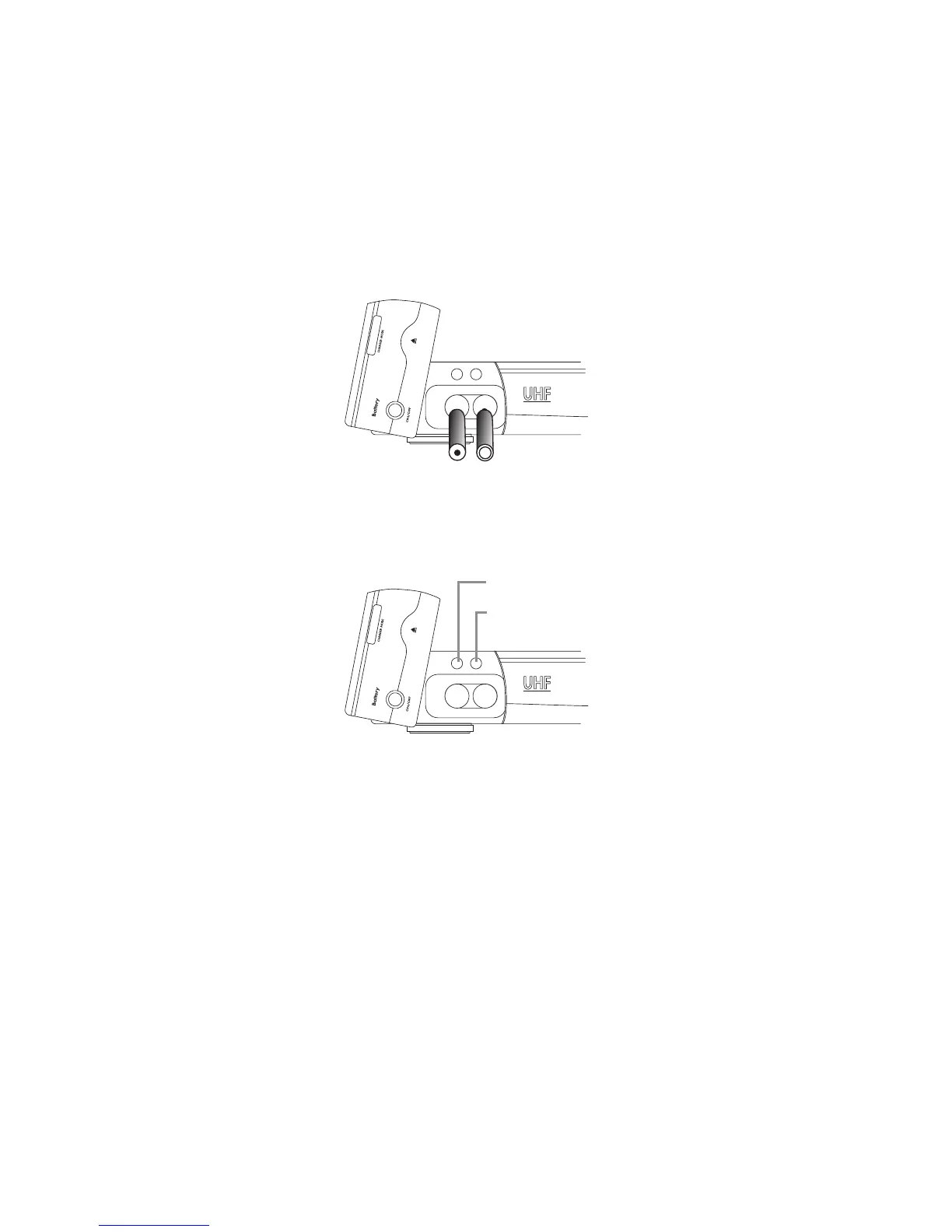
1. Open the charger’s cover anticlockwise, and put 2 pcs of AA baeries into the baery tray.
Please match the correct polarity (+ and -), then return the cover for charging the baeries.
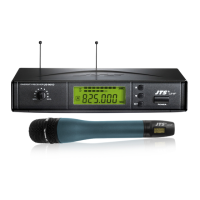
2. It is convenient to know the charging status via the LED indicator. e red LED will last to
bright up during the charging status, and as soon as the baeries is full of power, the green
LED will light up.
Caution
To avoid baery leakage or explosion
(1) Remove baeries when the wireless microphones will not be used for a long time.
(2) When you need to replace the baeries, replace both baeries at the same time with new ones.
(3) Don’t use dierent type of baeries together!
Charging Indicator(Red)
Charged Indicator(Green)


 To Next Page