22
7.3. Filling
Notice:
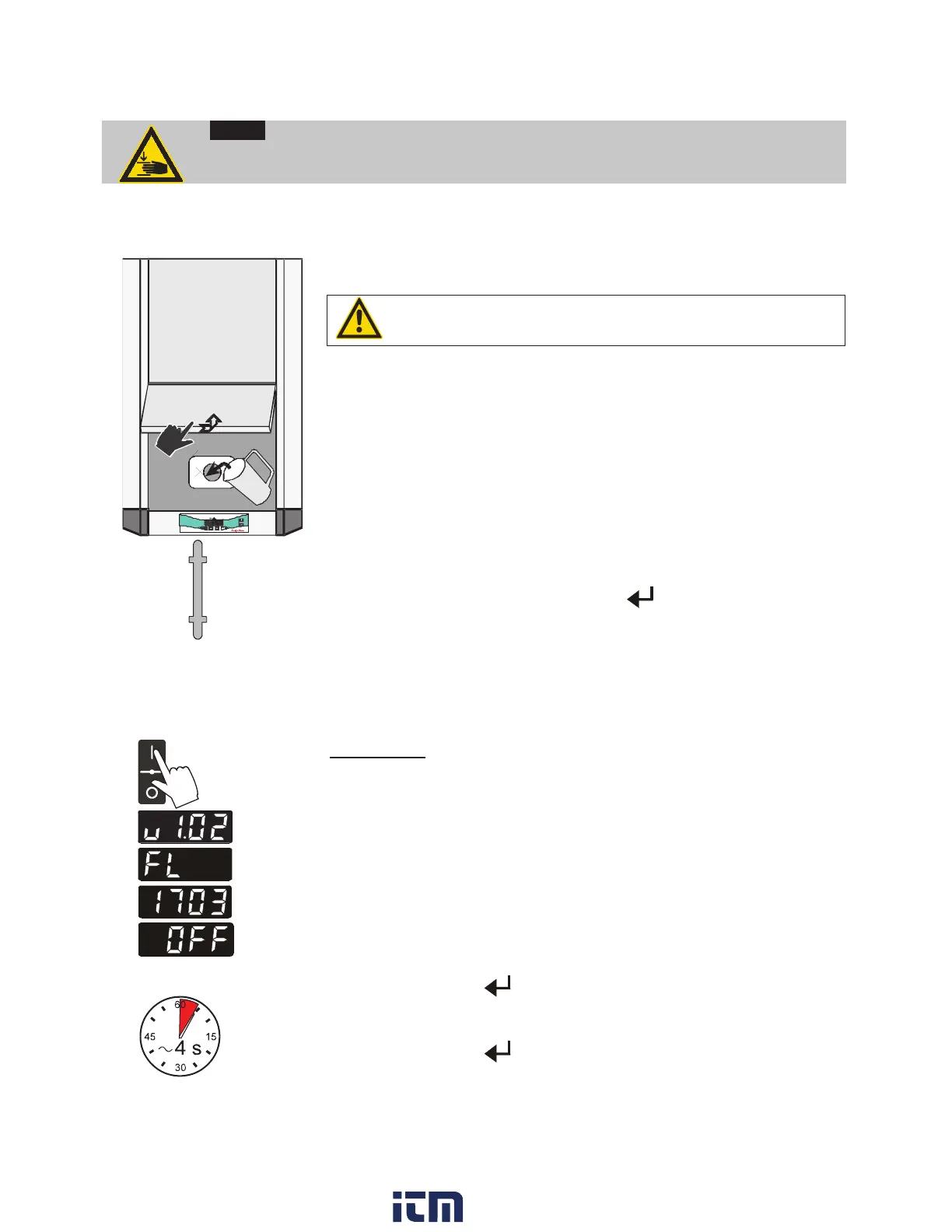
Risk of injury for hands. Close cover carefully.
Top view
Push
Push
Take care that no liquid enters the interior of the circulating cooler.
L Connect the tubing from the external system to the pump
connectors and check for leaks
Respect instructions from page 16 to page 17!
L Check to make sure that the drain tap (9) is closed.
x Unlock and open lid of fill in opening (4) by slightly pushing.
x Fill in tempering fluid up to marking „H“ of the filling level indicator.
H
L
x Turn the mains switch (1) on
(Switching on - see page 22)
x Switch on unit. To do so press button
for approx. 4 seconds.
x Tempering fluid is pumped into the externally connected system.
Refill fluid up to marking „H“.
x The recirculating cooler is ready for operation.
7.4. Switching on / Start - Stop
Ð
Ð
Ð
Switching on:
The recirculating cooler is turned on and off with the mains switch.
The unit performs a self-test. All segments of the 4-digit LED
temperature DISPLAY and all indicator lights will illuminate
(as illustrated on the left).
Then the software version and the type of unit is indicated.
Examples: (v 1.02) (FL1703)
The display "OFF" indicates the unit is ready to operate (standby
mode).
Start: Press enter for about 4 seconds.
The LED temperature DISPLAY indicates the actual bath
temperature.
Stop: Press enter
for about 4 seconds.
Turn the unit off with the mains power switch.
w ww . . co m
information@itm.com1.800.561.8187


 To Next Page