Operating procedures
42
7.2. Switching on / Start - Stop
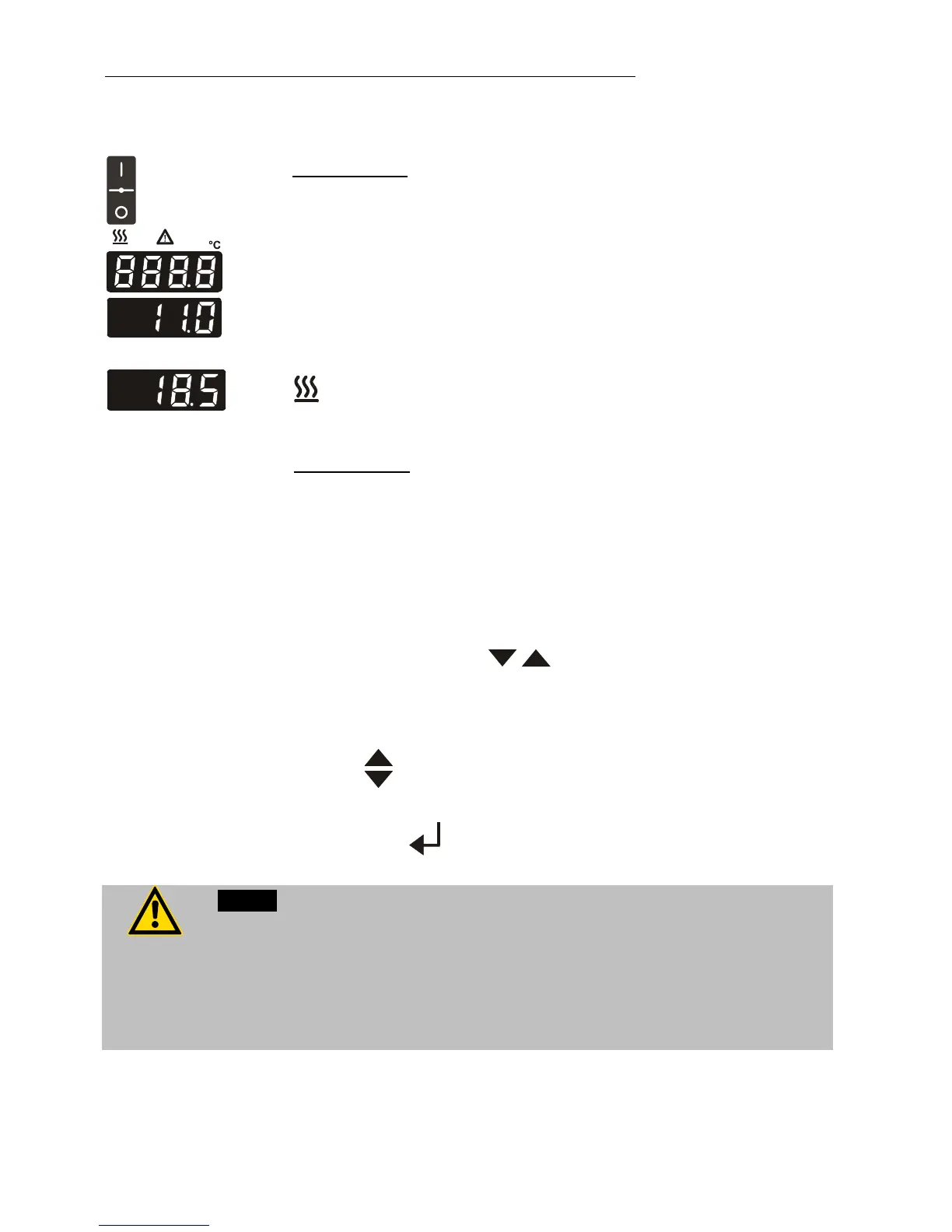
Turn on the mains power switch (1).
The unit performs a self-test. All segments of the 4-digit LED
temperature DISPLAY and all indicator lights will illuminate.
Then the software version (example: n 11.0) appears.
Together with the display of the water bath temperature the
operating state is also displayed. (Example: 18.5 °C)
The heat-up phase is indicated by the yellow heating control light
which will blink in regular intervals when the selected
temperature has been attained.
• Switching off:
Turn the unit off with the mains power switch.
7.3. Setting the temperatures
Setting can be carried out in the start/stop condition.
Press one of the keys for a short moment. The setpoint
value instead of the actual value is indicated on the display for
about 8 seconds. The value can now be changed.
Change value:
Press to set a higher value.
Press to set a lower value.
Keep the keys depressed for the value to change fast.
Press enter to store the value.
Notice:
When the working temperature is higher than 50 °C, it might happen that due
to strong production of steam there is considerable dripping on the inside of
the lift-up Makrolon
cover. Some drops may fall directly into the material to
be tempered.
Always properly seal all sample containers.


 To Next Page