3.3 Unit setting
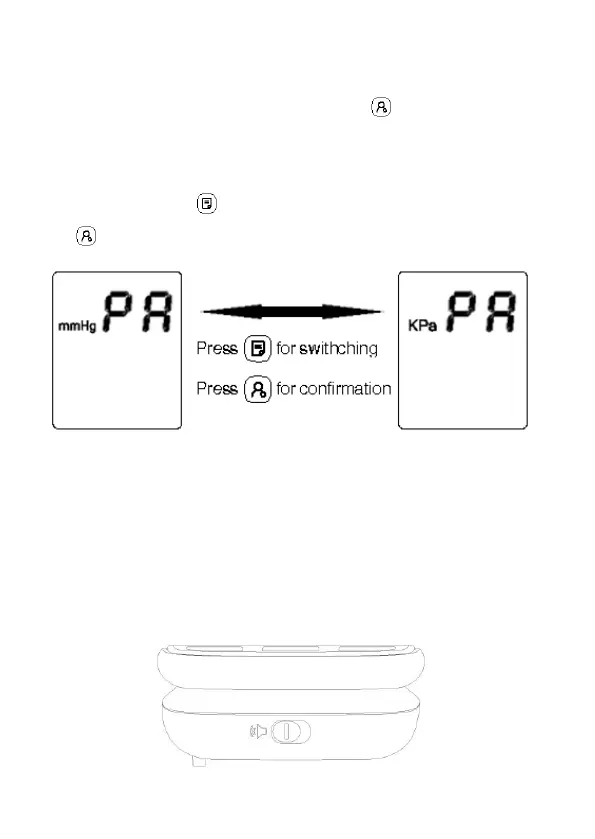
Either mmHg or KPa will show up on the screen, upon entering the
“Unit” setting mode, by pressing the “User ” button. Display of
mmHg indicates that the mmHg unit is selected; display of KPa
indicates that the kPa unit is selected. Unit will be switched upon every
press on the “Memory ” button. After the unit is selected, press the
“User ” button again to save the unit setting.
3.3 Talking function setting (voice version only)
The device has an independent voice switch function. When the voice
switch is dialed to the voice symbol, the voice broadcast function is
opened, and the voice icon on the display screen is displayed. Otherwise,
when the voice switch is dialed to the no-voice symbol, the voice
broadcast function is turned off.


 To Next Page