Home
JUMPtec
Computer Hardware
MOPS/586
Page 11 (Connector Arrangement)
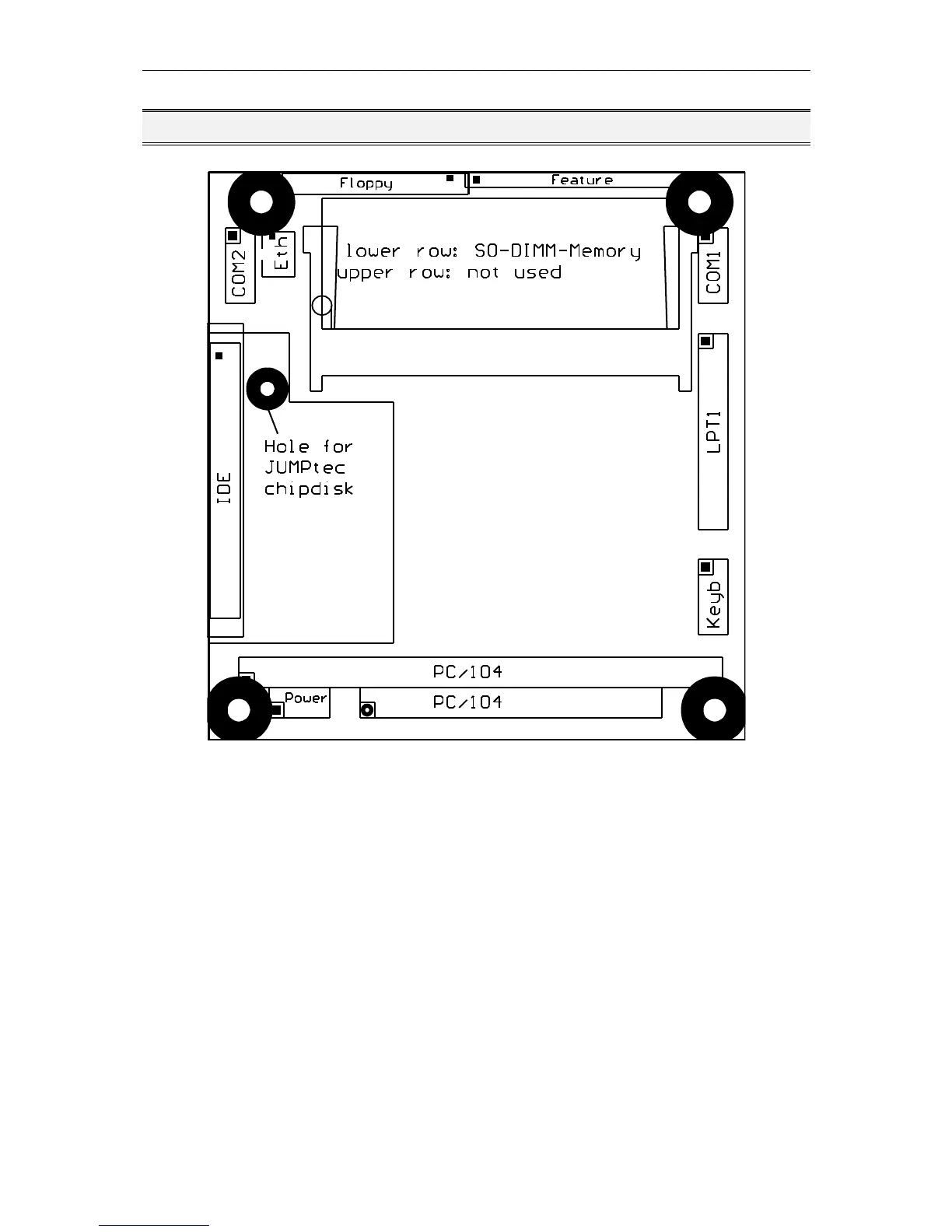
JUMPtec MOPS/586 - Connector Arrangement
35 pages
Manual
Save Page as PDF
To Next Page
To Next Page
To Previous Page
To Previous Page
Loading...
MOPS/586
Connector Arrangement
Connector Arrangement
Tri-M Systems Inc., 6-1301 Ketch Court, Coquitlam, B.C., V3K 6X7, Canada
Phone: (604) 527-1100, (800) 665-5600 Fax: (604) 527-1110
Email: info@Tri-M.com Web: www.Tri-M.com
10
12
Table of Contents
Main Page
Table of Contents
2
User Information
4
Trademarks
4
General
4
Warranty
5
Introduction
5
Features
6
I/O Map
7
Memory Map for Bios, Ssd and Jrc Support
8
Onboard Ssd (Dos-Compatible)
9
Block Diagram
10
Connector Arrangement
11
Bios-Description
12
Rtc-Cmos Setup Menu
12
Main Menu
12
Standard Cmos Setup
12
Advanced Cmos Setup
14
Power Management Setup
16
Peripheral Setup
17
Auto-Detect Hard Disks
18
Change User Password
18
Change Supervisor Password
18
Auto Configuration with Optimal Settings
18
Auto Configuration with Fail Safe Settings
18
Save Settings and Exit
18
Exit Without Saving
18
Amibios Configuration Screen
19
Hardware Description
20
Ali-Chipset Features
20
Memory Configuration
20
Interrupts
21
Dma
21
The Jida Standard
22
Watchdog Extension
25
Network Operation
26
Overview
26
Specifications
27
Mechanical Specifications
27
Electrical Specifications
27
Environmental Specifications
27
Peripheral Interface
28
Keyboard, Reset, Battery, Speaker
28
Serial Port Com 1, 2 (Rs232C)
29
Mops/586
30
Parallel Port Lpt 1
30
Floppy Connector
30
Ide Connector for 2,5" Hard Disk
31
Ethernet Connector
31
Feature Connector
31
Power Connector
32
Pc/104-Connector
33
Literature, Standards, Links
34
Pc/104-Bus
34
ISA-Bus, Standard PS/2 - Connectors
34
Rs232C
34
Document Revision History
35



 To Next Page