JUNCTEK
JDS8000 Series User’s Manual
Key trigger: It can be output once by pressing the
【
Trig.
】
soft key.
Internal
Internal trigger: It can be triggered by the falling edge of the CH2 signal of the
signal generator.
External AC
External AC signal trigger
External DC
External DC signal trigger
Set the number of pulses
Press soft key
【
Num.
】
to set the number of pulses.
Use the
【
InBox
】
key to input the desired number of pulses in the input box.
The number of pulses ranges from 1 to 1048575, and the default is 1.
4.Parameter settings in the sweep mode interface
Press
【
SWEEP
】
, and then press the
【
Func
】
soft key in the frequency
sweep mode interface to select the frequency sweep, amplitude sweep and
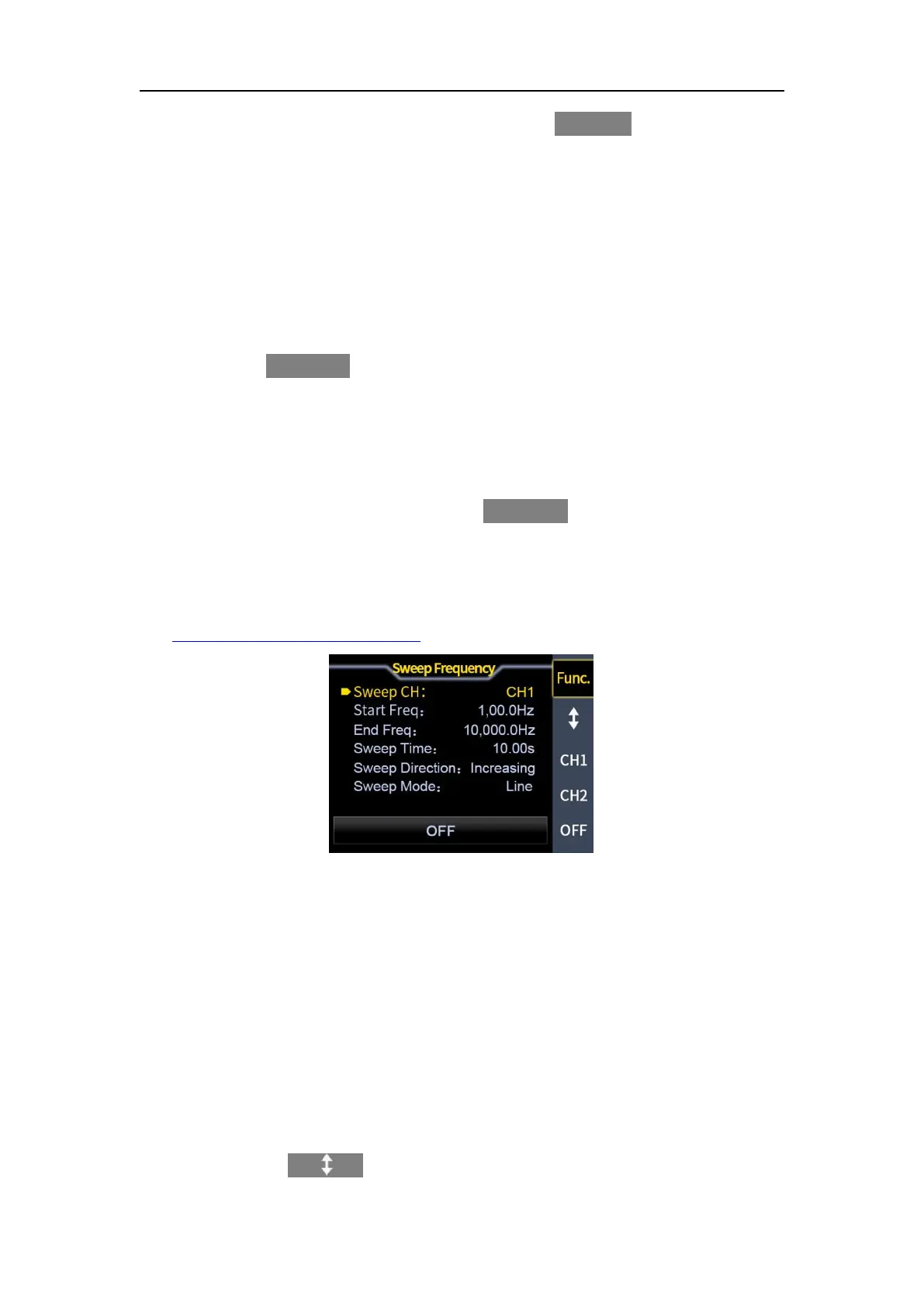
sweep duty cycle functions. The frequency sweep interface is shown in Figure
3-4-1 below.
Sweep functions description video link:
https://youtu.be/-xOi3aESuNE
Figure 3-4-1 Frequency sweep interface
(1) Sweep channel
Sweep channel
The cursor is on the sweep channel, and the knob can be used to switch the
sweep channel.
Start frequency and stop frequency
The start frequency and the stop frequency are the upper and lower frequency
limits of the frequency sweep, and different units can be selected through the
input box.
Sweep time
Press the soft key
【 】
to make the cursor at the sweep time position and



 To Next Page