JUNCTEK
JDS8000 Series User’s Manual
Sweep time, sweep method, sweep mode
Please refer to "Sweep time, Sweep method, Sweep mode" in "Sweep
frequency".
Turn on sweep duty cycle
Press the
【
ON
】
soft key, the instrument starts to sweep the duty cycle, and
you can observe the change of the duty cycle in the display interface.
5.Voltage control mode parameter settings
Press
【
VCO
】
and press
【
Func
】
soft key in the voltage control mode
interface to select the functions of frequency control, amplitude control and
duty cycle control.
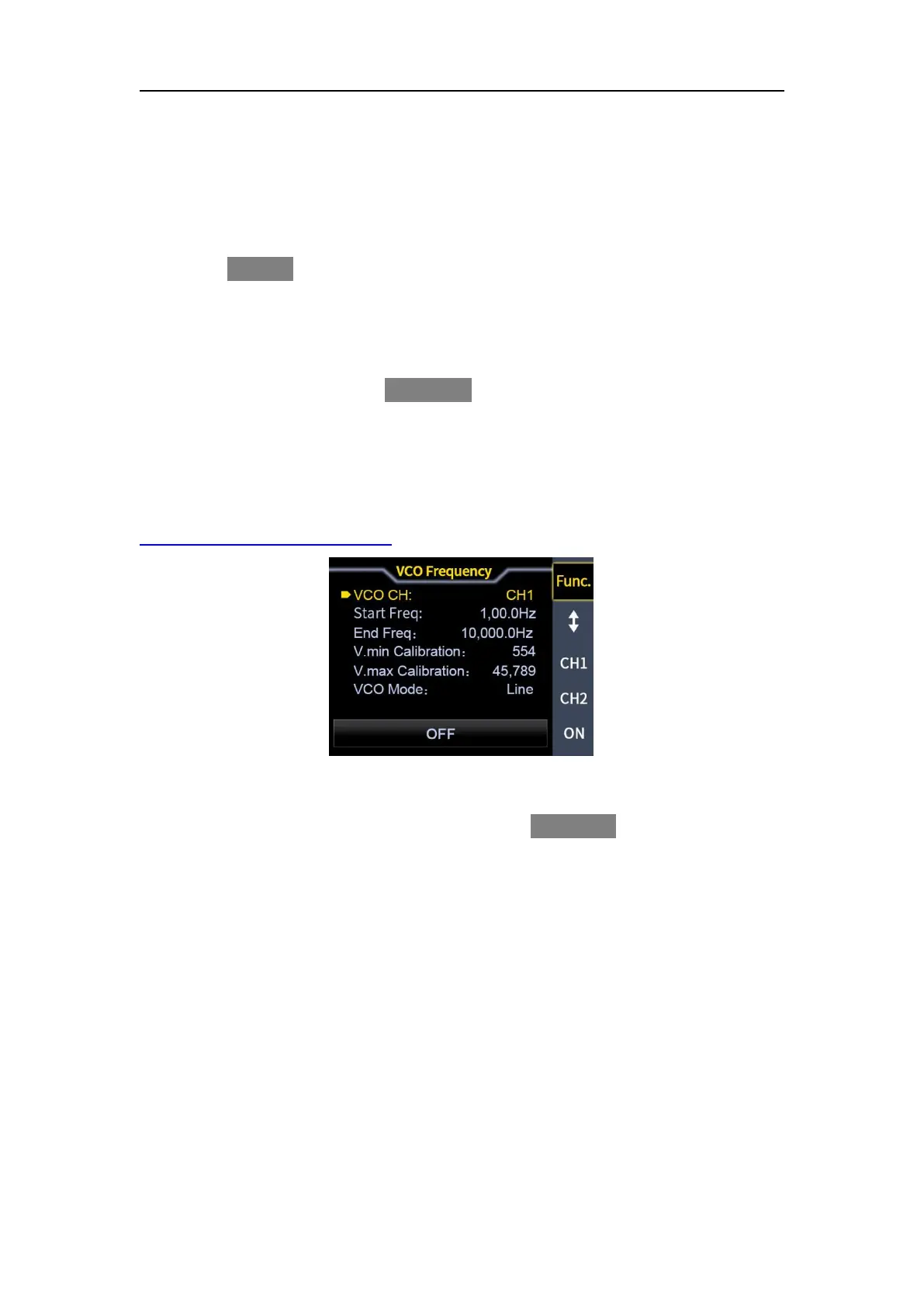
The voltage control interface is shown in Figure 3-5-1 below.
Voltage control function description video link
:
https://youtu.be/e8im2EzpQuA
Figure 3-5-1 pressure control interface
(1) Voltage control frequency
In the voltage control interface, press soft key
【
Func
】
to select frequency
control.
Voltage control channel
As the cursor is on the voltage control channel, the knob can be used to switch
the voltage control channel.
Start frequency and stop frequency
Refer to "Start frequency and stop frequency" in "Sweep frequency ".
Minimum voltage calibration and maximum voltage calibration
The maximum and minimum values of the external input signal voltage can be
calibrated. The minimum voltage calibration corresponds to the start frequency,
and the maximum voltage calibration corresponds to the stop frequency.



 To Next Page