4 5
2. Functional description
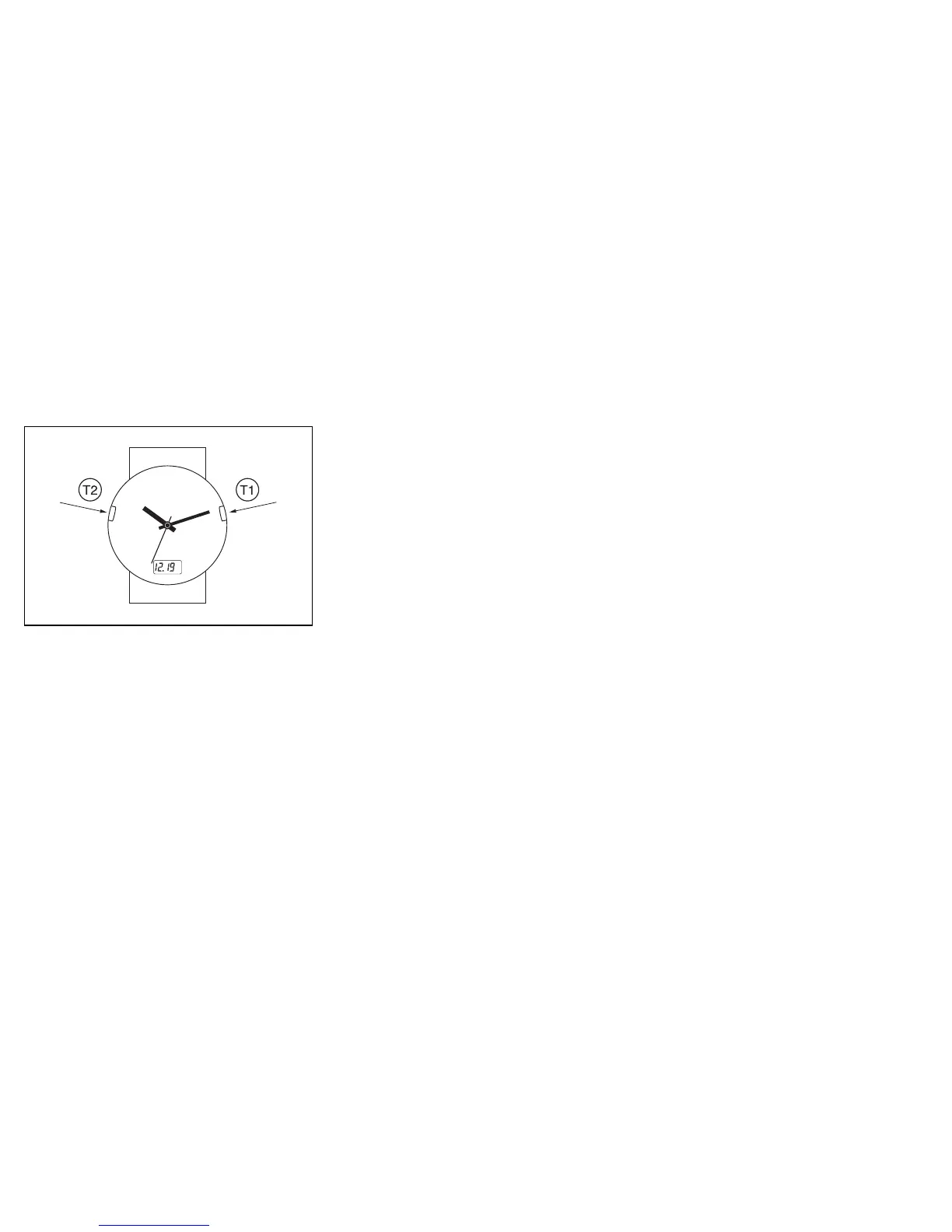
Fig. 2
T1 button (mode):
The T1 button has two functions:
1) Switches digital display between date (for example
12.31
) and time
zone (for example,
P02 AM
). The letter P,M,C or E in front of the
digitally displayed hour shows the respective U.S time zone Pacific,
Mountain, Central, or Eastern.
2) Receives the WWVB time signal and synchronizes the time auto-
matically.
T2 button (adjust):
Depending on the mode the T2 button either
1) Advances the time zone in 1 hour increments when setting the time
zones.
2) Advances the hands when manually synchronizing the watch (only
after battery change).
3. Synchronizing the time (signal reception)
The automatic signal reception and synchronization occurs auto-
matically every night. At any desired time you can perform a "manual"
reception by pressing the T1 button for at least 3 seconds. The hands
will set to the 12 o'clock position during reception and will reset
themselves thereafter. Note that your Junghans atomic watch will not
receive the WWVB time signal if set to a time zone other than Pacific,
Mountain, Central or Eastern standard time.
4. Setting the time zone
The factory preset time zone is Pacific standard time. You can set an
alternative time zone as follows:
1) Press the T1 button. The digital display will change from displaying
the date (for example,
12.31
) to displaying the current hour (for
example,
P02 AM
). The letter P, M, C or E in front of the digitally
displayed hour stands for Pacific, Mountain, Central and Eastern
standard time respectively.












 To Next Page