3736
5. Selectable LCD displays
LCD display:
Date – Stopwatch function – 2
nd
time
Briefly press button T1 once:
Display switches from date to stopwatch function.
Briefly press button T1 once again:
Display switches from the stopwatch function to 2
nd
time.
Hold down button T1 for > 3 seconds until what is shown in the LCD display
switches to [00]. Then briefly press the T2 button once. The language set-
ting display now appears.
After 9 seconds, the language display reverts automatically to showing the
date.
If power is low, the LCD display shows the seconds (flashing in alternation
with [Lo]). The second hand stops at the 12 o’clock position. By pressing T1,
however, you can still switch to date or 2
nd
time.
6. Description of watch functions and how to use them
6.1 Addition timer function
Press the T1 button repeatedly until you reach the [C0:00] display. The stop-
watch function is started and paused again by pressing the T2 button. The
stopwatch hand can be paused and started again any number of times. The
split times are added together. While the stopwatch function is active the
leading [C] flashes.
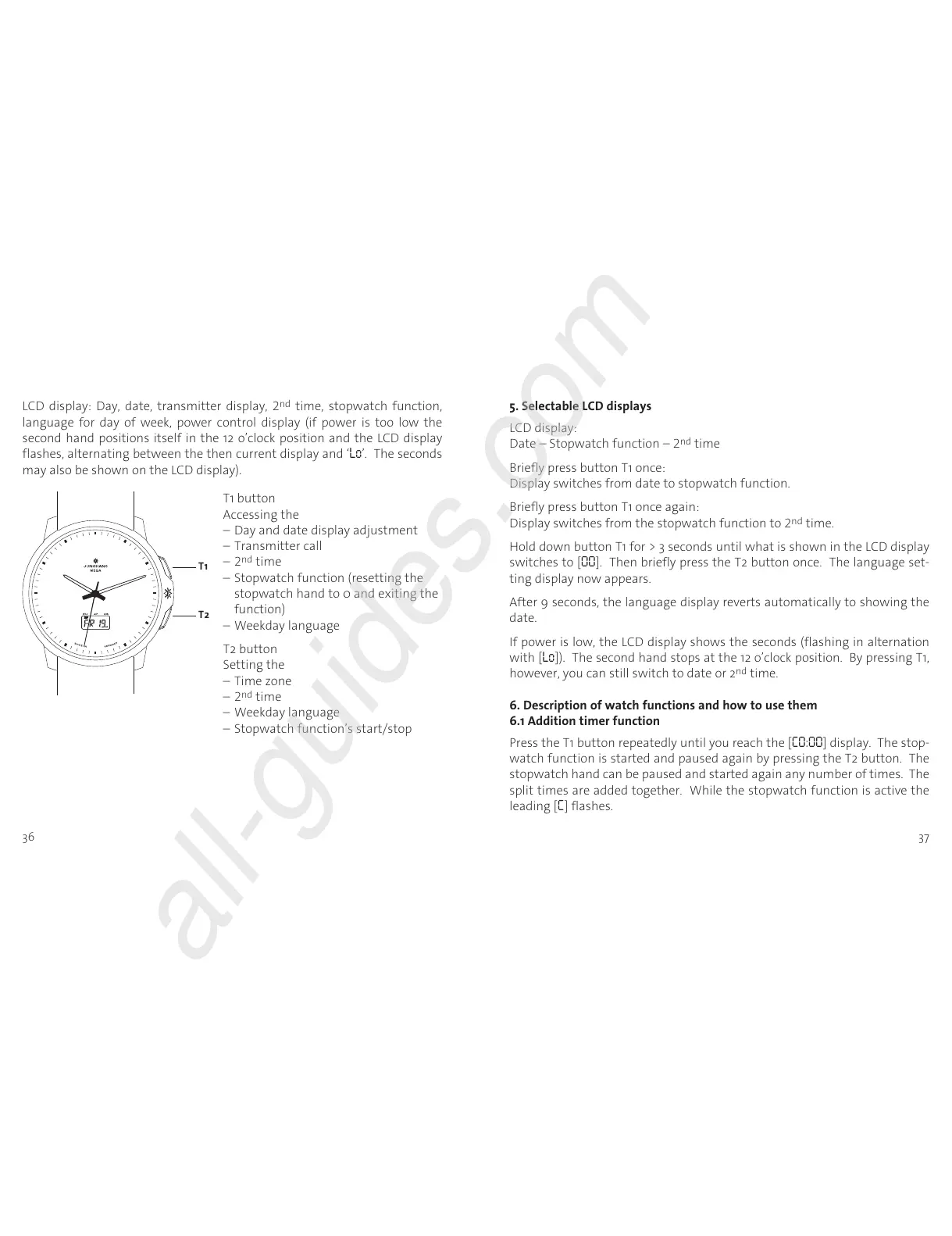
T1 button
Accessing the
– Day and date display adjustment
– Transmitter call
– 2
nd
time
– Stopwatch function (resetting the
stopwatch hand to 0 and exiting the
function)
– Weekday language
T2 button
Setting the
– Time zone
– 2
nd
time
– Weekday language
– Stopwatch function’s start/stop
LCD display: Day, date, transmitter display, 2
nd
time, stopwatch function,
language for day of week, power control display (if power is too low the
second hand positions itself in the 12 o’clock position and the LCD display
flashes, alternating between the then current display and ‘Lo’. The seconds
may also be shown on the LCD display).












 To Next Page