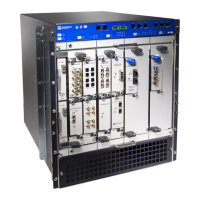
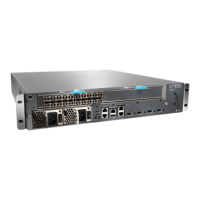
M7i and M10i Internet Routers Power Supply
Installation Instructions
Par t No: 5
30-009921-01
Revision 1
This docu
ment describes how to remove and replace a power supply on a Juniper Networks
M7iorM10iInternetrouter.
Contents
Power Supply Description ....................................................................... 1
Power Sup
ply Specifications................................................................ 3
Power Supply LED .......................................................................... 4
AC Groundi
ng and Power Cord Specifications............................................. 4
DC Grounding, Connection, and Cable Specifications .................................... 5
Tools and Pa
rts Required ........................................................................ 6
Replace an AC Power Supply .................................................................... 6
Remove an AC P
ower Supply............................................................... 7
Install an AC Power Supply................................................................. 8
ReplaceaDCP
ower Supply ..................................................................... 9
Remove a DC Power Supply................................................................ 9
Install a DC Po
wer Supply ..................................................................11
List of Technical Publications.................................................................... 14
How to Request S
upport......................................................................... 17
Power Supply Description
The router uses either AC or DC power (see Figure 1 and Figure 2). The power supplies are
internally connected to the midplane, which distributes the different output voltages they
produce throu
ghout the system and its components.
An enable control signal on the output connector ensures that the power supply is fully
seated into t
he router midplane before the power supply can be turned on. The enable pin
prevents a user-accessible energy hazard, so there is no interlocking mechanism. The
enable pin disables the voltage at the output connector if the power supply is not turned
off before re
moval.
M7i and M10i Internet Routers Power Supply Installation Instructions 1



 To Next Page
 General