Chapter 3 Optional Features and Accessories 39
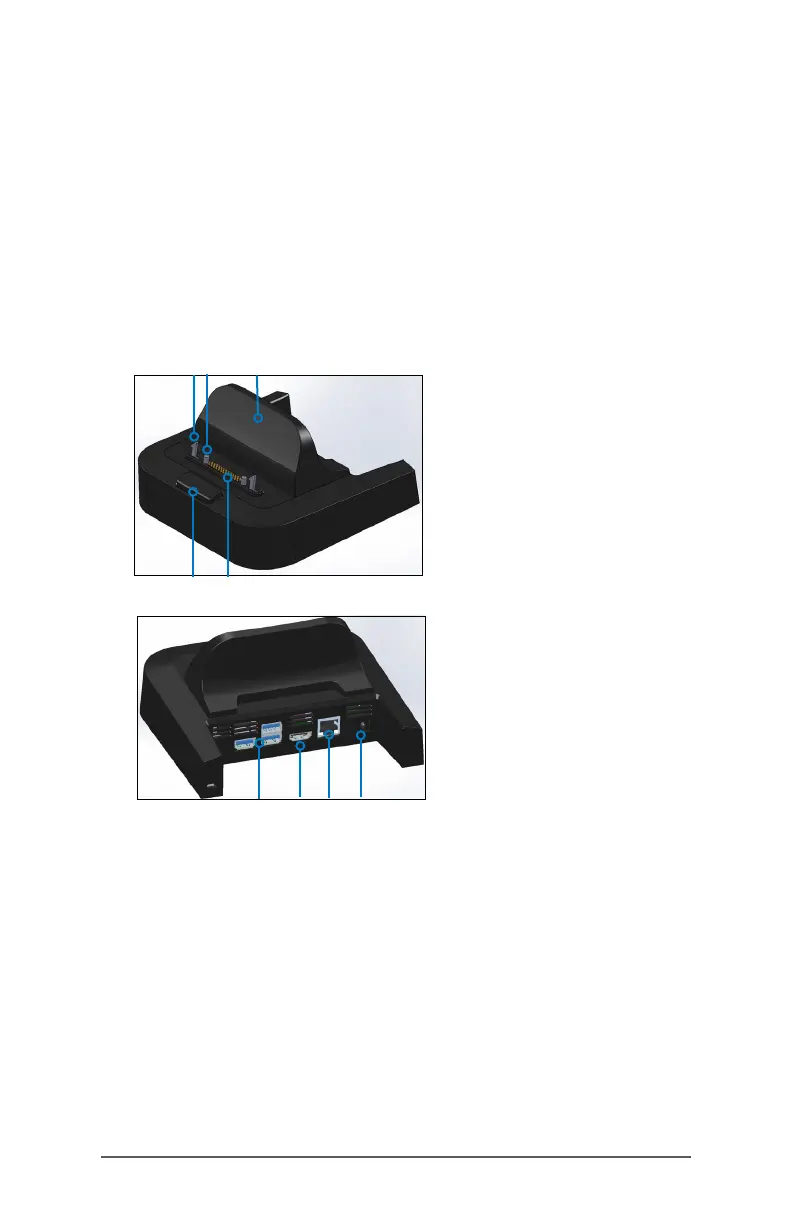
Ofce Docking Station
The Ofce Docking Station enables you to perform the
following functions:
Charge your Mesa 3 Rugged Tablet
Use your Mesa 3 as a desktop computer
Transfer data to or from another computer or network via
the Ethernet connection
Dock Features
Ports
The USB ports are for attaching devices to the Mesa 3
such as a mouse, keyboard, or external storage device.
The HDMI port is for connecting a video monitor to the
Mesa 3, giving you a second monitor.
The Ethernet port is used for networking (an Ethernet
cable is not included).
32
4
5
1
6
7 8 9
1 Lock Latch (2)
2 Alignment Pin (2)
3 Back Rest
4 Release Button
5 Pogo Pins
6 USB Ports, Host (3)
7 HDMI Port
8 Ethernet Port
9 Power Input Jack



 To Next Page