EasyManua.ls Logo

Jura J8 - User Manual

Jura J8
40 pages
Print Icon
To Next Page IconTo Next Page
Loading...
J (NAA)
Instructions for Use
For your safety: read and understand manual before use.
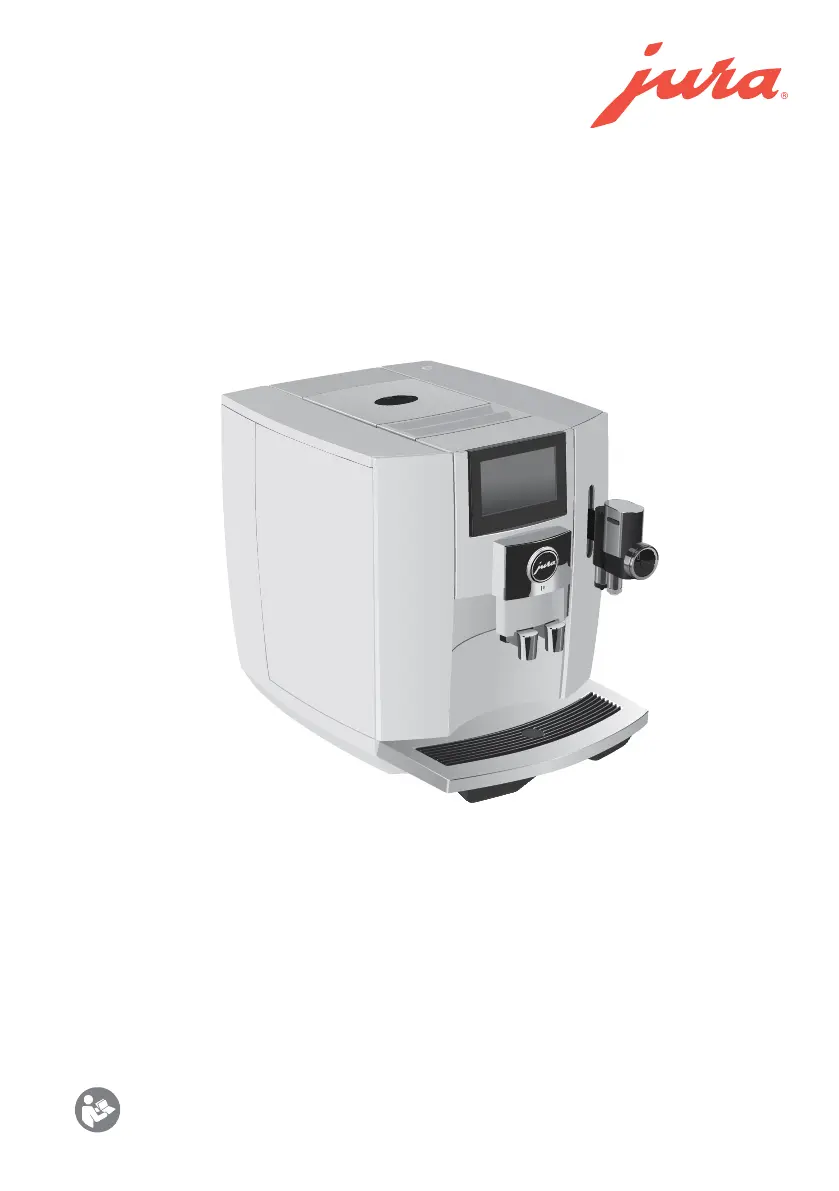
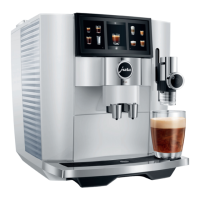
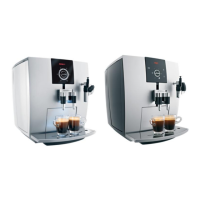
Figure: Your machine may look
different than the one shown.

Questions and Answers

  • B
    bmirandaAug 20, 2025
    What to do if Jura Coffee Maker doesn't produce enough milk foam?
    • J
      Jerry AndersonAug 20, 2025
      If your Jura Coffee Maker isn't producing enough foam or milk sprays out of the fine foam frother, the frother might be dirty. Clean the fine foam frother. You may need to dismantle and rinse it.
  • G
    gainesdawnAug 22, 2025
    What to do if Jura Coffee Maker says ‘Not enough ground coffee’?
    • M
      Mr. Patrick JonesAug 22, 2025
      If your Jura Coffee Maker displays ‘Not enough ground coffee’, it means there is insufficient ground coffee in the machine. Add more ground coffee the next time you prepare a beverage.
  • M
    Mrs. Amanda BaileyAug 25, 2025
    What to do if my Jura Coffee Maker displays ‘Error 2’ or ‘Error 5’?
    • J
      Jean SnyderAug 25, 2025
      If your Jura Coffee Maker displays ‘Error 2’ or ‘Error 5’, it might be because the machine has been exposed to the cold for an extended period, which can disable heating for safety. To resolve this, warm the machine at room temperature.
  • J
    Jennifer MiddletonAug 26, 2025
    How to fix insufficient foam on my Jura J8?
    • B
      Brenda GutierrezAug 26, 2025
      If your Jura Coffee Maker is not producing enough foam or milk sprays out of the frother, it could be that the professional fine foam frother is dirty. Clean the frother. Another solution is to dismantle and rinse the professional fine foam frother.
  • J
    Jessica HammondAug 27, 2025
    What to do if my Jura J8 Coffee Maker says ‘Empty coffee grounds container’ / ‘Empty drip tray’?
    • S
      scott29Aug 27, 2025
      If your Jura Coffee Maker displays 'Empty coffee grounds container' or 'Empty drip tray', it means that either the coffee grounds container or the drip tray is full. As a result, you won't be able to prepare any products until you address this. Empty both the coffee grounds container and the drip tray to resolve the issue.
  • D
    Derek StephensAug 29, 2025
    Why is there ground coffee behind the container in my Jura J8 Coffee Maker?
    • V
      Victor KerrAug 29, 2025
      If you find dry ground coffee behind the coffee grounds container of your Jura Coffee Maker, it indicates that the beans you're using are producing an above-average volume of ground coffee. To address this, reduce the coffee strength or choose a finer grinder setting.
  • M
    Marcus FlemingAug 31, 2025
    What to do if my Jura J8 won't recognize the water tank?
    • K
      kayla49Aug 31, 2025
      If your Jura Coffee Maker displays ‘Fill water tank’ even when the tank is full, it's likely due to limescale buildup in the water tank. Descale the water tank to resolve this issue.
  • E
    emily39Sep 2, 2025
    Why does coffee only come out in drips from my Jura J8 Coffee Maker?
    • A
      Angelica LoveSep 2, 2025
      If coffee only comes out in drips when you're preparing it with your Jura Coffee Maker, it could be due to a couple of reasons. First, the coffee might be ground too finely, obstructing the system; try setting the grinder to a coarser setting or using coarser ground coffee. Second, the water hardness may not have been correctly set; in this case, perform descaling.
  • C
    Christopher ColeSep 4, 2025
    What to do if my Jura Coffee Maker says 'Drip tray not fitted'?
    • E
      Elizabeth ClarkSep 4, 2025
      If your Jura Coffee Maker displays 'Drip tray not fitted', it means the drip tray is either not inserted correctly or not inserted at all. Make sure to fit the drip tray properly.
  • B
    brian99Sep 6, 2025
    Why Jura J8 doesn't show 'Fill water tank' when empty?
    • J
      Joe MurphySep 6, 2025
      If your Jura Coffee Maker's water tank is empty, but the 'Fill water tank' message isn't displayed, it could be due to limescale buildup in the water tank. Descale the water tank to resolve this issue.

Summary

Important Safeguards

Compliance and Safety Instructions

Failure to follow instructions may lead to injury or damage; safety information is indicated.

General Safety Precautions

Essential safety measures for using electrical appliances to prevent hazards like fire or shock.

Intended Use and Limitations

Defines the appliance's purpose for household use and outlines limitations.

Power Cord Safety Guidelines

Recommendations for safe use of the power cord to prevent entanglement and tripping hazards.

Control Elements

On;Off Button and Touchscreen Display

Primary controls for machine operation, settings, and status updates.

Beverage Dispensing Components

Components for dispensing coffee and milk, including spouts and the frother.

Storage and Waste Management Parts

Containers for beans, grounds, water, and drip tray for operational needs.

Connectivity and Accessories

Features for WiFi connection, syrup attachment, and milk system connection.

Preparing and Using for the First Time

Machine Setup and Placement

Instructions for positioning the J8 and ensuring proper ventilation and surface stability.

Filling the Bean Container

Guidance on filling the bean container with coffee beans, including important notices.

Water Hardness Determination

Steps to test and set the water hardness level for optimal machine performance and longevity.

Initial Machine Configuration

Steps for initial setup: language selection, water hardness, and filter insertion.

Preparation

Basic Drink Preparation Guide

How to adjust coffee strength, amount, and grind consistency for various drinks.

Specialty Coffee Preselection

Using preselection options for specialty coffees, including sweet milk foam and extra shot.

Sweet Latte and Milk-Based Coffees

Detailed steps for preparing sweet lattes and other specialty milk-based coffees.

Espresso, Hot Water, and Adjustments

Instructions for espresso doppio, ground coffee, hot water, and adjusting product settings.

Daily Operation

Machine Power Management

Procedures for switching the J8 on and off, including automatic rinsing.

Water Tank Maintenance

Daily requirement to fill and rinse the water tank with fresh, cold water.

Routine Maintenance Actions

Overview of daily and periodic cleaning and maintenance tasks for optimal performance.

Machine Settings

Display and Product Configuration

Settings for Coffee Eye, product naming, start screens, and product display.

System and Language Preferences

Adjustments for water hardness, units, language, and factory reset.

Maintenance and Operation Settings

Settings for maintenance counters, aroma control, and milk system rinsing.

Maintenance

General Maintenance Information

Understanding maintenance status, prompted programs, and safety during maintenance.

Coffee System Rinsing

Manual procedure for rinsing the coffee system to maintain hygiene and performance.

Milk System Cleaning and Rinsing

Daily rinsing and cleaning procedures for the milk system and frother.

Filter and Machine Cleaning

Instructions for inserting/changing the filter and cleaning the entire machine.

Display Messages

Start Screen Alerts

Interpreting messages on the start screen and taking corrective actions.

Cockpit Notifications and Status

Understanding Cockpit messages for filter status, cleaning, descaling, and milk system prompts.

Troubleshooting

Resolving Foam and Dispensing Issues

Solutions for problems with milk foam production or coffee dispensing.

System Errors and Limescale

Troubleshooting common issues like dry grounds, limescale, loud grinder, and error messages.

Transport and Environmentally Friendly Disposal

Machine Transport and System Preparation

Steps for safely transporting the machine, including emptying internal systems.

Responsible Product Disposal

Guidelines for disposing of old machines in an environmentally conscious manner.

Technical Data

Machine Specifications and Features

Detailed technical specifications including voltage, power, dimensions, and capacities.

Regulatory Compliance and Certifications

Information regarding directives, FCC rules, and safety certifications.

JURA Contact Details and Legal Information

Customer Support and Distributor Information

Contact details for customer service and distributors in USA and Canada.

Usage Rights and Technical Notes

Notes on technical changes, diagram representations, and copyright protection for instructions.

Jura J8 Specifications

General IconGeneral
Color nameMidnight Silver (EA)
Cord length1.1 m
Control typeTouch
Product colorGray
Display diagonal4.3 \
Removable drip trayYes
Drip/spout adjustmentHorizontal + Vertical
Product typeEspresso machine
CertificationTUV
Capacity in cups16 cups
Milk adding typePipe
Number of spouts2
Coffee input typeCoffee beans, Ground coffee
Coffee maker typeFully-auto
Country of originSwitzerland
Number of grinders1 pc(s)
Appliance placementCountertop
Water tank capacity1.9 L
Brewing chamber range5 - 16 g
Coffee beans capacity280 g
Maximum operating pressure15 bar
Reservoir for brewed coffee-
Number of temperature settings3
Number of coffee strength settings10
Adjustable coffee spout height range65 - 111 mm
Current10 A
AC input voltage230 V
AC input frequency50 Hz
Power consumption (standby)0 W
Number of programs31
Compatible productsJURA HP3, JURA CX3
Brand specific technologiesSweet Foam Function, Coffee Eye, P.A.G.2+, 3D brewing technology, Active bean monitoring, Intelligent Water System (I.W.S.), Intelligent preheating, JURA Cockpit with maintenance status display, Pulse Extraction Process (P.E.P.)
Weight and Dimensions IconWeight and Dimensions
Depth446 mm
Width318 mm
Height348 mm
Weight10300 g

Related product manuals