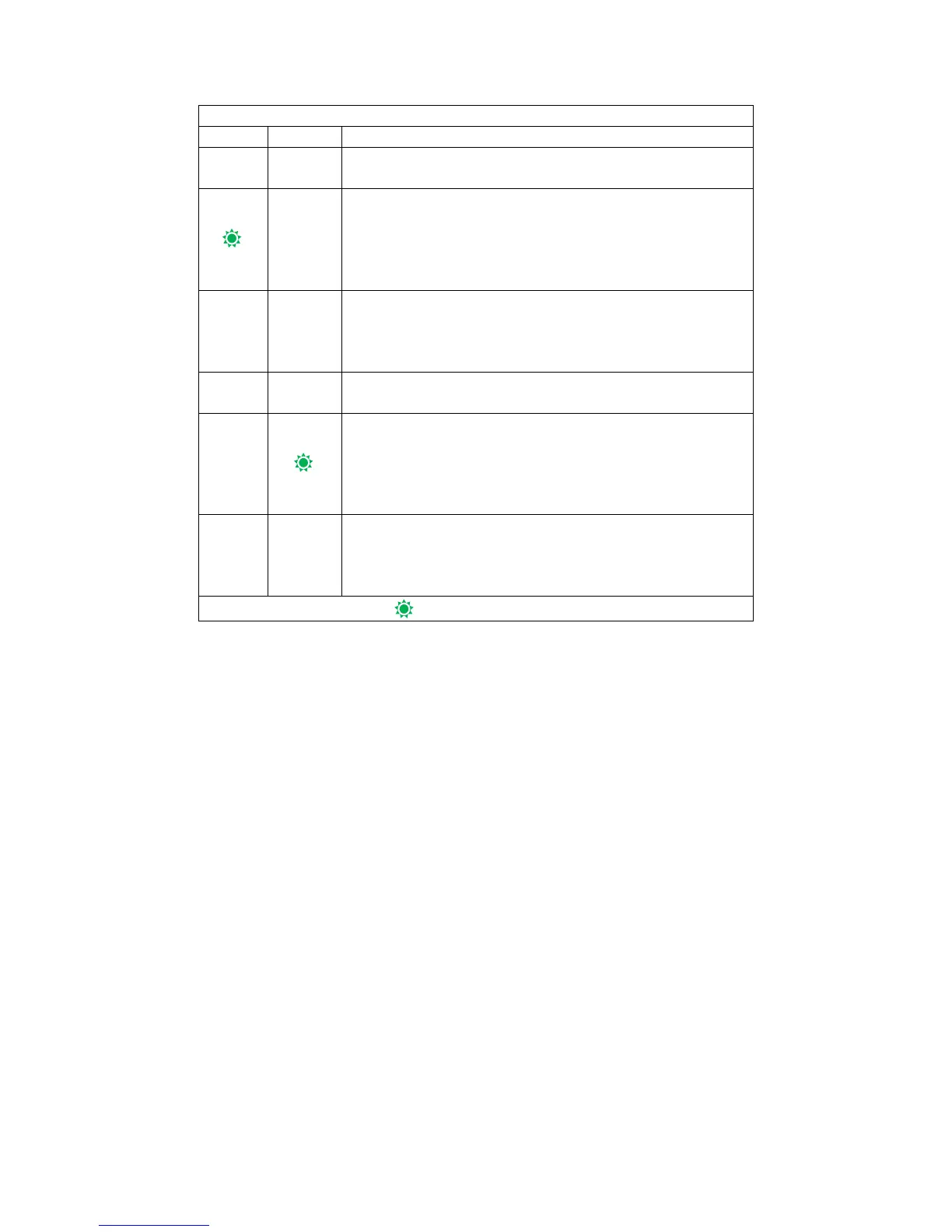
Flashing fastly, load control is in normal mode. Load
over current has occurred.the load have been powered
off automatically. You can manually unlock the
protection or wait the controller automatically unlock at
dusk.
Flashing slowly, load control is in normal mode, load
have been powered off manually. And at this condition,
the controller wouldn’t be power on the load
automatically.
Flashing fastly, load control is in light control mode.
Load over current has occurred. the load have been
powered off automatically. You can manually unlock
the protection or wait the controller automatically
unlock at dusk.
Low-voltage protection of battery or over-voltage
protection of battery,or load control is in light control
mode and now is daytime,or powered off manually in
light control mode.
IV. Instructions For Use
1.Battery Charging Control
The Charging process contain three stages: Bulk, Absorption, Float. On Bulk stage,
controller charge the battery with max current from solar panels; on Absorption stage,
controller will adjust the Duty Cycle of current to remain the battery voltage at
charging voltage point for 2H ,so that charge the battery full faster. Controller will
entry this stage only when the battery voltage stays lower than 12.6V for 5mins. If the
battery voltage does not satisfy this condition, the controller will directly enter the
float Stage. On Float Stage, controller will adjust the Duty Cycle of current to remain
battery voltage at Float charging point to supply the consumption of battery.
2.Normal Mode
Normal indicator is on or flickering ,means the load is in normal control mode,so
that the load do not in the the control of lighting.
In this mode, the load will be powered off only when battery low voltage,battery
over-voltage or over-load happened.
3.Lighting Control Mode
Auto indicator is on or flickering ,means load in lighting control moder.In this
mode, the controller will power on the load after darkness and will power off the load
after sunrise.Press the button "load " to turn on or turn off the load by manually.The
Power supply state of the load will be changed if in the face of the turning on or
turning off the load event (such as dawn, battery low voltage, load current).


 To Next Page
 Loading...