Page 7 of 13
Basic controls and indicators of the sampler
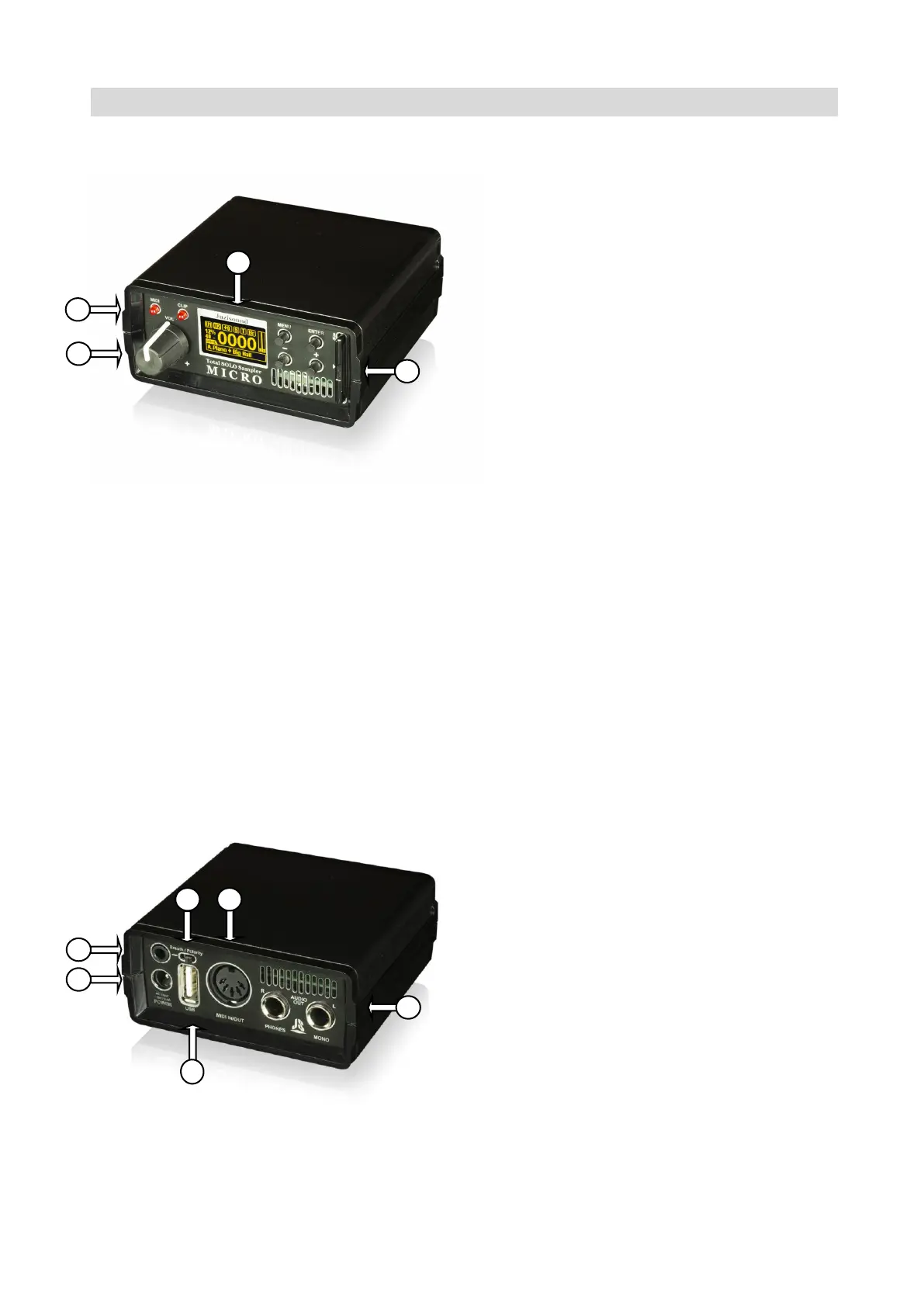
Front panel
1. TFT display.
2. Potentiometer for adjusting the volume
of the headphones and the main outputs.
3. MIDI and AUDIO CLIP indicators.
4. SD card slot.
Buttons
MENU – Short pressed enters Fast Menu - If we are on the Main Page. If we are in any
menu: returns back, until it reaches the Main Page.
Long press, if we are on the Main Page - enters Main Menu. If we are in any menu: returns
directly to the Main Page.
ENTER – Short pressed: If we are in menus - Entering a submenu, or moving to the next
menu chapter.
Long press: If we are in the main page - MIDI LEARN. If we are in menus - return to the
previous point of the same menu until it reaches the first one.
PLUS/MINUS (+/-) – Move through the menu items, or if a parameter is selected, change
the parameter value.
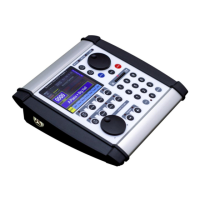
Rear panel
1. Power IN (Use only 15v/0,4A AC adap-
tor provided by Juzisound)
2. USB Host connector, for connecting
USB MIDI keyboard or USB Mass Stor-
age.
3. Breath controller IN.
4. Breath polarity switch
5. MIDI in/out conector
6. AUDIO OUTS – 6.3mm mono audio
jack. (L/R Phones is STEREO)


 To Next Page