Button Functions - PIP
45
Freeze
Swap
Channel +/- for PIP
Source
Use the FREEZE button to lock a single, still image onto the PIP window.
• If PIP is off when FREEZE is pressed, a snapshot of the main screen is taken and placed in the
PIPwindow.
• If PIPis on when FR E E Z E is pressed, the image in the window when the button was pressed is h e l d .
You can exchange the channel displayed on the main screen for the one shown in the PIP window
by pressing SWAP.
Like the main CHANNEL +/- buttons, CHANNEL +/- for PIP lets you scan through the channels in the
PIP window.
• Direct channel selection with the 10 key pad for PIPis not possible.
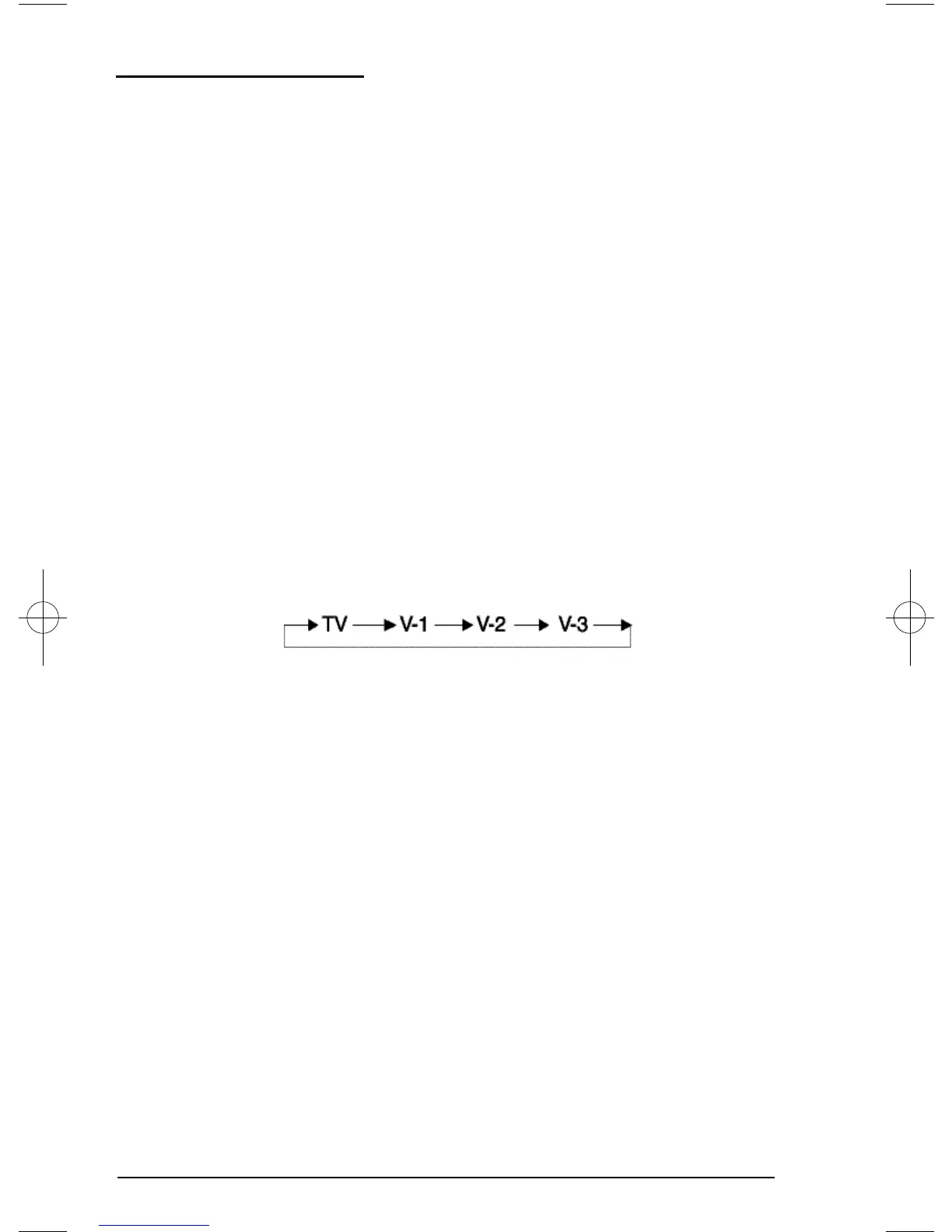
You can select the signal source for the PIP window image.
• If the PIP does not have a signal, the window will be blue.
• If you connect a DVDto Video-2 the PIP window will be blue.
• The PIP window is
1
/
9
the size of the full screen.
• PIPwill not display blocked channels or programs. A blue screen will display instead.
NOTES:
D502/302/202 mini-IB 4/5/01 9:40 AM Page 45











 To Next Page