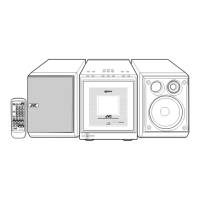
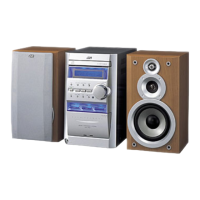
EasyManua.ls Logo

JVC CA-UXA7DVD - User Manual

JVC CA-UXA7DVD
76 pages
Print Icon
To Next Page IconTo Next Page
Loading...
INSTRUCTIONS
UX-A7DVD
—Consists of CA-UXA7DVD and SP-UXA7DVD
For Customer Use:
Enter below the Model No. and Serial
No. which are located either on the rear,
bottom or side of the cabinet. Retain this
information for future reference.
Model No.
Serial No.
LVT0954-012A
[UJ]
MICRO COMPONENT SYSTEM
DVD/SUPER VCD/VCD/CD
DVD
AUTO REVERSE
COMPACT
SUPER VIDEO
UX-A7DVD
DIGITAL
TAPE
AUX/MDREV.MODE
BASSFM/AM
TREBLE
MULTI COLOR DISPLAY
3•WAY SPEAKER SYSTEM3•WAY SPEAKER SYSTEM
ANGLE
AUDIO
123
456
789
10 0 +10
DIMMER
CANCEL
TOP MENU
SET
STROBE
PREV.
FADE
MUTING
BASS/
TREBLE
FM MODE
DIGITAL
ECHO
KEY
CONTROL
KEY
CONTROL
3D PHONIC
AHB PRO
NEXT
RETURN
SLOW
RM-SUXA7DVDU REMOTE CONTROL
GROUP SKIP
–+
SLOW
AUX/MD
DVD
SELECT
FM/AM
VOLUME
SHIFT
TAPE
ENTER
MENU CHOICE
COLOR
ON SCREEN
PLAY MODE
ZOOM
SUB TITLE
REV. MODE
DIGEST
CLOCK/TIMER
STANDBY
/
ON
DISPLAY
SLEEP
DVD
LEVEL
AP
OFF
DIGITAL
COMPACT
SUPER VIDEO
UX_A7DVD[UJ]COVER.pm6 03.2.25, 8:53 PM1


Table of Contents

Questions and Answers

  • E
    Emily BrayAug 20, 2025
    How to improve poor radio reception on JVC Stereo System?
    • J
      John PerkinsAug 20, 2025
      To improve poor radio reception on your JVC Stereo System: - Ensure the antenna is connected correctly. - If you're using an AM loop antenna, try moving it away from the unit. - For FM reception, make sure the FM antenna is fully extended and properly positioned.
  • D
    dorothyhopkinsAug 22, 2025
    How to fix JVC Stereo System remote control not working?
    • T
      Thomas HolmesAug 22, 2025
      If the remote control of your JVC Stereo System isn't working, there might be a few reasons. First, check if anything is blocking the path between the remote and the sensor on the unit; if so, remove the obstruction. Second, the batteries in the remote might be dead, so try replacing them. Finally, you might be too far from the main unit, so move closer and try again.
  • M
    marcusspenceAug 25, 2025
    What to do if my JVC Stereo System has no sound?
    • L
      Linda HuertaAug 25, 2025
      If you're not getting any sound from your JVC Stereo System speakers, start by checking all the connections to make sure they are correct and secure. Also, make sure that headphones are not connected, as this will mute the speakers.
  • M
    Micheal BrownAug 26, 2025
    Why is my JVC Stereo System not turning on?
    • M
      Maria EdwardsAug 26, 2025
      If your JVC Stereo System isn't turning on, the most likely reason is that the power cord isn't properly connected to an AC outlet. Make sure the power cord is securely plugged into a working outlet.
  • B
    Beth RobertsAug 27, 2025
    What to do if my JVC Stereo System shuts off after turning it on?
    • A
      Andrew CraigAug 27, 2025
      If your JVC Stereo System shuts off immediately after being turned on or when starting playback, check the speaker cords for any short circuits. If the cords are fine, there may be an internal malfunction, and you should consult for service.
  • K
    Kristy ScottAug 29, 2025
    How to eject a disc stuck in JVC Stereo System?
    • A
      Anne HuntAug 30, 2025
      If a disc is stuck in your JVC Stereo System and won't eject, first ensure that the main AC power cord is plugged in. If it is, check if the Disc Lock function is enabled and, if so, unlock it.
  • T
    Tiffany CookAug 31, 2025
    Why won't my JVC Stereo System play the disc?
    • D
      Derrick MoralesAug 31, 2025
      If your JVC Stereo System isn't playing a disc, check to make sure the disc is inserted right side up. Also, verify that the unit and disc Region Code numbers are compatible. Lastly, check if the parental lock is enabled and, if so, unlock it.
  • M
    millerkyleSep 2, 2025
    How to fix distorted video and audio on JVC Stereo System?
    • R
      Rhonda BennettSep 2, 2025
      If the video and audio from your JVC Stereo System are distorted, the disc may be dirty or scratched; try cleaning or replacing it. Also, if a VCR is connected between the unit and the TV, connect the unit and TV directly.
  • J
    Jennifer TannerSep 4, 2025
    What causes 'ERROR' on JVC Stereo System and how to fix it?
    • A
      allison39Sep 4, 2025
      If 'ERROR' appears on the main display of your JVC Stereo System and the disc cannot be played, it's likely that you're trying to play a CD-R/RW that hasn't been finalized. You need to finalize the CD-R/RW.
  • L
    Lawrence FoxSep 6, 2025
    What to do if there is no picture on JVC Stereo System screen?
    • M
      Madison SmithSep 6, 2025
      If no picture appears on the screen of your JVC Stereo System, first check that the video cord is connected correctly. Next, make sure the correct color system is selected. Finally, verify that the correct input has been selected on the TV or monitor.

Summary

Warnings, Cautions and Others

Caution: Proper Ventilation

Instructions on unit placement for adequate airflow and safety.

Important for Laser Products

Introduction

Precautions

Important guidelines for installation, power, and environmental conditions.

Turning On the Power

Selecting the Sources and Starting Play

Reinforcing the Bass Sound

Adjusting the Tone

How to adjust bass and treble levels for desired sound output.

Adjusting the Audio Input Level

Prohibiting Disc Ejection

How to lock discs to prevent accidental ejection or unauthorized playback.

DVD Basic Operations

SVCD;VCD;Audio CD Basic Operations

MP3 Basic Operations

Playing Back a Tape

Chapter Search

Record Single Track

Singing Along (Karaoke)

Changing the Initial Language Settings

Changing the Display Settings

Limitting Playback of DVD-Parental Lock

Unlocking the Parental Lock Temporarily

How to temporarily disable parental lock for specific discs.

Using the Recording Timer

Using the Daily Timer

How to set a timer to wake up to music or radio.

Maintenance

Troubleshooting

Specifications

Amplifier Section-CA-UXA7 DVD

Technical specifications for the amplifier component.

Speaker Section-SP-UXA7 DVD

Technical specifications for the speaker components.

Mains (AC) Line Instruction

JVC CA-UXA7DVD Specifications

General IconGeneral
DVD PlayerYes
Speaker Configuration2.0
Playable MediaCD, DVD, MP3, WMA
TunerFM/AM
Speakers2-Way Bass Reflex
ConnectivityAux In
TypeMini Hi-Fi System

Related product manuals