EasyManua.ls Logo

JVC CA-UXA7DVD - User Manual

JVC CA-UXA7DVD
76 pages
Print Icon
To Next Page IconTo Next Page
Loading...
INSTRUCTIONS
UX-A7DVD
—Consists of CA-UXA7DVD and SP-UXA7DVD
For Customer Use:
Enter below the Model No. and Serial
No. which are located either on the rear,
bottom or side of the cabinet. Retain this
information for future reference.
Model No.
Serial No.
LVT0954-012A
[UJ]
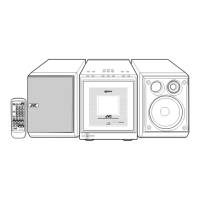
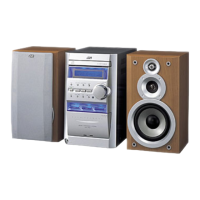
MICRO COMPONENT SYSTEM
DVD/SUPER VCD/VCD/CD
DVD
AUTO REVERSE
COMPACT
SUPER VIDEO
UX-A7DVD
DIGITAL
TAPE
AUX/MDREV.MODE
BASSFM/AM
TREBLE
MULTI COLOR DISPLAY
3•WAY SPEAKER SYSTEM3•WAY SPEAKER SYSTEM
ANGLE
AUDIO
123
456
789
10 0 +10
DIMMER
CANCEL
TOP MENU
SET
STROBE
PREV.
FADE
MUTING
BASS/
TREBLE
FM MODE
DIGITAL
ECHO
KEY
CONTROL
KEY
CONTROL
3D PHONIC
AHB PRO
NEXT
RETURN
SLOW
RM-SUXA7DVDU REMOTE CONTROL
GROUP SKIP
–+
SLOW
AUX/MD
DVD
SELECT
FM/AM
VOLUME
SHIFT
TAPE
ENTER
MENU CHOICE
COLOR
ON SCREEN
PLAY MODE
ZOOM
SUB TITLE
REV. MODE
DIGEST
CLOCK/TIMER
STANDBY
/
ON
DISPLAY
SLEEP
DVD
LEVEL
AP
OFF
DIGITAL
COMPACT
SUPER VIDEO
UX_A7DVD[UJ]COVER.pm6 03.2.25, 8:53 PM1


Table of Contents

Questions and Answers

  • J
    John ChapmanSep 8, 2025
    How do I fix a JVC Stereo System picture that doesn't fit the TV screen?
    • T
      Tammy MurphySep 8, 2025
      If the picture from your JVC Stereo System doesn't fit the television screen, ensure that the “MONITOR TYPE” is set correctly. Also, check that the TV settings are correct.
  • A
    Amy LesterSep 10, 2025
    Why is the tape sound low quality on my JVC Stereo System?
    • J
      Jennifer SmithSep 10, 2025
      If the tape sound on your JVC Stereo System is at a very low level and the sound quality is degraded, the tape head may be dirty and magnetized. Clean and demagnetize the head.
  • D
    David CastroSep 12, 2025
    Why won't the cassette holder open on my JVC Stereo System?
    • M
      Michael MendozaSep 12, 2025
      If the cassette holder on your JVC Stereo System doesn't open or close, it may be due to the power supply from the AC power cord being cut off while the tape was running. Restore power to resolve this.
  • M
    maryconleySep 13, 2025
    Why I can't record on tape using my JVC Stereo System?
    • A
      Albert SilvaSep 14, 2025
      If it's impossible to record on a tape with your JVC Stereo System, it's likely because the small tabs on the back of the cassette are removed. Replace the cassette to fix this.
  • K
    Kathleen CharlesSep 15, 2025
    Why is DVD sound low on my JVC Stereo System?
    • M
      Michael LeachSep 15, 2025
      If the sound is small while a DVD is played back compared to other discs on your JVC Stereo System, it is because the audio sound of DVD is recorded at a lower level than the sounds of other discs. Increase the sound level of DVD playback.
  • J
    James WagnerSep 18, 2025
    Why some MP3 tracks don't play on JVC Stereo System?
    • M
      Marvin BentleySep 18, 2025
      If specific files (tracks) on an MP3 disc are not playing on your JVC Stereo System, it could be because files other than MP3 are included on the disc. Remove any non-MP3 files from the disc.

Summary

Warnings, Cautions and Others

Caution: Proper Ventilation

Instructions on unit placement for adequate airflow and safety.

Important for Laser Products

Introduction

Precautions

Important guidelines for installation, power, and environmental conditions.

Turning On the Power

Selecting the Sources and Starting Play

Reinforcing the Bass Sound

Adjusting the Tone

How to adjust bass and treble levels for desired sound output.

Adjusting the Audio Input Level

Prohibiting Disc Ejection

How to lock discs to prevent accidental ejection or unauthorized playback.

DVD Basic Operations

SVCD;VCD;Audio CD Basic Operations

MP3 Basic Operations

Playing Back a Tape

Chapter Search

Record Single Track

Singing Along (Karaoke)

Changing the Initial Language Settings

Changing the Display Settings

Limitting Playback of DVD-Parental Lock

Unlocking the Parental Lock Temporarily

How to temporarily disable parental lock for specific discs.

Using the Recording Timer

Using the Daily Timer

How to set a timer to wake up to music or radio.

Maintenance

Troubleshooting

Specifications

Amplifier Section-CA-UXA7 DVD

Technical specifications for the amplifier component.

Speaker Section-SP-UXA7 DVD

Technical specifications for the speaker components.

Mains (AC) Line Instruction

JVC CA-UXA7DVD Specifications

General IconGeneral
DVD PlayerYes
Speaker Configuration2.0
Playable MediaCD, DVD, MP3, WMA
TunerFM/AM
Speakers2-Way Bass Reflex
ConnectivityAux In
TypeMini Hi-Fi System

Related product manuals