EasyManua.ls Logo

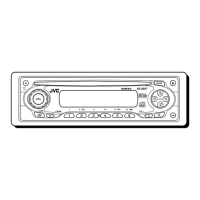
JVC CD Receiver KD-S847 - User Manual

JVC CD Receiver KD-S847
58 pages
Print Icon
To Next Page IconTo Next Page
Loading...
GET0137-001A
[EE]
INSTRUCTIONS
ИНСТРУКЦИИ ПО ЭКСПЛУАТАЦИИ
KD-S847
CD RECEIVER
РЕСИВЕР С ПРОИГРЫВАТЕЛЕМ КОМПАКТ-ДИСКОВ
ENGLISH
РУCCKИЙ
For installation and
connections, refer to
the separate manual.
Указания по
установке и
выполнению
соединений
приводятся в
отдельной
инструкции.
В соответствии с Законом Российской Федерации “О защите прав
потребителей” срок службы (годности) данного товара “по истечении
которого он может представлять опасность для жизни, здоровья
потребителя, причинять вред его имуществу или окружающей среде”
составляет семь (7) лет со дня производства. Этот срок является
временем, в течение которого потребитель данного товара может
безопасно им пользоваться при условии соблюдения инструкции по
эксплуатации данного товара, проводя необходимое обслуживание,
включающее замену расходных материалов и/или соответствующее
ремонтное обеспечение в специализированном сервисном центре.
Дополнительные косметические материалы к данному товару,
поставляемые вместе с ним, могут храниться в течение двух (2) лет со
дня его производства.
Срок службы (годности), кроме срока хранения дополнительных
косметических материалов, упомянутых в предыдущих двух пунктах,
не затрагивает никаких других прав потребителя, в частности,
гарантийного свидетельства JVC, которое он может получить в
соответствии с законом о правах потребителя или других законов,
связанных с ним.
Cover001AKD-S847[EE]f.p65 1/19/03, 3:18 PM3

Questions and Answers

  • D
    Denise KelleyAug 20, 2025
    Why is there no sound coming from my JVC CD Receiver KD-S847 speakers?
    • L
      Lisa GibsonAug 20, 2025
      If you can't hear any sound from the speakers of your JVC Car Receiver, there might be several reasons. First, check that the volume isn't set too low and adjust it to a suitable level. Another possibility is incorrect connections; inspect the cords and connections to ensure they are properly set. Lastly, the microcomputer may have malfunctioned due to noise. Try resetting the unit by holding the SEL (select) button and pressing the (standby/on/attenuator) button for more than 2 seconds. Keep in mind that this will erase the clock setting and preset stations.
  • G
    Gina LangAug 22, 2025
    Why does the disc automatically eject from my JVC CD Receiver KD-S847?
    • J
      Joseph Munoz MDAug 22, 2025
      If the disc automatically ejects from your JVC Car Receiver, it probably means the disc is inserted upside down. Make sure to insert the disc correctly.
  • A
    Andrea EscobarAug 25, 2025
    What to do if “NO DISC” appears on the display of my JVC CD Receiver KD-S847 Car Receiver?
    • J
      Jane WoodsAug 25, 2025
      If the display of your JVC Car Receiver shows “NO DISC”, it means that there is no disc in the loading slot or the disc is inserted incorrectly. Insert a disc into the loading slot, or ensure that the disc is correctly inserted.
  • P
    Philip JacobsAug 26, 2025
    What to do if my JVC Car Receiver disc cannot be played back?
    • M
      mirandaangelaAug 27, 2025
      If your JVC Car Receiver isn't playing the disc, the disc may not contain MP3 files. You should change the disc, add the extension code —mp3 to their file names and record MP3 files using a compliant application. Skip to another file or change the disc, and do not add the extension code—mp3 to non- MP3 files. Also, do not use too many hierarchies and folders or record any other types of audio tracks together with MP3 files. Select another folder or insert a disc that contains MP3 files.
  • R
    Roberta WillisAug 28, 2025
    Why is the disc sound sometimes interrupted in my JVC CD Receiver KD-S847 Car Receiver?
    • D
      Diana Carter PhDAug 28, 2025
      If the disc sound in your JVC Car Receiver is sometimes interrupted, it could be due to driving on rough roads. In this case, stop playback while driving on rough roads. It may also be that the disc is scratched, so try changing the disc. Finally, check the cords and connections to ensure they are correctly connected.
  • J
    Jill HurstAug 30, 2025
    What to do if CD-R/CD-RW cannot be played back on my JVC Car Receiver?
    • N
      nicholaschapmanAug 30, 2025
      If your JVC Car Receiver won't play CD-R/CD-RW discs, it's likely that the disc hasn't been finalized. Insert a finalized CD-R/CD-RW or finalize the CD-R/CD-RW with the component used for recording.
  • D
    Denise TerrySep 1, 2025
    Why can't I skip tracks on CD-R/CD-RW in my JVC Car Receiver?
    • R
      Ruben SotoSep 1, 2025
      If you're unable to skip tracks on a CD-R/CD-RW in your JVC Car Receiver, the disc may not be finalized. You should insert a finalized CD-R/ CD-RW or finalize the CD-R/CD-RW with the component you used for recording.
  • J
    joseph13Sep 3, 2025
    What to do if the disc in my JVC CD Receiver KD-S847 Car Receiver can be neither played back nor ejected?
    • S
      Sonya RoachSep 3, 2025
      If the disc in your JVC Car Receiver can't be played back or ejected, the disc may be locked. Unlock the disc. Alternatively, the CD player may be malfunctioning. While holding (standby/on/attenuator), press 0 (eject) for more than 2 seconds. Be careful not to drop the disc when it is ejected.
  • S
    Summer GonzalezSep 5, 2025
    Why doesn't SSM (Strong-station Sequential Memory) automatic preset work on my JVC CD Receiver KD-S847?
    • S
      Shawn HillSep 5, 2025
      If the SSM automatic preset isn't working on your JVC Car Receiver, it could be due to weak signals. In this case, store stations manually. Another possibility is that the aerial isn't connected firmly, so ensure the aerial is properly connected.
  • B
    Bonnie MorganSep 6, 2025
    Why does my JVC Car Receiver require a longer readout time?
    • J
      Jacob LewisSep 7, 2025
      Readout time varies due to the complexity of the folder/ file configuration.

Summary

Position And Reproduction Of Labels

IMPORTANT FOR LASER PRODUCTS

Precautions and warnings for laser products.

How to reset your unit

Safety Before Use

Important safety precautions before operating the unit.

BASIC OPERATIONS

Powering the Unit On;Off

Steps to power the unit on and off.

RADIO OPERATIONS

Auto Search

How to automatically find radio stations.

Manual Search

How to manually tune into radio stations.

Tuning in to a Station

Storing Stations in Memory

FM Station Automatic Preset (SSM)

Automatic storage of up to 6 FM stations per band.

Manual Preset

Tuning into a Preset Station

How to select a previously stored radio station.

CD OPERATIONS

Playing a CD

Steps to insert and play a CD.

Locating Tracks on a CD

Selecting CD Playback Modes

MP3 OPERATIONS

Playing an MP3 Disc

Steps to insert and play an MP3 disc.

Locating Files on an MP3 Disc

Folder Navigation on MP3 Disc

Selecting MP3 Playback Modes

SOUND ADJUSTMENTS

Preset Sound Modes (C-EQ)

Choosing pre-defined sound equalizer settings.

Adjusting the Sound

Selecting Sound Items

Choosing between bass, treble, balance, loudness, and volume.

OTHER MAIN FUNCTIONS

Changing General Settings (PSM)

Adjusting various system preferences via PSM.

Detaching the Control Panel

Attaching the Control Panel

TROUBLESHOOTING

General Issues

Common operational problems and their solutions.

Radio (FM;AM) Issues

Troubleshooting for radio reception and station storage.

Disc Playback Issues

Problems encountered during CD/MP3 playback.

MP3 Playback Troubleshooting

Unplayable MP3 Discs

Solutions for MP3 discs that are unplayable.

Audio Noise Issues

Remedies for audio noise during playback.

Readout Time Issues

Addressing issues with slow disc scanning.

Playback Order Issues

Resolving playback order discrepancies for MP3 files.

MAINTENANCE

Handling Discs

Proper procedures for handling CDs, CD-Rs, CD-RWs, and MP3 discs.

SPECIFICATIONS

JVC CD Receiver KD-S847 Specifications

General IconGeneral
CD PlaybackYes
BluetoothNo
Detachable FaceYes
TunerAM/FM Tuner
Audio Formats SupportedCD/CD-R/CD-RW
DisplayLCD
Power Output50 Watts x 4 Channels

Related product manuals