EasyManua.ls Logo

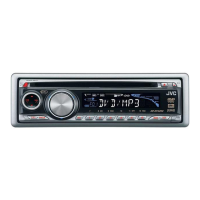
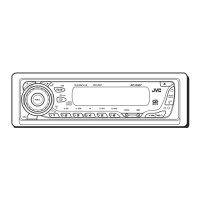
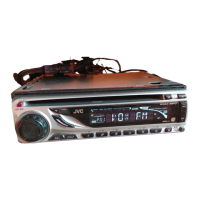
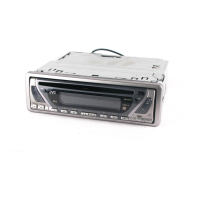
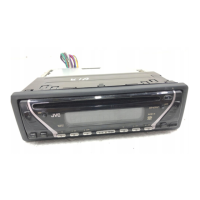
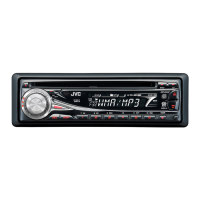
JVC G300 - KD Radio / CD - User Manual

JVC G300 - KD Radio / CD
111 pages
Print Icon
To Next Page IconTo Next Page
Loading...
GET0211-001A
[J]
INSTRUCTIONS
MANUAL DE INSTRUCCIONES
MANUEL D’INSTRUCTIONS
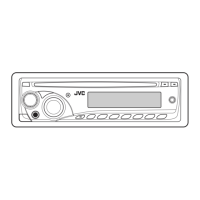
CD RECEIVER KD-AR300/KD-G300
ENGLISH
ESPAÑOL
FRANÇAIS
For installation and connections, refer to the separate manual.
Para la instalación y las conexiones, refiérase al manual separado.
Pour l’installation et les raccordements, se référer au manuel séparé.
RECEPTEUR CD KD-AR300/KD-G300
RECEPTOR CON CD KD-AR300/KD-G300
For customer Use:
Enter below the Model No. and
Serial No. which are located on
the top or bottom of the
cabinet. Retain this information
for future reference.
Model No.
Serial No.
This unit is equipped with the display demonstration. To cancel it, see page 8.
Esta unidad está equipada con demostración en la pantalla. Para cancelarla, consulte la página 8.
Cet appareil est équipé d’une fonction de démonstration des affichages. Pour l’annuler, référez-
vous à la page 8.
KD-AR300
KD-G300
S
S
Cover001A_KD-AR300_G300[J]f.p65 12/3/03, 3:50 PM3

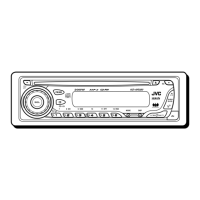
Table of Contents

Questions and Answers

  • J
    Jamie MccartyAug 16, 2025
    Why is there no sound coming from my JVC G300 - KD Radio / CD Car Receiver speakers?
    • W
      Wyatt FischerAug 17, 2025
      If you cannot hear sound from the speakers of your JVC Car Receiver, first, check that the volume level is not set to the minimum; if it is, adjust it to a suitable level. Also, verify that all connections are correct by checking the cords and connections.
  • D
    Daniel HancockAug 19, 2025
    How to reset JVC Car Receiver that does not work?
    • A
      Adam CruzAug 19, 2025
      If your JVC Car Receiver does not work, the built-in microcomputer may have malfunctioned due to noise or another issue. To resolve this, reset the unit by holding SEL (select) and pressing (standby/on attenuator) for more than 2 seconds. Note that this will erase your preset adjustments.
  • R
    Robert GambleAug 22, 2025
    What to do if JVC G300 - KD Radio / CD disc sound is interrupted?
    • S
      Steven BuchananAug 22, 2025
      If the disc sound in your JVC Car Receiver is sometimes interrupted, it may be due to driving on rough roads; if so, stop playback while driving on such roads. Alternatively, the disc may be scratched, in which case you should change the disc. Incorrect connections can also cause this issue, so check the cords and connections.
  • D
    Daniel NguyenAug 25, 2025
    Why doesn't SSM automatic preset work on JVC G300 - KD Radio / CD Car Receiver?
    • P
      Paula JohnsonAug 26, 2025
      If the SSM automatic preset is not working on your JVC Car Receiver, it could be due to weak signals, in which case you should store stations manually. Another possibility is that the antenna is not firmly connected, so ensure it is properly connected.
  • T
    Tracy NortonAug 27, 2025
    What to do if JVC Car Receiver displays “NO DISC”?
    • V
      Valerie WallaceAug 27, 2025
      If “NO DISC” appears on the display of your JVC Car Receiver, ensure that a disc is inserted into the loading slot. If a disc is already inserted, make sure it is inserted correctly.
  • J
    Jason DawsonAug 30, 2025
    Why does my JVC G300 - KD Radio / CD disc automatically eject?
    • K
      Katherine GilbertAug 30, 2025
      If the disc automatically ejects from your JVC Car Receiver, check to ensure that the disc is inserted correctly, with the correct side facing down.
  • A
    Alex GrossSep 2, 2025
    Why JVC G300 - KD Radio / CD cannot play CD-R/CD-RW?
    • W
      William CarpenterSep 2, 2025
      If your JVC Car Receiver cannot play back a CD-R/CD-RW, ensure that the CD-R/CD-RW is finalized. If it is not, finalize the CD-R/CD-RW using the component you used for recording.
  • R
    Robert CollinsSep 5, 2025
    What to do if JVC Car Receiver disc can't be played or ejected?
    • D
      David HenrySep 5, 2025
      If a disc in your JVC Car Receiver can neither be played back nor ejected, the disc may be locked. If so, unlock the disc. Alternatively, the CD player may have malfunctioned. In this case, while holding (standby/on attenuator), press 0 (eject) for more than 2 seconds, and be careful not to drop the disc when it is ejected.
  • A
    Anthony CruzSep 7, 2025
    Why is my JVC G300 - KD Radio / CD Car Receiver generating noise?
    • S
      Sheryl PerezSep 7, 2025
      If noise is generated by your JVC Car Receiver, the file played back may not be an MP3 file, even if it has the extension. In this case, skip to another file or change the disc, and avoid adding the extension to non-MP3 files.
  • J
    Jennifer LopezSep 12, 2025
    Why does JVC G300 - KD Radio / CD take long readout time?
    • T
      Tammy JosephSep 12, 2025
      If your JVC Car Receiver requires a longer readout time and “CHECK” keeps flashing on the display, this may be due to the complexity of the folder/file configuration. To resolve this, avoid using too many hierarchies and folders, and do not record other types of audio tracks together with MP3 files.

Summary

Unit Reset and Pre-use Guidelines

Resetting the Unit

Procedure for resetting the unit's microcomputer to factory defaults.

Control Panel and Remote Overview

Control Panel Layout

Detailed description of the main unit's control panel buttons and display.

Basic Operations

Power and Source Management

Steps to turn the unit on/off and select the audio source.

Radio Operations

Tuning and Searching Radio Stations

Methods for finding FM/AM radio stations using auto and manual search.

CD Operations

Playing an Audio CD

Steps for inserting and playing a standard audio CD.

MP3 Disc Introduction

Understanding MP3 Format

Details on the MP3 file format, bit rate, and compatibility.

MP3 Operations

Playing an MP3 Disc

Steps for inserting and starting playback of an MP3 disc.

Sound Adjustments

Preset Sound Modes (C-EQ)

Selecting pre-defined sound profiles (ROCK, CLASSIC, POP, etc.).

Custom Sound Adjustment

Fine-tuning bass, treble, loudness, and fader/balance settings.

General Settings and Features

Changing General Settings (PSM)

Procedure for accessing and adjusting various Preferred Setting Mode items.

CD Changer Operations (KD-AR300)

Playing Discs in CD Changer

How to insert and play discs using the connected CD changer.

Troubleshooting

General and Radio Troubleshooting

Solutions for common sound, unit operation, and radio reception problems.

Disc Playback Troubleshooting

Solutions for issues related to CD/MP3 playback, ejection, and disc reading.

Maintenance and Care

Disc Handling and Cleaning

Proper methods for handling, storing, cleaning, and playing discs.

JVC G300 - KD Radio / CD Specifications

General IconGeneral
BrandJVC
ModelG300 - KD Radio / CD
CategoryCar Receiver
LanguageEnglish

Related product manuals