EasyManua.ls Logo

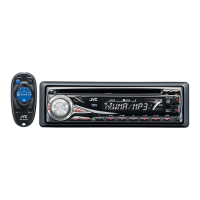
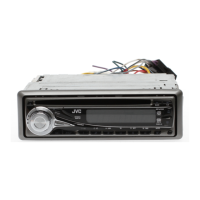
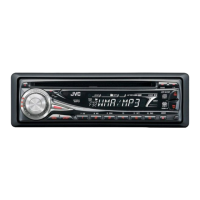
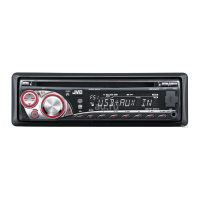
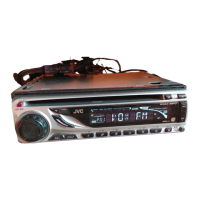
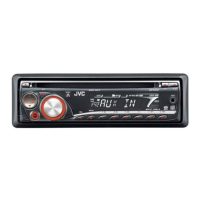
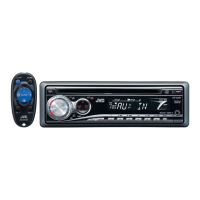
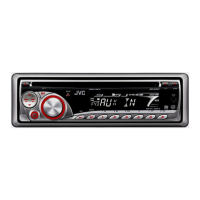
JVC KD-G331 - User Manual

JVC KD-G331
20 pages
Print Icon
To Next Page IconTo Next Page
Loading...
CD RECEIVER
KD-G333/KD-G332/KD-G331
For installation and connections, refer to the separate manual.
INSTRUCTIONS
GET0406-003A
[EX/EU]
For canceling the display demonstration, see page 5.
Cover_KD-G333_003A_f.indd 1 8/29/06 3:24:44 PM

Other manuals for JVC KD-G331

Questions and Answers

  • D
    dscottAug 18, 2025
    Why is there no sound from my JVC KD-G331 Car Receiver speakers?
    • K
      Kristen RileyAug 19, 2025
      If you cannot hear sound from the speakers, make sure the volume is at an audible level. Also, inspect the cords and connections to ensure they are properly connected.
  • E
    Elizabeth HarperAug 21, 2025
    What does “PLEASE EJECT” mean on my JVC Car Receiver?
    • A
      Ashley KingAug 21, 2025
      If “PLEASE EJECT” appears on the display, make sure you are inserting a disc that contains MP3/WMA tracks.
  • M
    mendezrobertAug 23, 2025
    What to do if my JVC KD-G331 Car Receiver displays “NO DISC”?
    • L
      Luis DoyleAug 23, 2025
      If “NO DISC” is displayed, ensure that you insert a playable disc into the loading slot.
  • J
    jasminegardnerAug 26, 2025
    Why does my JVC KD-G331 make static noise while listening to the radio?
    • R
      Rebekah LaraAug 26, 2025
      If you are experiencing static noise while listening to the radio, make sure the aerial is firmly connected.
  • K
    kaitlyntylerAug 28, 2025
    What to do if my JVC KD-G331 Car Receiver disc sound is sometimes interrupted?
    • K
      katherinestevensAug 28, 2025
      If the disc sound is sometimes interrupted, try the following: * Stop playback while driving on rough roads. * Try changing the disc. * Check the cords and connections.
  • M
    Mary LawrenceAug 30, 2025
    Why won't my JVC KD-G331 play CD-R/CD-RW discs?
    • K
      Kelly MccormickAug 30, 2025
      If your CD-R/CD-RW disc cannot be played back, make sure to insert a finalized CD-R/CD-RW.
  • J
    John FrazierSep 1, 2025
    Why can't my JVC Car Receiver skip tracks on CD-R/CD-RW?
    • B
      Bonnie MartinSep 1, 2025
      If tracks on the CD-R/CD-RW cannot be skipped, finalize the CD-R/CD-RW with the component used for recording.
  • I
    Isaac McclureSep 4, 2025
    Why won't my JVC KD-G331 Car Receiver play my disc?
    • A
      Andrew RichardsSep 4, 2025
      Use a disc with MP3/WMA tracks recorded in the format compliant with ISO 9660 Level 1, Level 2, Romeo, or Joliet. Also, add the extension code or to the file names.
  • Z
    Zachary MurraySep 6, 2025
    Why does my JVC Car Receiver generate noise?
    • T
      tgoodwinSep 6, 2025
      To address noise issues, skip to another track or change the disc. Do not add the extension code or to non-MP3 or WMA tracks.
  • S
    Sandra FrancisSep 8, 2025
    Why does my JVC KD-G331 require a longer readout time?
    • D
      David JohnsonSep 9, 2025
      To reduce readout time, avoid using too many hierarchies and folders.

Summary

Laser Safety Information

Class 1 Laser Product Precautions

Important warnings for Class 1 laser products, including not opening the cover.

Control Panel Overview

Front Panel Parts Identification

Identifies all buttons, indicators, and displays on the unit's front panel for user reference.

Getting Started

Basic Operations and Settings

Covers initial power on, source selection, volume/sound adjustment, and clock setup.

Radio Operations

FM RDS Operations

FM RDS Advanced Features

Disc Operations

Playing Discs and Track Selection

Covers inserting discs, basic playback, and direct selection of tracks or folders.

Sound Adjustments

MP3;WMA Playback and Disc Management

Troubleshooting Common Issues

General and Radio Problem Resolution

Solutions for common sound, unit operation, and radio reception problems.

Troubleshooting MP3;WMA Playback

Resolving MP3;WMA Disc Errors

Addresses issues specific to MP3/WMA playback, such as noise or incorrect character display.

JVC KD-G331 Specifications

General IconGeneral
BrandJVC
ModelKD-G331
CategoryCar Receiver
LanguageEnglish

Related product manuals