EasyManua.ls Logo

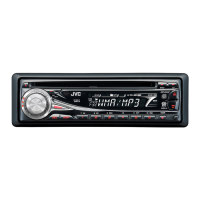
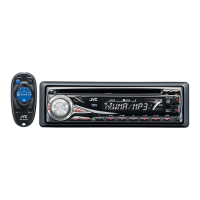
JVC KD-G334 - User Manual

JVC KD-G334
18 pages
Print Icon
To Next Page IconTo Next Page
Loading...
For canceling the display demonstration, see page 6.
For installation and connections, refer to the separate manual.
INSTRUCTIONS
GET0404-001A
[UI]
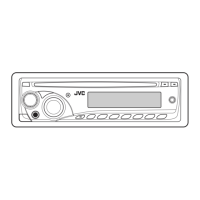
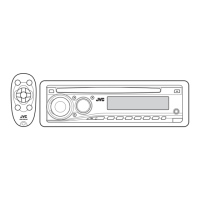
CD RECEIVER KD-G334
Cover_KD-G334[UI]f.indd 1Cover_KD-G334[UI]f.indd 1 9/27/06 12:56:09 PM9/27/06 12:56:09 PM

Other manuals for JVC KD-G334

Questions and Answers

  • W
    Whitney JonesAug 18, 2025
    How to fix no sound from JVC KD-G334 speakers?
    • B
      Barbara McintyreAug 18, 2025
      If you cannot hear sound from the speakers of your JVC Car Receiver, first, make sure that the volume is at an audible level. Also, check all cords and connections to ensure they are properly connected.
  • I
    imillerAug 20, 2025
    What to do if my JVC KD-G334 does not work?
    • X
      xwolfeAug 21, 2025
      If your JVC Car Receiver is not working, try resetting the unit.
  • G
    Gina ShawAug 23, 2025
    How to fix JVC KD-G334 Car Receiver when disc cannot be played?
    • M
      Marcia BrownAug 23, 2025
      If your JVC Car Receiver will not play a disc, first, ensure that the disc is inserted correctly.
  • M
    mmillerAug 25, 2025
    What to do if JVC Car Receiver disc cannot be played or ejected?
    • N
      natalietrevinoAug 26, 2025
      If the disc in your JVC Car Receiver can neither be played back nor ejected, try to unlock the disc. If that doesn't work, eject the disc forcibly.
  • S
    Savannah SantiagoAug 27, 2025
    Why is there static noise on my JVC Car Receiver radio?
    • A
      amanda36Aug 27, 2025
      If you are experiencing static noise while listening to the radio on your JVC Car Receiver, ensure the antenna is firmly connected.
  • T
    Tony MooreAug 29, 2025
    Why does my JVC KD-G334 disc sound get interrupted?
    • C
      cjohnsonAug 30, 2025
      If the disc sound is sometimes interrupted on your JVC Car Receiver, consider the following: * Stop playback while driving on rough roads. * Try changing the disc. * Check the cords and connections.
  • J
    Jennifer SmithSep 1, 2025
    What does 'NO DISC' mean on my JVC KD-G334?
    • A
      armstrongbrianSep 1, 2025
      If “NO DISC” appears on the display of your JVC Car Receiver, insert a playable disc into the loading slot.
  • A
    Andrew AllenSep 3, 2025
    Why won't my JVC KD-G334 play CD-R/CD-RW?
    • J
      Jessica LunaSep 3, 2025
      If your JVC Car Receiver will not play a CD-R/CD-RW, ensure that you insert a finalized disc. Finalize the CD-R/CD-RW with the component used for recording.
  • J
    justingreenSep 5, 2025
    Why does my JVC KD-G334 Car Receiver display 'CHECK' for too long?
    • M
      mcampbellSep 6, 2025
      If your JVC Car Receiver requires a longer readout time and “CHECK” keeps flashing on the display, avoid using too many hierarchies and folders.
  • K
    Kayla SteeleSep 8, 2025
    Why does my JVC Car Receiver show 'PLEASE' and 'EJECT'?
    • W
      William EatonSep 8, 2025
      If “PLEASE” and “EJECT” appear alternately on the display of your JVC Car Receiver, insert a disc that contains MP3/WMA tracks.

Summary

Laser Product Safety

Laser Product Warnings

Provides critical safety warnings related to laser radiation exposure and handling of the unit.

Unit Reset and Disc Eject Procedures

Explains how to reset the unit and how to forcibly eject a disc.

Control Panel Operations

Using the M MODE Button

Describes how to use the M MODE button for accessing different functions and button assignments.

Detaching and Attaching the Control Panel

Details the procedure for removing and reattaching the detachable control panel.

Control Panel Overview

Parts Identification

Identifies and explains the function of each button and display element on the control panel.

Remote Controller Guide

Remote Controller Features

Details the functions of the remote controller's buttons and how to install the battery.

Getting Started

Basic Operations

Covers fundamental operations like turning the unit on/off, changing radio bands, and adjusting volume.

Basic Settings

Explains how to cancel display demonstrations and set the clock time.

Radio Operations

FM Reception Troubleshooting

Provides guidance on improving reception for weak FM stereo broadcasts.

Storing FM Stations

Explains how to automatically preset FM stations using the SSM function.

Tuner Presetting and Playback

Manual Radio Presetting

Details the process for manually storing radio frequencies into preset memory slots.

Listening to Preset Stations

Describes how to select and listen to stored radio stations.

Disc Operations

Playing a Disc

Explains how to insert and play audio CDs, CD-Rs, CD-RWs, MP3, and WMA discs.

Disc Navigation and Display

Locating Tracks and Folders

Instructions for directly selecting tracks or folders on MP3/WMA discs.

Changing Display Information

How to customize the information displayed during playback of audio CDs and MP3/WMA discs.

Disc Ejection Control

Prohibiting Disc Ejection

Explains how to lock a disc in the loading slot to prevent accidental ejection.

Playback Modes and Sound Customization

Selecting Playback Modes

Covers repeat and random play options for discs.

Sound Adjustments

Details how to select preset sound modes (iEQ) and adjust sound characteristics.

General Settings - PSM

Adjusting PSM Items

Guides the user through changing various PSM (Preferred Setting Mode) items.

System Settings Reference

Display and Demonstration Settings

Details settings for display demonstration, clock, dimmer, and scrolling information.

Audio Output Settings

Explains settings related to subwoofer cutoff and line output modes.

Tag and Amplifier Settings

Covers tag display options and amplifier gain control.

Maintenance and Care

Connector Cleaning and Protection

Provides instructions on cleaning the unit's connectors to prevent deterioration.

Managing Moisture Condensation

Addresses potential issues caused by moisture inside the unit and how to resolve them.

Disc Handling and Cleaning Guide

Covers proper disc handling, cleaning, preparing new discs, and identifying unplayable discs.

Advanced Unit Information

Basic and Tuner Operations Explained

Elaborates on turning the unit on/off and storing tuner stations.

Disc Compatibility and Playback

Details compatibility with DualDisc, CD-R/RW, MP3, and WMA formats.

Source and Disc Management

Changing the Source

Explains how to switch between different audio sources.

Ejecting a Disc

Describes the process for ejecting a disc and what happens if it's not removed.

Amplifier Gain Control

Setting Amplifier Gain

Guides on adjusting the amplifier gain setting for optimal performance.

Troubleshooting Guide

General and Radio Issues

Addresses common problems like no sound, unit not working, and radio static.

Disc Playback Issues

Helps resolve problems related to disc playback, skipping, and interruptions.

MP3;WMA Playback Issues

Provides solutions for problems specific to MP3 and WMA file playback.

Technical Specifications

Audio Amplifier Specifications

Lists detailed technical data for the audio amplifier section.

CD Player Specifications

Provides technical details for the CD player section.

Tuner Specifications

Details the technical specifications for the FM and AM tuners.

General Specifications

Lists general technical information including power, dimensions, and temperature.

JVC KD-G334 Specifications

General IconGeneral
TunerAM/FM
Presets18 FM, 6 AM
CD PlaybackYes
MP3 PlaybackYes
WMA PlaybackYes
USB PortNo
Aux InputYes
Display TypeLCD
Remote ControlYes
Detachable FaceplateYes
BluetoothNo
Channels4
Power Output50W x 4
RMS Power22W x 4

Related product manuals