EasyManua.ls Logo

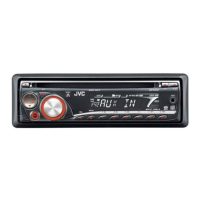
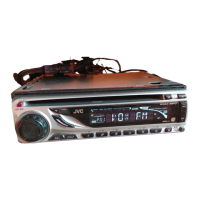
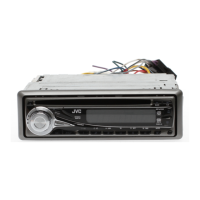
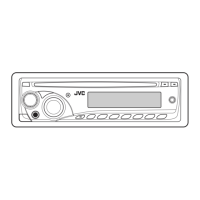
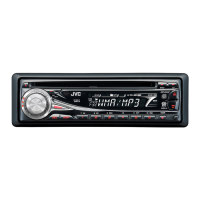
JVC KD-G343 - User Manual

JVC KD-G343
22 pages
Print Icon
To Next Page IconTo Next Page
Loading...
ENGLISH
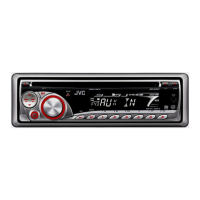
CD RECEIVER
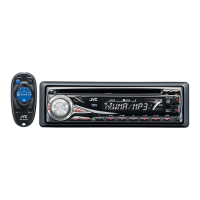
KD-G343/KD-G342/KD-G341
For installation and connections, refer to the separate manual.
INSTRUCTIONS
GET0484-003A
[EX/EU]
For canceling the display demonstration, see page 5.
All manuals and user guides at all-guides.com
all-guides.com

Other manuals for JVC KD-G343

Questions and Answers

  • R
    Rebecca LewisSep 10, 2025
    What to do if JVC KD-G343 Car Receiver disc sound is interrupted?
    • A
      Adam GallegosSep 10, 2025
      If the disc sound on your JVC Car Receiver is sometimes interrupted: * Stop playback while driving on rough roads. * Try changing the disc. * Check the cords and connections.
  • J
    Jessica WeaverAug 22, 2025
    What to do if there is no sound from the speakers of my JVC KD-G343 Car Receiver?
    • E
      Evelyn EstradaAug 23, 2025
      If you're not getting any sound from the speakers of your JVC Car Receiver, check if the speaker output lead is short-circuited. This could be the reason for the lack of audio.
  • A
    aguilarchristineAug 25, 2025
    Why power cannot be turned on in my JVC KD-G343?
    • D
      Donald ReynoldsAug 25, 2025
      If your JVC Car Receiver is not turning on, check if the yellow lead is connected. This connection is necessary for the unit to power up.
  • K
    Karen LoveAug 27, 2025
    What to do if my JVC Car Receiver does not work at all?
    • D
      dominguezmistyAug 27, 2025
      If your JVC Car Receiver isn't working, try resetting the unit. This might resolve the issue.
  • C
    Connor WilliamsonAug 27, 2025
    How to fix JVC KD-G343 Car Receiver when no sound from speakers?
    • R
      Robert ContrerasAug 28, 2025
      If you can't hear any sound from the speakers of your JVC Car Receiver, first, adjust the volume to the optimum level. If the issue persists, check the cords and connections to ensure they are properly connected.
  • A
    Alyssa ByrdAug 29, 2025
    What to do if JVC Car Receiver does not work?
    • Z
      zfisherAug 29, 2025
      If your JVC Car Receiver is not working at all, reset the unit.
  • J
    John CoxSep 18, 2025
    Why are album names displayed incorrectly on my JVC Car Receiver?
    • A
      Amanda ElliottSep 18, 2025
      If the correct characters (e.g., album name) are not displayed on your JVC Car Receiver, it is because this unit can only display alphabets (upper case), numbers, and a limited number of symbols.
  • R
    Russell WalkerSep 12, 2025
    Why won't my JVC KD-G343 play CD-R/CD-RW?
    • D
      Dr. Michael Boyd PhDSep 12, 2025
      If your JVC Car Receiver is not playing CD-R/CD-RW discs, ensure that you insert a finalized CD-R/CD-RW.
  • B
    Barbara FletcherSep 8, 2025
    Why does my JVC Car Receiver say 'NO DISC'?
    • S
      stokesreneeSep 8, 2025
      If the display of your JVC Car Receiver shows “NO DISC”, it means that a playable disc is not inserted into the loading slot. Insert a playable disc into the loading slot.
  • J
    Jordan SotoSep 5, 2025
    Why does the fuse blow in my JVC KD-G343 Car Receiver?
    • W
      williamcolemanSep 5, 2025
      If the fuse keeps blowing in your JVC Car Receiver, verify that the red and black leads are connected correctly. Incorrect connections can cause the fuse to blow.

Summary

Laser Product Safety

Class 1 Laser Product

Unit is classified as a Class 1 Laser Product.

Do Not Open Top Cover

Do not open the top cover; no user-serviceable parts inside.

Visible;Invisible Laser Radiation

Caution: visible/invisible Class 1M laser radiation when open.

Unit Operations

How to Reset Your Unit

Instructions on how to reset the unit's settings.

How to Forcibly Eject a Disc

Procedure for forcibly ejecting a disc.

Control Panel Overview

Parts Identification

Identification of buttons, indicators, and connectors on the control panel.

Getting Started

Basic Operations

Initial unit operations like power on/off and source selection.

Radio Operations

Storing Stations in Memory

Procedures for storing radio stations manually or automatically.

FM RDS Operations

What You Can Do With RDS

Explains features available through RDS data reception.

Searching for Favorite FM RDS Programs

How to find programs based on Programme Type (PTY) codes.

Standby Receptions

TA Standby Reception

Allows switching to Traffic Announcements (TA) from other sources.

Storing Favorite Programme Types

Programme Reception Features

Network-Tracking Reception

Automatically tunes to stronger stations of the same network.

Disc Operations

Playing a Disc

Instructions for playing CDs, CD-Rs, CD-RWs, MP3, and WMA discs.

Sound Adjustments

Preset Sound Modes (c-EQ)

Selectable preset equalizer modes for different music genres.

Adjusting Sound Characteristics

External Component Operations

More About This Unit

Playing an MP3;WMA Disc

Requirements and limitations for playing MP3/WMA discs.

Troubleshooting

General Troubleshooting

Common issues like no sound or unit not working.

MP3;WMA Playback Troubleshooting

Issues specific to MP3/WMA disc playback and character display.

FM;AM Troubleshooting

Issues related to radio reception and SSM preset.

Disc Playback Troubleshooting

Problems with disc playback, ejection, and interruptions.

Specifications

JVC KD-G343 Specifications

General IconGeneral
MP3 playbackYes
AM band range522 - 1620 kHz
FM band range87.5 - 108 MHz
Preset stations quantity24
Output power200 W
Ready for iPodNo
Audio output channels4.0 channels
Maximum power per channel50 W
Display typeLCD
I/O ports1 x RCA 1 x Aux-in
Weight and Dimensions IconWeight and Dimensions
Dimensions (WxDxH)182 x 159.5 x 52 mm

Related product manuals