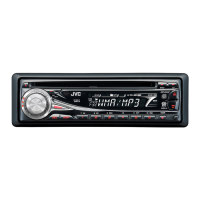
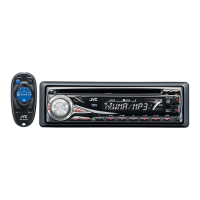
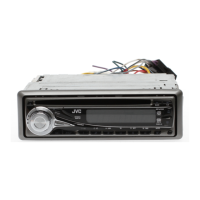
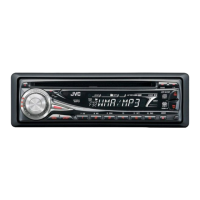
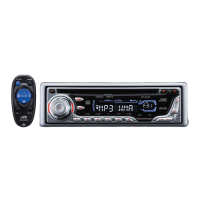
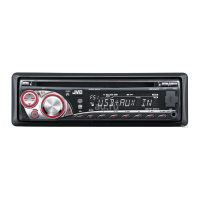
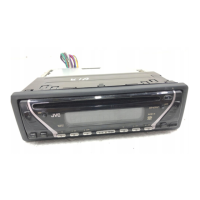
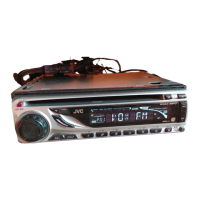
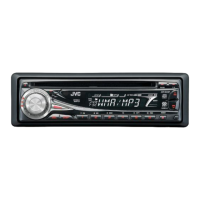
This document describes the JVC KD-G336S CD Receiver, a car audio unit designed to play CDs, CD-Rs, and CD-RWs containing audio CD (CD-DA), MP3, and WMA files, as well as receive FM/AM radio broadcasts. It features a detachable control panel for security and includes a remote controller (RM-RK50) for convenient operation.
Function Description:
The KD-G336S is a CD receiver that supports WMA and MP3 playback, indicated by the "WMA MP3" logos on the unit. It also features "COMPACT DISC DIGITAL AUDIO TEXT" for displaying disc information. The unit's primary functions include playing audio discs, tuning into radio stations, and adjusting sound settings. The detachable control panel enhances security by allowing users to remove it when leaving the vehicle.
Important Technical Specifications:
- Audio Amplifier Section:
- Maximum Power Output: 50 W per channel (Front/Rear)
- Continuous Power Output (RMS): 19 W per channel into 4 Ω, 40 Hz to 20 000 Hz at no more than 0.8% total harmonic distortion (Front/Rear)
- Load Impedance: 4 Ω (4 Ω to 8 Ω allowance)
- Tone Control Range: Bass (±12 dB at 60 Hz), Middle (±12 dB at 1 kHz), Treble (±12 dB at 7.5 kHz)
- Frequency Response: 40 Hz to 20 000 Hz
- Signal-to-Noise Ratio: 70 dB
- Line-Out Level/Impedance: 2.5 V/20 kΩ load (full scale)
- Output Impedance: 1 kΩ
- Subwoofer-Out Level/Impedance: 2.5 V/20 kΩ load (full scale)
- CD Player Section:
- Type: Compact disc player
- Signal Detection System: Non-contact optical pickup (semiconductor laser)
- Number of Channels: 2 channels (stereo)
- Frequency Response: 5 Hz to 20 000 Hz
- Dynamic Range: 96 dB
- Signal-to-Noise Ratio: 98 dB
- Wow and Flutter: Less than measurable limit
- MP3 Decoding Format: (MPEG1/2 Audio Layer 3)
- Max. Bit Rate (MP3): 320 kbps
- WMA (Windows Media® Audio) Decoding Format:
- Max. Bit Rate (WMA): 192 kbps
- Tuner Section:
- Frequency Range: FM (87.5 MHz to 108.0 MHz), AM (531 kHz to 1 602 kHz)
- FM Tuner Usable Sensitivity: 11.3 dBf (1.0 µV/75 Ω)
- 50 dB Quieting Sensitivity: 16.3 dBf (1.8 µV/75 Ω)
- Alternate Channel Selectivity (400 kHz): 65 dB
- Frequency Response: 40 Hz to 15 000 Hz
- Stereo Separation: 30 dB
- AM Tuner Sensitivity/Selectivity: 20 µV/35 dB
- General:
- Power Requirement: DC 14.4 V (11 V to 16 V allowance)
- Grounding System: Negative ground
- Allowable Operating Temperature: 0°C to +40°C
- Installation Size (W × H × D): 178 mm × 50 mm × 151 mm
- Panel Size (W × H × D): 178 mm × 50 mm × 17 mm
- Mass: 1.3 kg (excluding accessories)
Usage Features:
- Control Panel: The front panel includes an eject button, loading slot, standby/on/attenuator button (6/1/ATT), remote sensor, SOURCE button, display window, BAND button, EQ (equalizer) button, control dial, SEL (select) button, DISP (display) button, MO (monaural) button, SSM (Strong-station Sequential Memory) button, number buttons (1-6), RPT (repeat) button, RND (random) button, and M MODE button. The control panel also has a release button for detachment.
- Display Indicators: The display shows disc information (TAG, track/file, folder), playback mode (RND, disc, folder, RPT), tuner reception (MO, ST), S.BASS (super bass), EQ (equalizer), track number (Tr), source display, volume level, time countdown, and sound mode (JAZZ, ROCK, HIP HOP, CLASSIC, POPS, USER).
- M MODE Button: This button allows the number buttons and directional buttons to work as different function buttons, providing access to additional features. To revert to original functions, wait 5 seconds or press M MODE again.
- Reset Function: The unit can be reset, which erases all preset adjustments. This is useful for troubleshooting.
- Forcible Disc Ejection: A disc can be forcibly ejected if needed, but care should be taken not to drop it.
- Power On/Off: The unit can be turned on by pressing the 6/1/ATT button briefly or the SOURCE button. Holding the 6/1/ATT button turns the power off.
- Volume Adjustment: Volume can be adjusted using the control dial or the VOL +/- buttons on the remote. The ATT (attenuator) function drops the volume momentarily.
- Basic Settings (PSM - Preferred Setting Mode): Users can adjust various settings such as display demonstration (DEMO ON/OFF), clock display (CLK DISP ON/OFF), hour (CLOCK H) and minute (CLOCK M) adjustment, dimmer (DIMMER ON/OFF), scroll mode (SCROLL ONCE/AUTO/OFF), line output mode (L/O MODE REAR/WOOFER), subwoofer cutoff frequency (WOOFER LOW/MID/HIGH), Tag display (TAG DISP ON/OFF), and amplifier gain control (AMP GAIN LOW PWR/HIGH PWR).
- Radio Operations:
- Searching for Stations: Pressing the search buttons initiates station search.
- Monaural Mode (MO): When FM stereo reception is weak, activating monaural mode improves reception but loses the stereo effect.
- Storing Stations: Six stations can be preset for each band (FM1, FM2, FM3, AM).
- SSM (Strong-station Sequential Memory): Automatically searches for and stores local FM stations with the strongest signals.
- Manual Presetting: Allows users to manually store specific station frequencies into preset numbers.
- Disc Operations:
- Playing a Disc: Insert a disc into the loading slot. All tracks will play repeatedly until the source is changed or the disc is ejected.
- Ejecting a Disc: Press the eject button. If not removed within 15 seconds, the disc is automatically re-inserted.
- Fast-forward/Reverse: Hold the R/F buttons on the remote.
- Track/Folder Navigation: Use the directional buttons or number buttons to select tracks or folders.
- Playback Modes: Repeat play (TRK RPT, FLDR RPT) and random play (FLDR RND, DISC RND) are available.
- Display Information: The DISP button cycles through different display information, including disc title, performer, track title, album name, folder name, file name, clock, and elapsed playing time. Tag information (for MP3/WMA) can be displayed if "TAG DISP" is set to "TAG ON."
- Prohibiting Disc Ejection: The unit can lock a disc in the loading slot to prevent accidental ejection.
- Sound Adjustments:
- iEQ (Intelligent Equalizer): Preset sound modes (USER, ROCK, CLASSIC, POPS, HIP HOP, JAZZ) are available, with adjustable Bass, Middle, Treble, and Super Bass (S.BS) levels.
- Custom Sound Adjustment: Users can manually adjust Bass, Middle, Treble, Fader (FAD), Balance (BAL), Super Bass (S.BS), Subwoofer output level (SUB.W), and Volume (VOL).
Maintenance Features:
- Connector Cleaning: Connectors on the detachable control panel should be periodically wiped with a cotton swab or alcohol-moistened cloth to prevent deterioration.
- Moisture Condensation: If moisture condenses on the lens (e.g., after using the car heater or in humid conditions), eject the disc and leave the unit on for a few hours to allow the moisture to evaporate.
- Disc Handling:
- Always hold discs by the edges and avoid touching the recording surface.
- Store discs in their cases after use.
- To clean a dirty disc, wipe it with a soft cloth in a straight line from center to edge. Do not use solvents.
- For new discs with rough edges, rub the edges with a pencil or ball-point pen to prevent rejection by the unit.
- Discs to Avoid: Warped discs, discs with stickers or stick-on labels, discs with unusual shapes, and single CDs (8 cm discs) should not be used.
- Battery Replacement (Remote Controller): The remote controller uses a CR2025 lithium coin battery. Instructions are provided for installation. Warnings are given regarding battery safety, including not using other battery types, avoiding direct sunlight exposure, keeping out of reach of children, and preventing overheating or damage.
Additional Notes:
- The unit supports MP3/WMA files with specific bit rates (8 kbps – 320 kbps for MP3, 192 kbps for WMA) and sampling frequencies.
- Supported disc formats include ISO 9660 Level 1/Level 2, Romeo, Joliet, and Windows long file name.
- The unit can recognize up to 512 files, 200 folders, and 8 hierarchies.
- VBR (variable bit rate) files may show discrepancies in elapsed time display.
- Certain MP3/WMA file formats (e.g., MP3i, MP3 PRO, Layer 1/2, lossless, professional, voice, copy-protected DRM, WAVE, ATRAC3) are not supported.
- The search function works but may not have constant speed.
- When changing sources, playback stops, but resumes from the stopped point when "CD" is selected again.
- The unit can display album names, artist names, and Tag information (Version 1.0, 1.1, 2.2, 2.3, or 2.4) for MP3/WMA files.
- Only one-byte characters can be displayed correctly.
- For DualDisc playback, the Non-DVD side is not recommended as it does not comply with the Compact Disc Digital Audio standard.
- Using CD-Rs/CD-RWs with stickers or ink-jet printed labels, or under high temperatures/humidities, may cause malfunctions.

 Need help?
 General

 To Next Page