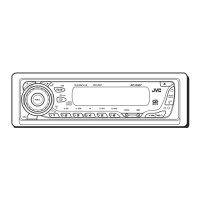
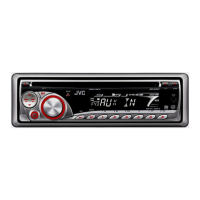
Need help?
Do you have a question about the JVC KD-G310 and is the answer not in the manual?
FCC compliance and interference guidelines for the receiver.
Safety precautions concerning the laser optical pickup.
Crucial warnings regarding safe driving and product handling.
Step-by-step guides for resetting the unit and ejecting discs.
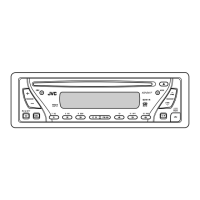
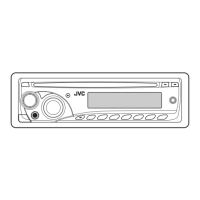
Identifies all buttons and indicators on the control panel.
Guide for installing the battery in the remote control.
Explains the buttons and functions of the remote control.
Covers initial setup and basic receiver functions.
How to turn off the automatic display demonstration mode.
Instructions for setting the internal clock.
How to tune in to FM and AM radio stations.
Methods for saving favorite radio stations.
How to recall stored radio stations.
Instructions for playing audio CDs and MP3/WMA discs.
Guide for operating an external CD changer.
Covers advanced disc playback features like skipping tracks.
How to customize the information shown on the display.
Explains repeat and random play options.
How to choose pre-defined sound profiles.
Details on adjusting bass, treble, fader, and loudness.
How to change preferred settings like dimmer and clock.
Instructions for removing and reattaching the detachable control panel.
Connecting and operating external audio sources.
How to tune in and listen to SIRIUS satellite radio.
How to save SIRIUS radio channels.
How to recall stored SIRIUS channels.
Guide to cleaning electrical connectors for longevity.
What to do if moisture affects the CD player lens.
Tips for cleaning audio discs.
How to prepare new discs for playback.
Proper methods for handling and storing discs.
General operational notes and tips.
Information on available audio sources.
Details on radio tuning and station memory.
Advanced information on disc playback compatibility.
Correct method for inserting discs.
Notes on playback behaviour, especially for MP3/WMA.
Compatibility and playback guidelines for recordable discs.
Details MP3/WMA file format requirements and limitations.
Common issues and solutions for the receiver.
Problems related to radio reception and tuning.
Solutions for problems with CD, CD-R, CD-RW playback.
Troubleshooting specific to MP3 and WMA file playback.
Problems and solutions related to the CD changer.
Troubleshooting for SIRIUS radio reception and functionality.
Technical specifications for the audio amplifier.
Technical specifications for the CD player.
Technical specifications for the radio tuner.
Overall technical details of the receiver.
List of included parts for installing the receiver.
Guide for installing the receiver into the dashboard.
Steps to safely remove the receiver from the car.
How to connect external amplifiers for upgraded sound.
Instructions for connecting external audio sources like CD changers.
 General
| Type | CD Receiver |
|---|---|
| Tuner | AM/FM |
| CD Playback | Yes |
| MP3 Playback | Yes |
| WMA Playback | Yes |
| USB Port | No |
| Aux Input | Yes |
| Bluetooth | No |
| Display | LCD |
| Detachable Faceplate | Yes |
| Preset EQ | Yes |
| Channels | 4 |
| Max Power Output | 50W x 4 |

 To Next Page