16
ENGLISH
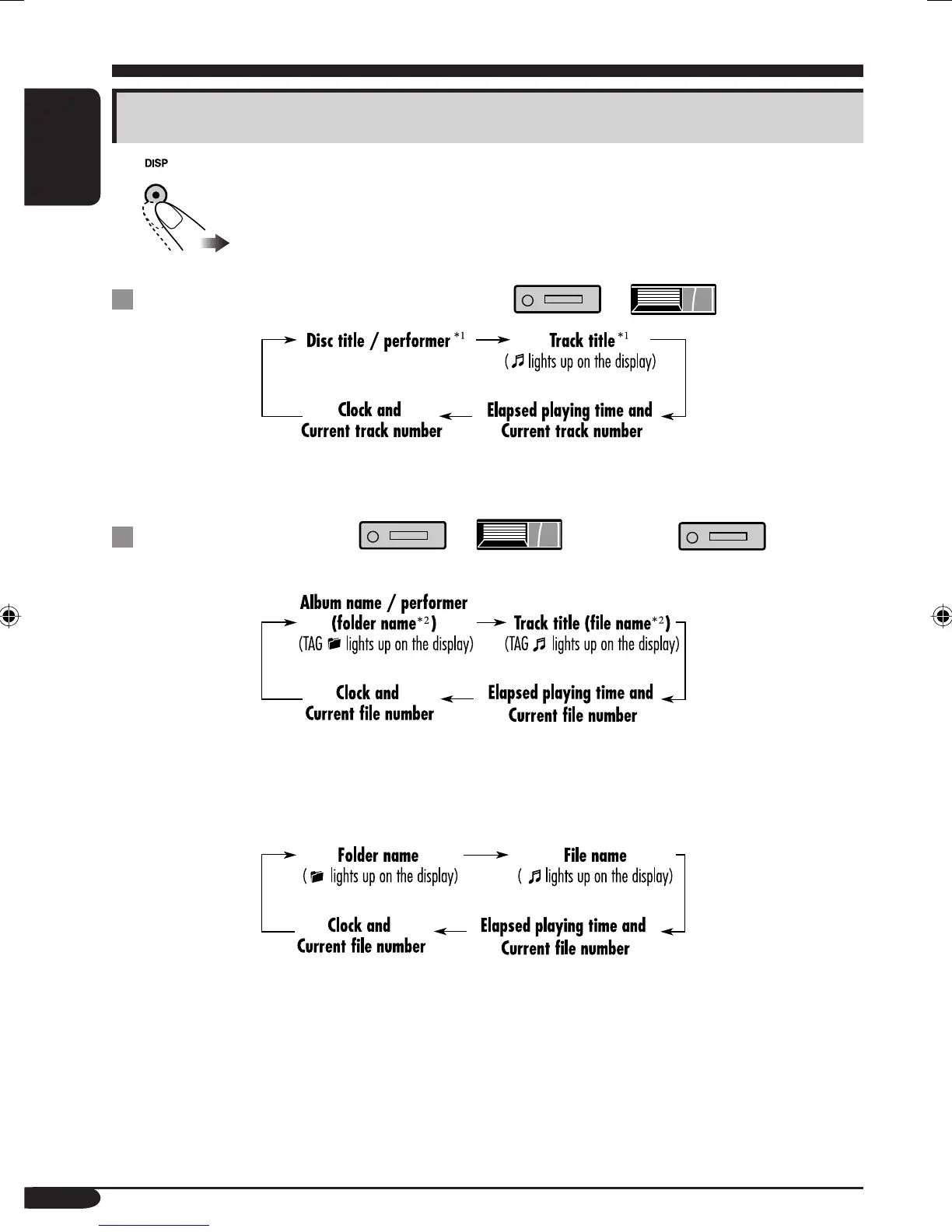
Changing the display information
While playing an audio CD or a CD Text ( / )
*
1
If the current disc is an audio CD, “NO NAME” appears.
While playing an MP3 ( / ) or WMA ( ) disc
• When “TAG DISP” is set to “TAG ON” (see page 21)
*
2
If an MP3/WMA file does not have ID3 tags, folder name and file name appear. In this
case, the TAG indicator will not light up.
• When “TAG DISP” is set to “TAG OFF”
EN12-17_KD-AR360_G310[J]f.indd 16 9/24/04, 10:14:42 AM


 To Next Page