Filename [DR-MV1SE_05DVD Operation1.fm]
Masterpage:Left+
38 EN
Page 38 April 22, 2004 12:08 pm
OPERATIONS ON DVD DECK
Random Playback
You can play back all the tracks on the disc in random order.
While stopped
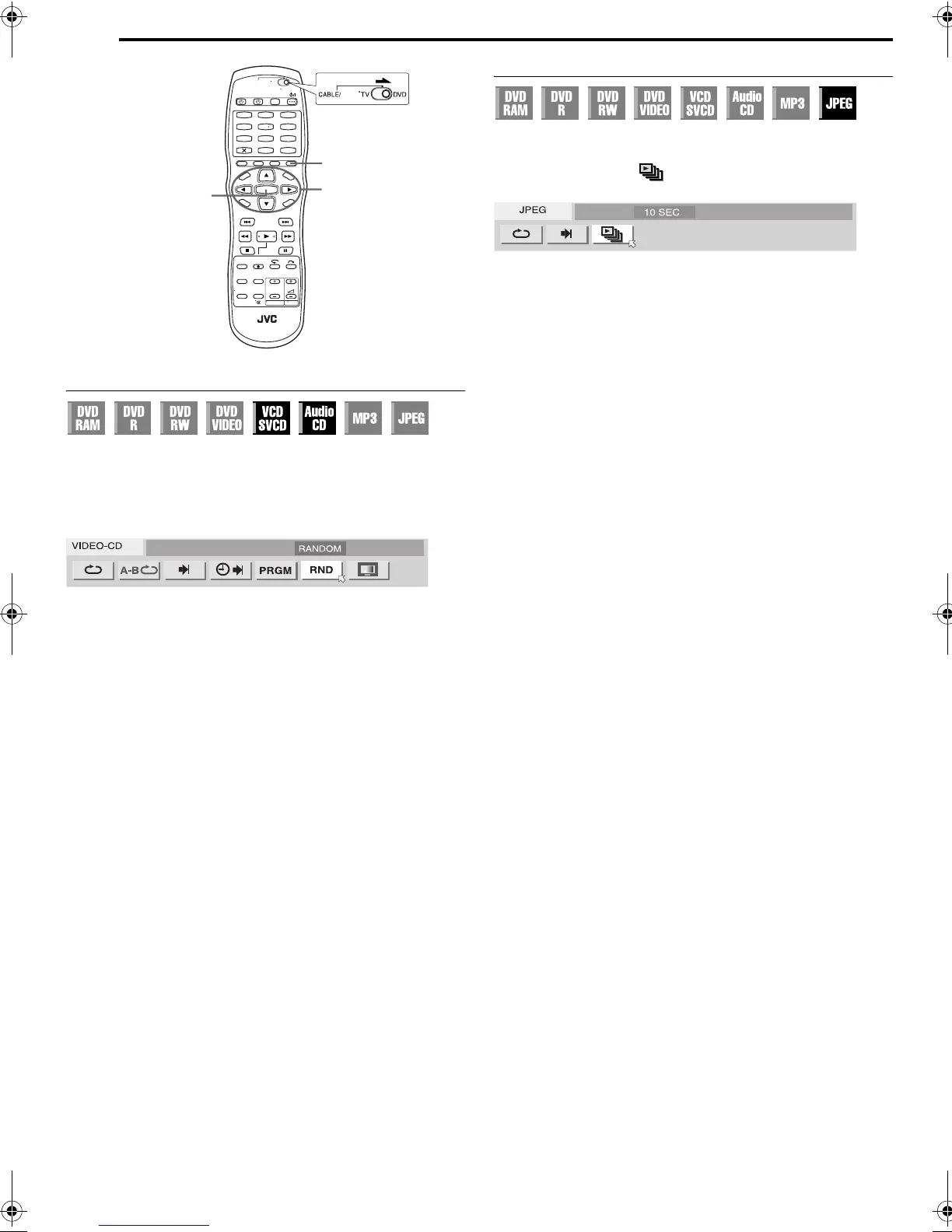
1 Press ON SCREEN twice to access the on-screen bar.
2 Press we to select “RND”, then press ENTER. Playback starts
in random order.
To clear the on-screen bar
Press ON SCREEN.
To cancel Random Playback
Perform steps 1 and 2.
NOTE:
The same track will not be played back more than once during Random
Playback.
Select The Switching Interval Of The Slide Show
You can control the switching interval of the slide show.
1 Press ON SCREEN twice to access the on-screen bar.
2 Press we to select “ ”, then press ENTER. The pop-up
window appears under the selected item.
3 Press rt to select the desired option, then press ENTER.
● Each time you press rt, the interval changes as follows:
5 SEC. { 10 SEC. { 15 SEC. { 20 SEC. { 25 SEC. {
30 SEC. { (Back to the beginning)
To clear the on-screen bar
Press ON SCREEN.
1
4
7
2
5
8
0
3
6
9
ON SCREEN
ENTER
rtw e
SAT
DR-MV1SE_05DVD Operation1.fm Page 38 Thursday, April 22, 2004 12:09 PM


 To Next Page