26
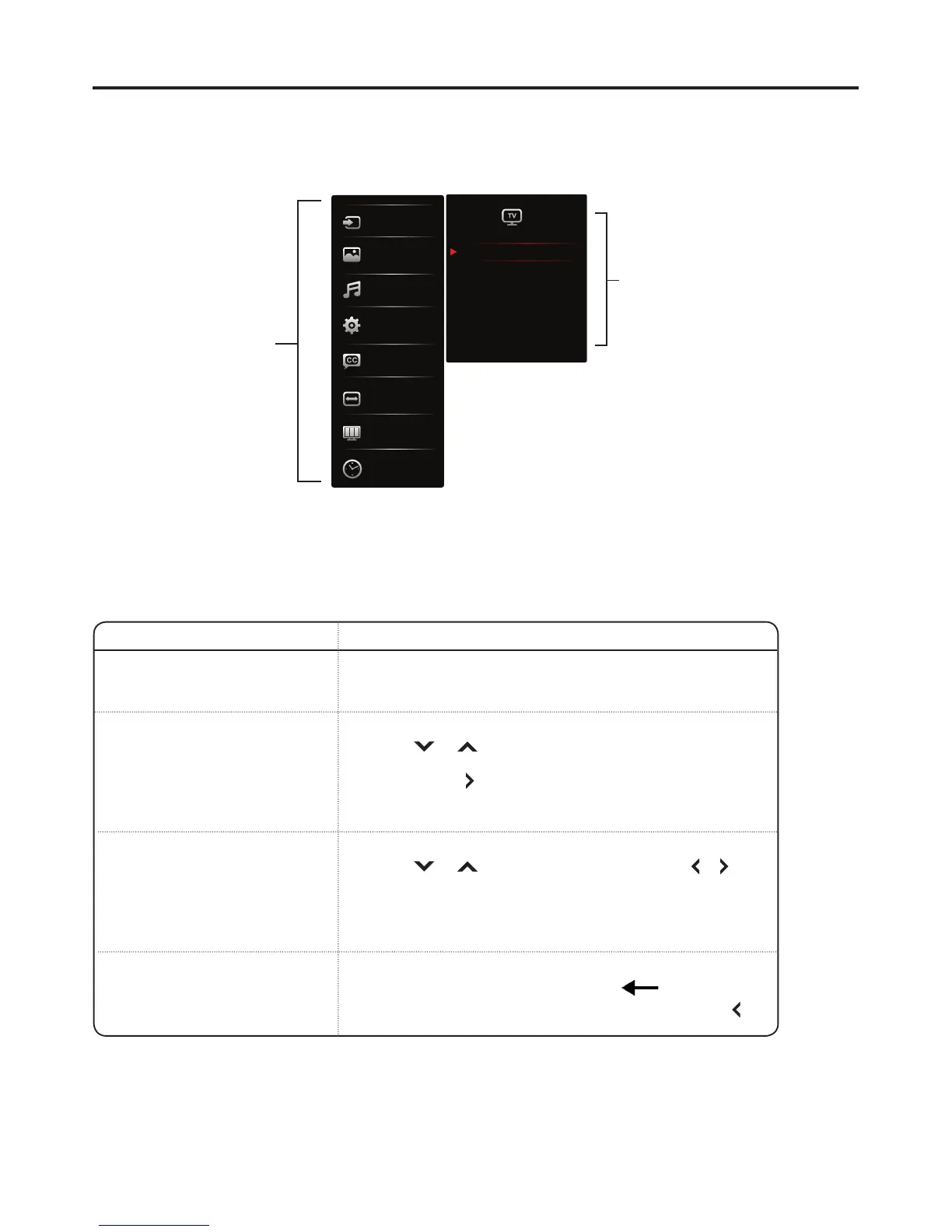
Menu Operation
1 Display the menu.
Press MENU.
2 Select a menu option.
1. Press or to select a menu or option.
2. Press OK or to enter a menu or conrm
an option.
3 Adjust or select the setting.
1. Press
or to select an option. Or, press or
to adjust a setting, such as Brightness.
2. Press OK to apply the settings.
Remote Control
4 Exit the menu.
To exit the menu, press BACK OR
. Or, to return
to a previous screen one at a time, press MENU or .
Adjusting the Menu Settings
Main Menu
Picture
Audio
Setup
Wide
Closed Caption
Channel
Sleep Timer
Input
TV
Video
component
HDMI-1
HDMI / MHL
Music
Options or submenu



 To Next Page