Need help?
Do you have a question about the JVC LT-24C655 and is the answer not in the manual?
General safety precautions for unit operation and child safety.
Inspect for damage and proper placement of the TV unit.
Guidelines and precautions for mounting the TV on a wall.
Precautions related to temperature, flames, moisture, and ventilation.
General safety advice regarding disconnection and storm precautions.
Handling the mains cable and avoiding electromagnetic interference.
Advice on viewing distance, LCD screen characteristics, and screen burn prevention.
Country-specific restrictions for using wireless internet.
Safe usage of earphones, battery handling, and child supervision.
Safety precautions related to the DVD player's laser product.
Safety considerations regarding earthing and cable connections.
Safety guidelines for cleaning, maintenance, and servicing.
Instructions for unpacking the TV and identifying included items.
Steps for attaching or detaching the TV's base stand.
Instructions and considerations for wall-mounting the TV.
Identification and description of TV front and side controls and indicators.
Identification and description of the TV's rear connections and ports.
Procedure for inserting batteries into the remote control.
Information on the optimal operating distance and angle for the remote.
Detailed explanation of each button's function on the remote control.
Step-by-step guide for the initial power-on and setup process.
Steps for connecting the TV to the internet via wired or wireless networks.
Activating Freeview Play and performing automatic channel scan and region selection.
Tuning analogue devices and selecting/displaying channels.
Guide to adjusting various picture parameters for optimal viewing.
Changing screen aspect ratio and configuring sound modes, volume, and equalizer.
Procedures for managing channels: watch, move, delete, rename, lock/unlock.
How to filter and view your saved favourite channels.
Explanation of the Programme Guide, how to navigate, and select programmes.
How to pause live TV and record it using a USB storage device.
Instructions for directly recording TV programmes onto a USB storage device.
Guide to setting timers for recording or switching channels.
Adjusting recording start/end times, max timeshift, and auto-discard options.
How to access and play back recorded content from the Media Browser.
Using interactive services, accessing information, and tuning radio stations.
Steps to establish a wired internet connection for the TV.
Steps to connect the TV to a wireless network using password or WPS.
Guide to accessing and using Freeview Play services and catch-up features.
Navigating the Smart TV interface, accessing the Market and Widget sections.
Adding, organising, deleting apps, searching, and accessing key applications.
Customising the background picture for the smart screen.
Instructions for browsing the internet on the TV, including bookmarks and tabs.
Adding favourite websites to Speed Dial and managing browser menu options.
Inserting discs, basic player operation, and compatibility.
Detailed controls for playing, pausing, stopping, and navigating DVD content.
Accessing disc info, zooming, and general setup menus for the DVD player.
Overview of remote control buttons specifically for DVD playback functions.
Configuring video, language, and preference settings for the DVD player.
Instructions for inserting and removing the Common Access Module.
Adjusting time zones and accessibility features like Hard of Hearing and Audio Description.
Advanced settings including menu timeout, software upgrade, and CEC control.
Connecting ARC-compliant devices for audio output via HDMI.
Customising menu language and enabling/disabling input sources.
Restoring the TV to its original factory settings and re-tuning channels.
Setting up parental controls, locking menus, and changing the PIN.
Guide to connecting USB devices for media playback or recording.
Playing video files from a connected USB storage device.
Viewing photo files from a connected USB storage device.
Playing music files and configuring media browser settings like slideshows.
Advice on cleaning the TV and proper handling, cleaning, and storing of discs.
Solutions for common TV operational issues and tips for better performance.
Addressing common issues with PC mode, Smart TV, DVD function, and channel reception.
Remote control codes for external devices and product compliance information.
Detailed technical specifications and energy efficiency information for the TV.
Information regarding software licenses used within the television.
Important notices, software licenses, and trademark information.
 General
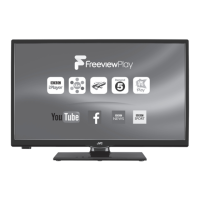
| Screen Size | 24 inches |
|---|---|
| Resolution | 1366 x 768 |
| Display Type | LED |
| HDMI Ports | 2 |
| USB Ports | 1 |
| HD Technology | HD Ready |
| Refresh Rate | 60 Hz |
| Built-in Tuner | Yes |

 To Next Page