22
Refer to page 17 for Repeat Playback of MP3/
WMA/JPEG/MPEG1/MPEG2 files.
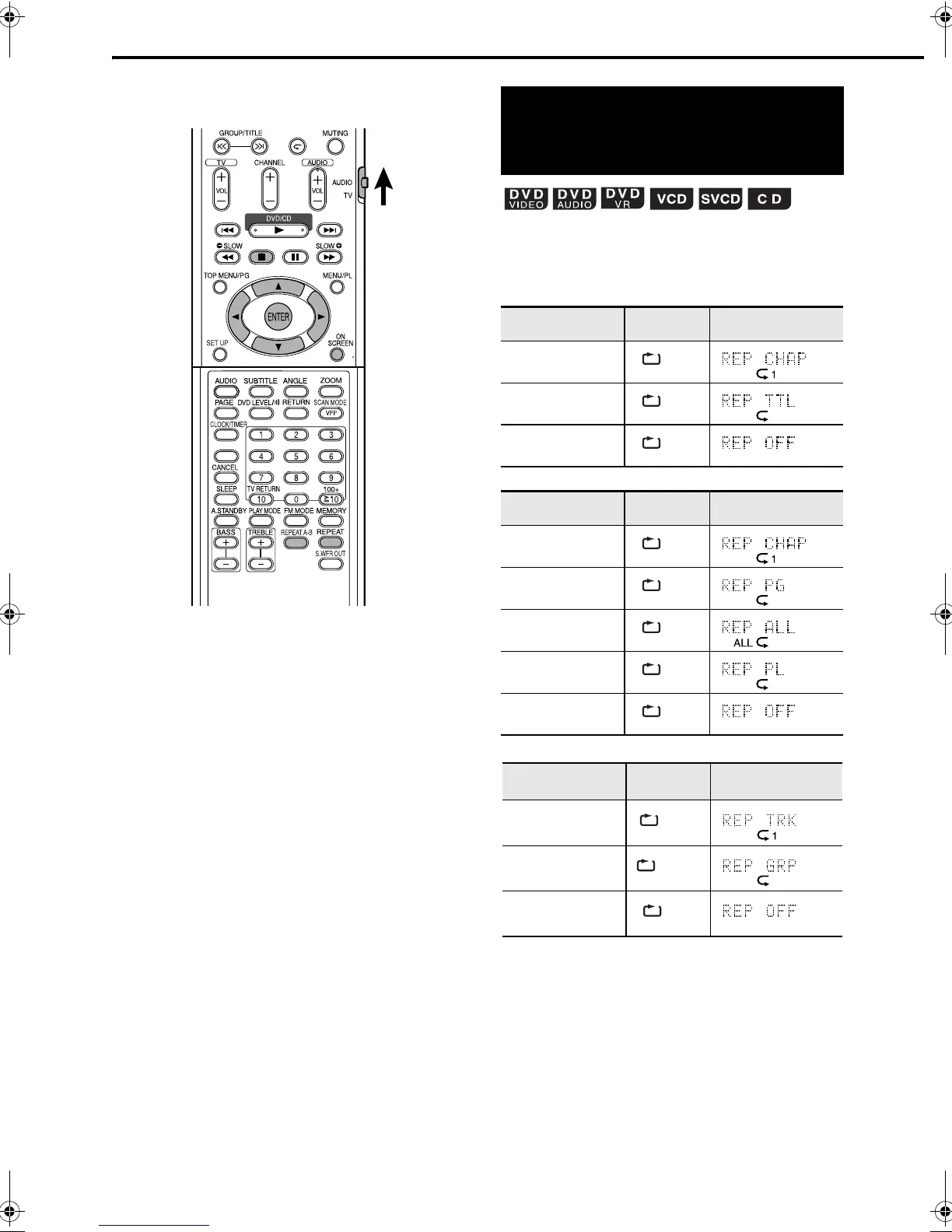
Press REPEAT during playback.
• Each time you press the button, the Repeat
mode and its indication change as follows:
For DVD VIDEO
For DVD VR
For DVD AUDIO
SET/QP LINK
Playing the title/chapter/
group/track/all tracks
repeatedly (REPEAT)
Repeat items On the TV On the display
window
Current chapter
Current title
Cancel
Repeat items On the TV On the display
window
Current chapter
Current original
program
All original
programs
Current play list
Cancel
Repeat items On the TV On the display
window
Current track
Current group
Cancel
CHAP
TITLE
OFF
CHAP
PG
ALL
PL
OFF
TRACK
GROUP
OFF
Repeat Playback
EX-D11[J].book Page 22 Wednesday, March 22, 2006 1:17 PM


 To Next Page