5
The numbers represent the page numbers.
* Connect headphones (not supplied) with a stereo mini plug. If the headphones are connected, the
speakers and subwoofer will not produce any sound.
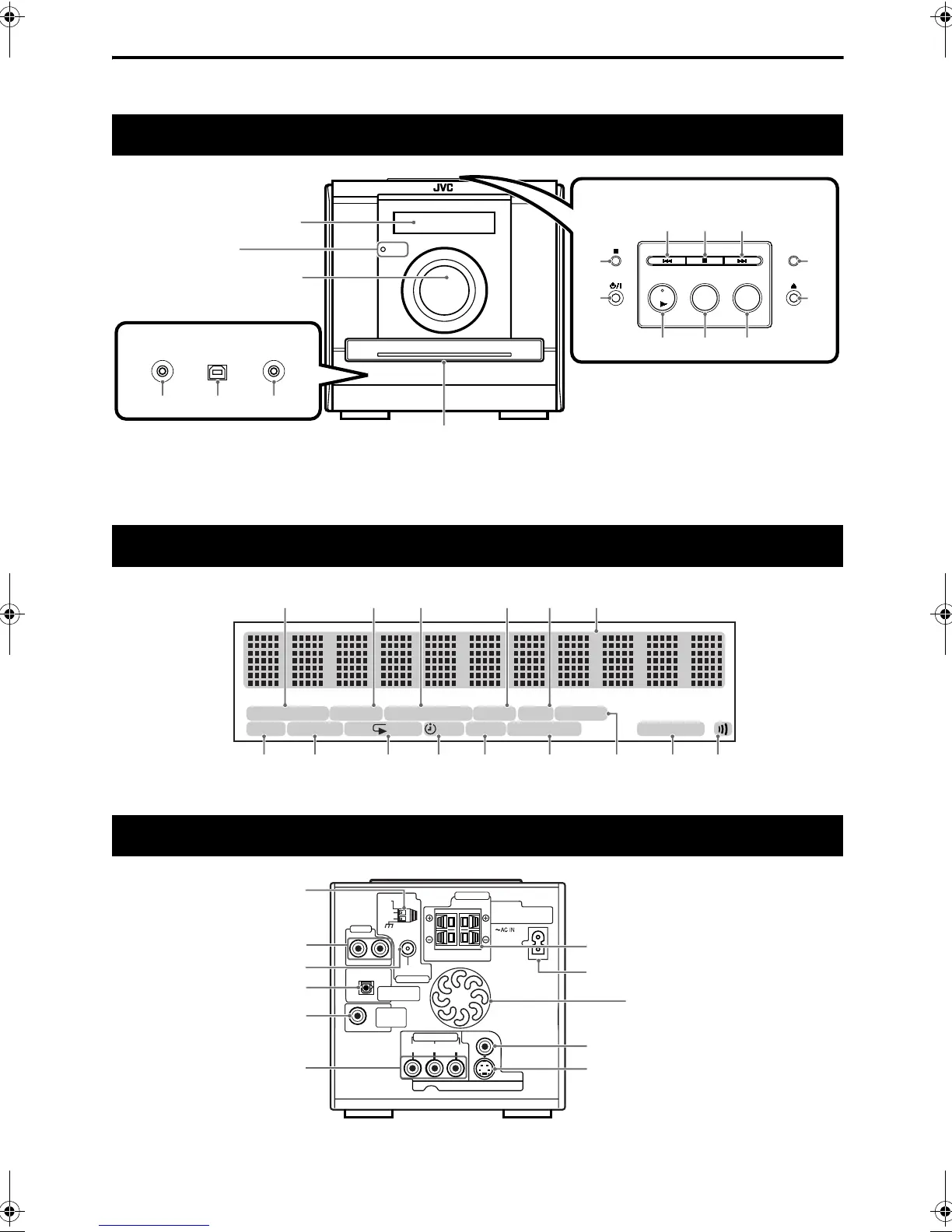
Front panel
AUX
DVD/CD
FM/AM
USB
PHONESAUX 1 USB AUDIO
*
STANDBY
See “Display
window” below.
In the door
Top of the unit
16
11
32
12
14
12
15
15
14
12
31 32
12
33
STANDBY lamp
Display window
RESUME
PRGM. ALL SLEEP 3D PHONICA. STANDBYA-B 12 31RANDOM
BONUS B.S.P. S T AUTOPROGRESSIVESVCDVD-A
13
18 26 27
27 13
20 21 17, 22 35
36 36 31
26
25
Rear panel
SPEAKER IMPEDANCE
4Ω-16Ω
VIDEO
S-VIDEO
COMPONENT
YP
B
P
R
VIDEO OUT
RL
R
L
PCM/
STREAM
FM75
Ω
COAXIAL
ANTENNA
AUX 2
DVD OPTICAL
DIGITAL OUT
SUB-
WOOFER
OUT
SPEAKERS
CAUTION:
AM
EXT
AM
LOOP
These holes discharge heat
generated inside the unit.
Do not cover up these holes.
8
10
8
10
10
11
9
11
11
11
Description of parts
Introduction
EX-D11[J].book Page 5 Wednesday, March 22, 2006 1:17 PM


 To Next Page