33
3:45
PM
FLAT
D.PLAYER
01 0:45:38
Album Name
Artist Name
Track Title
POWER]ON
EXTERNAL DEVICES
ENGLISH
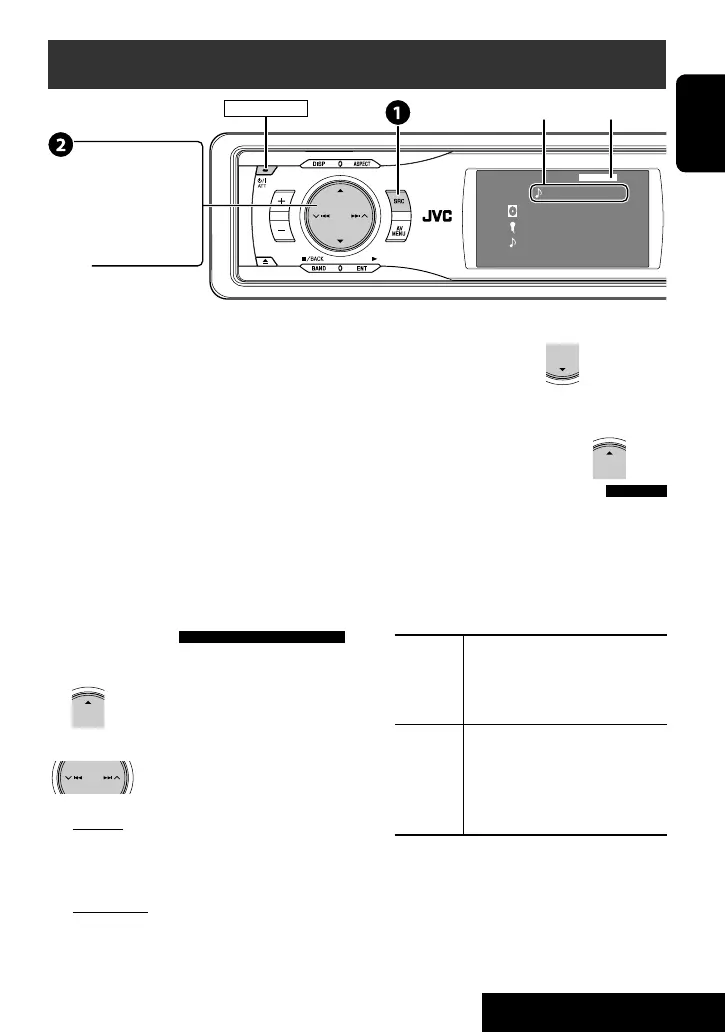
Listening to the iPod/D. player
It is required to connect the interface adapter (KS-
PD100 for Apple iPod or KS-PD500 for JVC D. player) to
the CD changer jack on the rear.
Preparation:
Make sure <iPod> or <D. Player> is selected for the
external input setting. (☞ page 42)
~ Select “iPod” or “D. PLAYER.”
Playback starts automatically.
Ÿ Select a track.
Selecting a track from the
player’s menu
1 Enter the player’s menu.
• This mode will be canceled if no
operations are done for about 5 seconds.
2 Select the desired item.
Press: Select an item
Hold: Skip 10 items at a time
For iPod:
Playlists Ô Artists Ô Albums Ô Songs
Ô Genres Ô Composers Ô (back to the
beginning)
For D. player:
Playlist Ô Artist Ô Album Ô Genre Ô
Track Ô (back to the beginning)
3 Confirm the selection.
4 Repeat steps 2 and 3 to select a track.
• When a track is selected finally, playback starts.
• To return to the previous menu...
Selecting playback modes
1 Display <AV Menu>, then select <Mode>
menu icon.
2 Enter <Mode>, then select <Repeat> or
<Random>.
3 Select an appropriate option.
Repeat One: Functions the same as “Repeat
One” or “Repeat Mode
= One.”
All: Functions the same as “Repeat
All” or “Repeat Mode = All.”
Random Album: Functions the same as
“Shuffle Albums” of the iPod.
Song/On: Functions the same as
“Shuffle Songs” or “Random Play
= On.”
• When one of the playback modes is selected, the
corresponding indicator lights up on the monitor.
To cancel, select <All Off> in step 2 or <Off> in
step 3.
• iPod is a trademark of Apple Computer, Inc., registered in
the U.S. and other countries.
¢ 4 :
Press: Select track
Hold: Reverse/forward search
5 ∞
5 : Enter player’s menu
∞ : Pause/stop playback
• To resume, press again.
Track no./Playing time
☞ page 35
EN_KD-AVX11J-f.indb 33EN_KD-AVX11J-f.indb 33 06.12.21 3:29:27 PM06.12.21 3:29:27 PM


 To Next Page
 Loading...