P!ayingBa@ abide
Before operating a disc, be familiar how a disc is recorded.
• DVD Video comprises of"Titles" which includes
"Chapters," DVD Audio/MP3/WMA comprise of
"Groups" which include "Tracks," and CD/SVCD/VCD
comprise of only "Tracks."
• For JPEG playback, see "Operations on the
CONTROL Screen" on page 27.
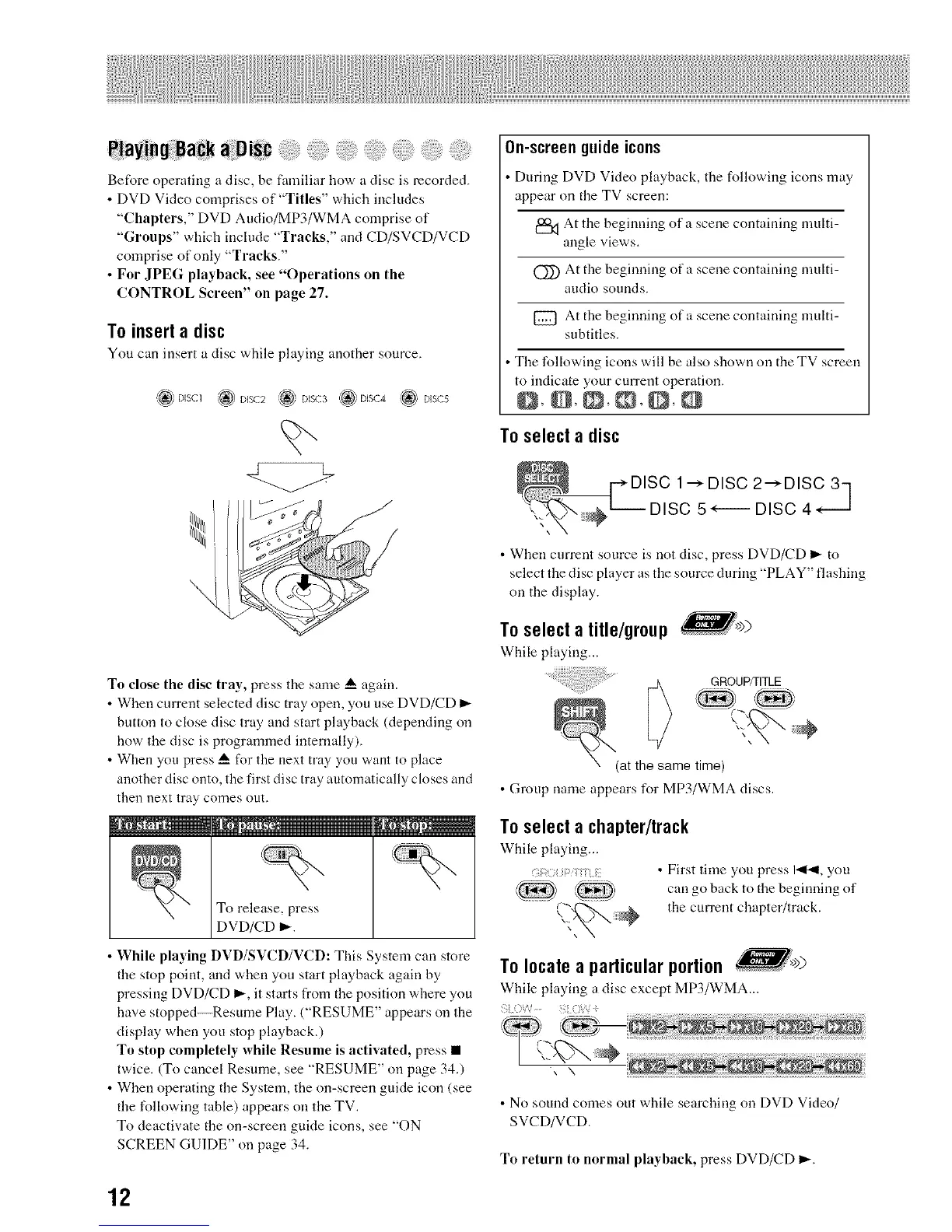
To insert a disc
You can insert a disc while playing another source.
_(_ DISC1 L_ DISC2 _ DISC3 _ ,. _' DISC5
On-screen guideicons
During DVD Video playback, the following icons may
appear on the TV screen:
At the beginning of a scene containing multi-
angle views.
(_ At the beginning of a scene containing multi-
audio sounds.
[_ At the beginning of a scene containing multi-
subtitles.
Tile following icons will be also shown on the TV screen
to indicate your current operation.
O, O,O,@,O,O
To select a disc
DISC 1"-_DISC 2"-_DISC 3]
DISC 5"---- DISC 4" --J
• When current source is not disc, press DVD/CD I_ to
select the disc player as the source during "PLAY" flashing
on the display.
To selecta title/group
While playing...
To close the disc tray, press tile same A again.
• When current selected disc tray open, you use DVD/CD I_
button to close disc tray and start playback (depending on
how the disc is programmed internally).
• When you press _ for the next tray you want to place
another disc onto, the first disc tray automatically closes and
then next tray comes out.
To release, press
DVD/CD D,-.
• While playing DVD/SVCD/VCD: This System can store
the stop point, and when you start playback again by
pressing DVD/CD I_, it starts from the position where you
have stopped--Resume Play. ("RESUME" appears on the
display when you stop playback.)
To stop completely while Resume is activated, press •
twice. (To cancel Resume, see "RESUME" on page 34.)
• When operating the System, the on-screen guide icon (see
the following table) appears on the TV.
To deactivate the on-screen guide icons, see "ON
SCREEN GUIDE" on page 34.
GROUP/TITLE
(at the same time)
• Group name appears Ii_r MP3/WMA discs.
To select a chapter/track
While playing...
:< • First time you press 1414, you
can go back to the beginning of
the current chapter/track.
To locate a particular portion
While playing a disc except MP3/WMA...
; ?W ..... /
• No sound comes out while searching on DVD Video/
SVCD/VCD.
To return to normal playhack, press DVD/CD i_.
12


 To Next Page
 Loading...