LiNE
Source
selector
o
Listening to External
Equipment
You can listen to the external equipment such &s MD re-
corder, tape deck or other auxiliary.
First make sure that the external equipment is properly
connected to the System. (See page 8).
1 Set the VOLUME control to the mini-
mum position.
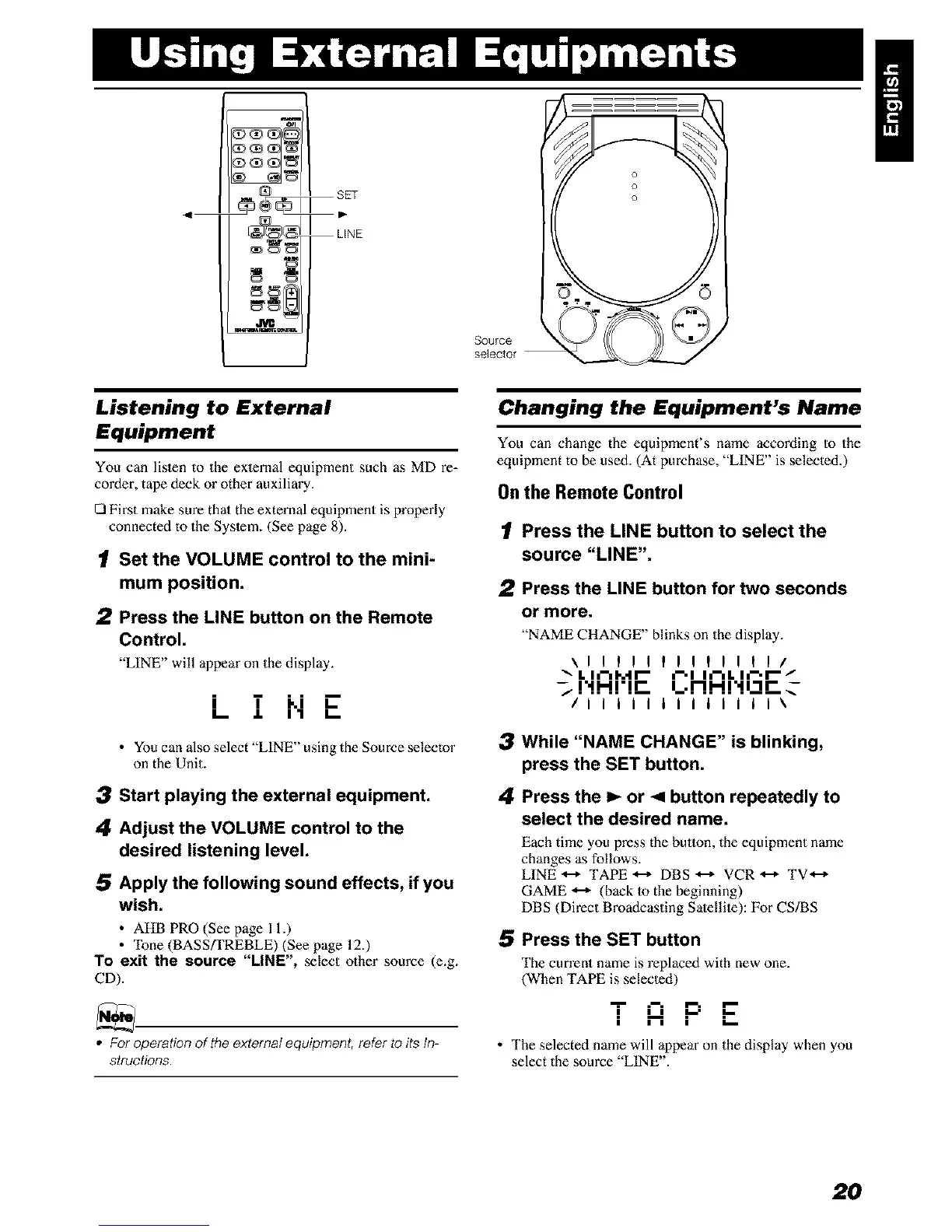
2 Press the LINE button on the Remote
Control.
"LINE" will appear on the display.
i T ki E
I-- ,L I1 I--
• Youcan also select LINE using the Source selecto"
on the Unit.
3 Start playing the external equipment.
4 Adjust the VOLUME control to the
desired listening level.
5 Apply the following sound effects, if you
wish.
• AHB PRO (See page 11.)
• "Ibne (BASS/TREBLE) (See page 12.)
To exit the source "LINE", select other source (e.g.
CD).
• For operation of the external equipment, refer to its In-
structions.
Changing the Equipment's Name
You can change the equipment's name according to the
equipment to be used. (At purchase, "LINE" is selected.)
Onthe Remote Control
1 Press the LINE button to select the
source "LINE".
2 Press the LINE button for two seconds
or more.
"NAME CHANGE" blinks on the display.
\ll!lllllllltl/
"_ L I J-=I..,I I-- =-'1 I_-=L Ir'l -/
-_ !'.!.Hr! r- i_.!-! !-! r.! i -i i- _-
/I I I I I i I I i I I I I\
3 While "NAME CHANGE" is blinking,
press the SET button.
4 Press the I_ or < button repeatedly to
select the desired name.
Each time you press the button, the equipment name
changes as follows.
LINE _ TAPE _ DBS _ VCR _ TV *--_
GAME _ (back to the beginning)
DBS (Direct Broadcasting Satellite): For CS/BS
5 Press the SET button
The current name is replaced with new one.
(When TAPE is selected)
i ij ._ ..-
I I I I
• The selected name will appear on the display when you
select the source LINE .
2O


 To Next Page